AI Christmas Photo Creator From One Phone Photo
Updated 2026-09-16 · PiXmas Editorial Team
Quick answer: An AI Christmas photo creator like PiXmas turns a single phone photo into festive portraits, Santa scenes, and wallpapers using AI models trained on your face. Upload one image, pick from 800+ styles, and receive a batch of Christmas-themed photos in minutes. No costume, snow, or studio needed, just one clear photo of your face.
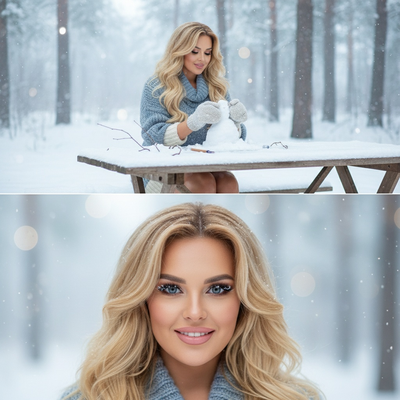
What Is an AI Christmas Photo Creator?
An AI Christmas photo creator is a tool that transforms an ordinary photo into a festive holiday image.
Instead of hiring a photographer or digging out a Santa hat, you upload one phone photo and the AI generates new scenes around your face.
PiXmas is built specifically for this task. It uses your uploaded photo to render Christmas portraits, Santa-themed scenes, cozy fireside shots, and holiday wallpapers.
How Does PiXmas Turn One Photo Into Christmas Portraits?
The process is designed for people who do not want to plan a shoot or edit anything manually.
- Open PiXmas on your iPhone or in a web browser on any device, including Android.
- Upload one clear photo of your face, front-facing and well lit works best.
- Choose from over 800 Christmas styles, including Santa scenes, sweater portraits, and snowy backdrops.
- Let the AI generate a batch of styled images from your single upload.
- Download your favorites as high-resolution photos or ready-to-use wallpapers.
There is no costume, no green screen, and no editing software required on your end.
Who Should Use an AI Christmas Photo Creator?
People who want fast holiday content without a studio visit are the main audience.
This includes families building holiday cards, individuals wanting festive profile pictures, and anyone who needs a Christmas wallpaper without a snowy setting nearby.
PiXmas works well here because the entire input is one photo, and the output covers many use cases from cards to phone lock screens.
How Does PiXmas Compare to Other Christmas Photo Methods?
| Method | Input Needed | Time to Result | Styles Available |
|---|---|---|---|
| PiXmas AI creator | One phone photo | Minutes | 800+ |
| Professional photographer | Studio booking, costume | Days to weeks | Limited by session |
| Manual photo editing app | Photo plus editing skill | 30+ minutes per image | Depends on assets owned |
| Physical Santa set visit | Travel, costume, waiting | Hours | Fixed backdrop |
What Are the Limitations?
Results depend on the quality of your uploaded photo, so blurry or poorly lit images produce weaker portraits.
AI-generated faces can occasionally look slightly different from your exact features, especially in busier scenes with multiple people.
PiXmas currently runs as a native iOS app and a web version that works on Android browsers, with a dedicated Android app coming soon.
Very unusual angles or heavily obscured faces in the source photo may reduce accuracy across the generated batch.
Why Choose PiXmas as Your AI Christmas Photo Creator?
PiXmas focuses on a single simple input, one phone photo, and turns it into a large batch of usable holiday images.
With 800+ styles ranging from classic Santa scenes to modern wallpaper designs, most people find several favorites in one session.
Because the web version works across devices, you can start on your phone and download results anywhere.
If you want Christmas portraits without a studio visit or costume, PiXmas turns one phone photo into a full batch of Santa scenes and wallpapers in minutes, making it a practical AI Christmas photo creator for most people.
Frequently asked questions
Do I need more than one photo to use an AI Christmas photo creator?
No. PiXmas only needs one clear phone photo of your face to generate a full batch of Christmas portraits, Santa scenes, and wallpapers. A front-facing, well-lit photo gives the most accurate results across the 800+ available styles.
Can I use an AI Christmas photo creator on Android?
Yes. The PiXmas web version works in any Android browser, so you can upload your photo and generate Christmas images without an app install. A dedicated native Android app is coming soon for an even smoother experience.
How long does it take to get Christmas photos back?
Most AI Christmas photo creator tools, including PiXmas, deliver results within minutes of uploading your photo. You get a batch of styled images at once rather than waiting for one image to render individually.
Will the AI photos actually look like me?
Yes, in most cases. PiXmas trains on your uploaded photo to keep facial features recognizable while applying Christmas styling. Results are strongest with clear, forward-facing source photos and can vary slightly on unusual angles.
Can I use these AI Christmas photos as wallpapers?
Yes. PiXmas generates high-resolution images suitable for use as phone wallpapers, alongside standard portrait formats for cards or social media. You simply download the styles you like best from your generated batch.
Is a costume or Santa hat required for the photo I upload?
No costume is needed. You upload a normal phone photo and the AI Christmas photo creator adds Santa scenes, sweaters, and festive backdrops during generation. This is one of the main time savers PiXmas offers over a physical photo shoot.