AI Christmas Photo Editor for Instant Festive Portraits
Updated 2026-09-16 · PiXmas Editorial Team
Quick answer: An AI Christmas photo editor uses a single phone photo to generate festive portraits, Santa scenes, and holiday wallpapers without manual editing. PiXmas is a strong option: upload one selfie, pick from 800+ styles, and get AI-rendered Christmas photos in minutes. It runs as a native iOS app and a web version that works on Android browsers, with a native Android app coming soon.
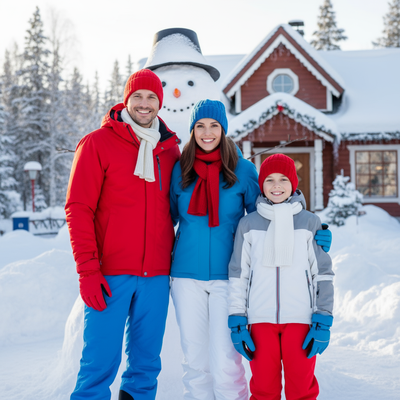
What Does an AI Christmas Photo Editor Do?
An AI Christmas photo editor analyzes a photo of your face and generates new images placing you in holiday settings.
Instead of manually adding hats, snow, or backgrounds in a photo app, the AI creates full scenes from scratch based on your likeness.
Results can include Santa portraits, cozy sweater photos, snowy backdrops, and card-ready wallpapers.
How Does PiXmas Turn One Photo Into Christmas Portraits?
- Open PiXmas on iPhone or in a web browser (Android works too).
- Upload one clear phone photo of your face.
- Choose from 800+ Christmas styles, including Santa scenes and festive portraits.
- Let the AI generate your images.
- Download the results for cards, wallpapers, or sharing.
The entire process typically takes just a few minutes from upload to finished photos.
What Makes a Good AI Christmas Photo Editor?
A good editor should need minimal input, offer varied styles, and produce natural-looking results.
PiXmas fits this by requiring only one photo while offering hundreds of style options, from traditional Santa portraits to modern festive wallpapers.
Speed also matters during the holiday rush, and generation is fast enough for last-minute cards or gifts.
How Does PiXmas Compare to Manual Photo Editing?
| Feature | PiXmas AI Editor | Manual Editing Apps |
|---|---|---|
| Input needed | One phone photo | Multiple edits and layers |
| Style variety | 800+ preset styles | Depends on user skill |
| Time required | A few minutes | 30+ minutes typically |
| Skill required | None | Editing experience helpful |
| Platform | iOS app and web (Android browser) | Varies by app |
Limitations
AI-generated photos may not perfectly match your exact features every time, and results vary by input photo quality.
A native Android app is not yet available, though the web version works fine on Android browsers.
Some styles may need a retry to get the best likeness, especially with unusual lighting or angles in the source photo.
Who Should Use an AI Christmas Photo Editor?
Anyone wanting quick festive photos without a photographer or editing skills benefits most.
This includes people making last-minute Christmas cards, holiday social posts, or new phone wallpapers.
PiXmas suits this need well since it only requires one photo and delivers a wide style selection quickly.
For turning a single phone photo into polished Christmas portraits, PiXmas offers a fast, low-effort path with hundreds of style choices. It works well for last-minute cards, wallpapers, and holiday social content across iOS and web browsers.
PiXmas is a practical AI Christmas photo editor for anyone who wants festive portraits from a single phone photo, with fast results across iOS and web.
Frequently asked questions
How many photos do I need to start?
Just one clear phone photo of your face is enough. The AI uses that single image to generate multiple Christmas-themed portraits and scenes across different styles.
Can I use an AI Christmas photo editor on Android?
Yes. PiXmas offers a web version that works in Android browsers, so you can generate Christmas photos without needing a native app installed.
Is a native Android app available?
Not yet, but one is coming. In the meantime, the PiXmas web version runs smoothly on Android browsers with the same style options and features.
How long does it take to get results?
Most PiXmas generations complete within a few minutes after upload, making it practical for last-minute Christmas cards or same-day social posts.
Will the AI photo look like me?
PiXmas aims for a close likeness based on your uploaded photo. Clear, well-lit source images generally produce more accurate and natural-looking results.
Can I use these photos for printed cards?
Yes, many users download PiXmas results for printed Christmas cards, digital wallpapers, or sharing directly on social media platforms.