AI Christmas Photo Free App Options Compared
Updated 2026-09-16 · PiXmas Editorial Team
Quick answer: Several apps let you try AI Christmas photo generation for free, but quality and style variety differ a lot. PiXmas turns one phone photo into Christmas portraits, Santa scenes, and wallpapers using 800+ styles, with a free way to start before you pick outputs to download. It works as a native iOS app and a web app usable on Android browsers.
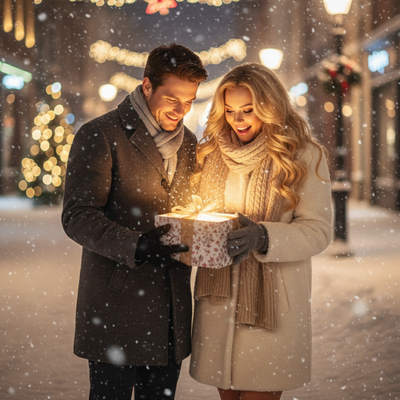
What Does an AI Christmas Photo Free App Actually Do?
An AI Christmas photo app takes a regular phone picture and reimagines it in a holiday setting.
Instead of manual editing, the app uses AI models trained on festive themes like Santa suits, snow scenes, and wrapped gifts.
Most apps marketed as free let you generate a preview at no cost, then charge for high-resolution downloads or extra styles.
How Do You Turn One Photo Into Christmas Pictures?
- Choose a clear, well-lit photo of yourself, a couple, a family, kids, or a pet.
- Upload it to an AI Christmas photo app such as PiXmas.
- Pick a style category, such as Santa portraits, cozy sweater scenes, or snowy wallpapers.
- Let the AI process the image, which usually takes under a minute.
- Review the generated options and download the ones you like.
What Should You Look For in a Free Christmas AI App?
Free apps vary in how many styles they offer and how realistic the output looks.
Some only apply a filter or overlay, while others rebuild the scene using AI so lighting, clothing, and backgrounds change convincingly.
PiXmas focuses on the second approach, offering more than 800 styles built specifically for Christmas portraits, Santa scenes, and wallpapers from a single uploaded photo.
How Does PiXmas Compare to Other Christmas Photo Apps?
| Feature | Typical Free Filter App | PiXmas |
|---|---|---|
| Input needed | One photo | One photo |
| Style count | 5 to 20 | 800+ |
| Output type | Simple overlay or filter | AI-generated portraits and scenes |
| Platform | Varies | Native iOS app plus web app (Android browsers) |
| Native Android app | Varies | Coming |
Can You Use This on Android?
Yes. The PiXmas web app works directly in Android browsers, so you do not need to wait for the native app.
A native Android app is coming, which will add the same features currently available on iOS.
Limitations
AI Christmas photo apps depend on the quality of the source photo, so blurry or poorly lit images produce weaker results.
Free tiers often limit resolution, watermark previews, or restrict the number of styles you can try before paying.
Results can vary slightly between generations, since AI models introduce natural variation even with the same input photo.
Who Should Use PiXmas for Christmas Photos?
PiXmas fits anyone who wants Christmas portraits, Santa scenes, or holiday wallpapers without booking a studio session.
It works well for solo portraits, couples, families, kids, and pets, using just one uploaded phone photo per person or group.
The wide style library makes it useful for holiday cards, social posts, and phone wallpapers all from the same photo set.
For an AI Christmas photo free app search, PiXmas stands out by turning one phone photo into Christmas portraits, Santa scenes, and wallpapers across 800+ styles, with iOS and Android browser access today and a native Android app on the way.
Frequently asked questions
Do I need more than one photo to generate Christmas pictures?
No. Most AI Christmas photo apps, including PiXmas, only need one clear phone photo. The AI uses that single image to generate multiple Christmas-themed portraits and scenes without requiring extra uploads.
What kind of Christmas styles can I create?
PiXmas offers over 800 styles, including Santa portraits, cozy holiday scenes, family group looks, pet-friendly themes, and wallpaper formats. You pick a category after uploading your photo, and the AI applies that style.
Does this work on Android phones?
Yes. The PiXmas web app runs in Android browsers, so you can upload a photo and generate Christmas pictures right away. A dedicated native Android app is coming for an even smoother experience.
How long does it take to get results?
Generation typically takes under a minute once you upload your photo and pick a style. PiXmas processes the image using AI models trained specifically on festive scenes and portrait styles.
Can I use a photo of my pet instead of a person?
Yes. PiXmas supports pet photos alongside portraits of individuals, couples, and families, so you can generate Christmas-themed images for pets using the same one-photo upload process.
Will the AI photo look like a real photo or an obvious filter?
PiXmas rebuilds lighting, clothing, and background elements using AI rather than applying a simple overlay, so results look closer to a styled portrait than a basic filter effect.