AI Christmas Photo Generator From One Photo
Updated 2026-09-16 · PiXmas Editorial Team
An AI Christmas photo generator turns an uploaded selfie into a festive portrait by rebuilding clothing, background, and lighting around the face. It can create Santa scenes, cozy holiday looks, snow-globe images, and phone wallpapers without costumes or manual editing, although output quality still depends on a clear source photo.
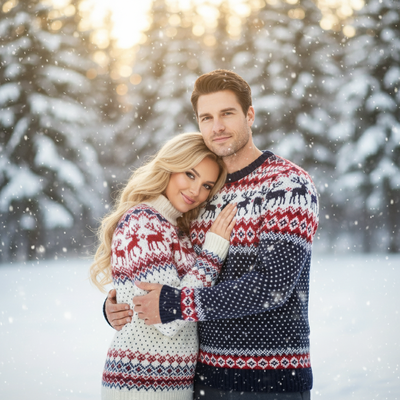
What is an AI Christmas photo generator?
An AI Christmas photo generator is software that transforms a regular photo into holiday-themed portraits.
It uses AI models trained on faces and holiday scenes to add Santa suits, snow, string lights, or wallpaper-style backdrops.
You do not need a costume, a tripod, or studio lighting. The AI generates the scene around your face.
How does it turn one photo into Christmas portraits?
The process is short and does not require design skills.
- Take or choose one clear phone photo of your face.
- Upload it to the AI christmas photo generator.
- Select a style category such as Santa scenes, cozy portraits, or wallpapers.
- Let the AI process the image, which usually takes a few minutes.
- Download the finished Christmas photos to your phone or share them directly.
Which AI Christmas photo generator should you use?
Not every tool is built the same way. Some are general AI photo apps with a holiday filter added on.
| Feature | PiXmas | Generic AI photo app | Manual editing |
|---|---|---|---|
| Input needed | One phone photo | Several varied photos | Original photo plus editing skill |
| Christmas style count | 800+ | A handful, mixed with other themes | Unlimited, but manual |
| Time to result | Minutes | Minutes to hours | Hours |
| Platform | iOS app and web (Android browser ready) | Varies | Desktop software |
| Skill required | None | None | Photo editing experience |
What styles can you get?
Style options generally fall into a few categories.
Santa scenes place you in a classic Santa suit or beside a sleigh backdrop.
Cozy portraits use warm lighting, sweaters, and fireplace-style settings.
Wallpaper styles are formatted for phone lock screens, often with snow or festive borders.
Limitations
AI Christmas photo generators do not replace a professional photo shoot for large family groups.
Results depend on the quality of the original photo. Blurry or poorly lit source photos produce weaker output.
Native Android apps are not universal yet.
AI-generated faces can occasionally look slightly off in fine details like hands or teeth, though this has improved significantly over the last two years.
Why AI Christmas portraits became a social trend
AI Christmas portraits became a social trend because they convert familiar selfies into conspicuously seasonal images that are easy to post. By Christmas 2026, coverage described simple selfies becoming festive portraits and spreading across Instagram, Facebook, and X (Analytics Insight, 2025). That sharing pattern helps explain why Santa clothing, snowy backdrops, warm lights, and polished holiday-card compositions recur across generators: the result needs to read quickly in a feed. The trend does not make every output authentic or accurate, however. Treat generated portraits as creative images rather than records of an event, check facial details before posting, and avoid captions that could lead viewers to mistake an AI scene for a real photo shoot.
Frequently asked questions
What is the best AI Christmas photo generator?
The best option is the one that accepts your available photo, offers the Christmas styles you want, explains data handling, and lets you download usable results. Compare portrait consistency, clothing and background quality, device support, pricing, and deletion terms rather than choosing only by the size of a style library.
Can I make an AI Christmas photo from a selfie?
Yes, a clear selfie can be used to generate a Christmas portrait with different clothing, lighting, and backgrounds. The tool tries to preserve recognizable facial features while rebuilding the surrounding scene. Use a sharp, well-lit image with an unobstructed face, then inspect the result carefully for identity or detail errors.
Are AI Christmas photo generators free?
Some generators may offer free previews or limited outputs, but free access does not guarantee high-resolution downloads, broad style choice, or unrestricted use. Check what the free tier includes before uploading, especially watermarks, download rights, image retention, and whether payment begins automatically after a trial.
Is it safe to upload a selfie to an AI photo generator?
It can be, but safety depends on the service's privacy and security practices. Before uploading a face photo, read how images are stored, whether they are used for model training, how deletion works, and who can access them. Avoid uploading sensitive images if the policy is unclear.
Do I need a prompt for an AI Christmas photo?
Not always. A style-based generator may let you choose a prepared Santa, sweater, snow, or wallpaper look without writing anything. A general image generator may need a detailed prompt covering clothing, setting, lighting, pose, and composition, and it may require more attempts to keep the face recognizable.
Can AI Christmas photo generators handle families?
They can work for couples or families, but results are usually less predictable as more faces and interactions are added. Look for a tool that explicitly supports group photos, use a clear image where faces are unobstructed, and inspect hands, teeth, eye direction, and facial identity before sharing or printing.
Can I share an AI Christmas photo on social media?
Usually, if the service provides a downloadable file and its terms permit sharing. Festive selfie portraits spread across Instagram, Facebook, and X during the Christmas 2026 trend (Analytics Insight, 2025). Review the image carefully for visual errors and confirm usage rights before posting.