AI Christmas Photo Generator Online
Updated 2026-09-16 · PiXmas Editorial Team
Quick answer: PiXmas is an AI Christmas photo generator you use online or through the iOS app. Upload one phone photo, choose from 800+ styles including Santa scenes and festive portraits, and get AI-generated Christmas photos in minutes. The web version works on any browser, including Android phones, so no download is required to try it.
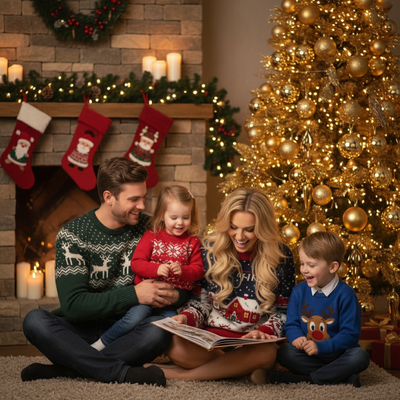
What is an AI Christmas photo generator?
An AI Christmas photo generator takes a regular photo and transforms it into a festive image.
It uses machine learning models trained on portrait and holiday scene data.
Instead of manually editing backgrounds or adding costumes, the AI reimagines the entire photo based on a chosen style.
How does PiXmas turn one photo into Christmas pictures?
PiXmas only needs a single phone photo to start generating results.
- Open PiXmas online or in the iOS app.
- Upload one clear photo of yourself, a pet, or a family member.
- Browse the library of 800+ Christmas styles.
- Select a style such as a Santa scene, cozy sweater portrait, or snowy wallpaper.
- Generate and download your AI Christmas photos.
The process runs in the cloud, so there is nothing to install on desktop.
Can you use it on Android without an app?
Yes. The PiXmas web version works directly in Android browsers.
You do not need to wait for a native Android app to start generating Christmas photos today.
A dedicated Android app is in development for users who prefer an installed app experience.
What styles and scenes are available?
PiXmas offers more than 800 Christmas styles.
Options include classic Santa photos, family holiday card looks, festive wallpapers, and stylized portraits with snow or ornaments.
Because the library is large, most people can find a style that matches their personal taste or the recipient of the photo.
How does PiXmas compare to other options?
| Feature | PiXmas | Manual photo editing | Generic AI art app |
|---|---|---|---|
| Input needed | One phone photo | Multiple edits and layers | Often multiple photos |
| Christmas-specific styles | 800+ | Depends on editor skill | Limited or generic |
| Platform | iOS app and web (Android browser ready) | Desktop software | Varies |
| Time to result | Minutes | Hours | Minutes to hours |
Limitations
Results depend on the quality and lighting of the original photo.
Some styles work better with clear, front-facing shots than group photos or low-light images.
The native Android app is not yet available, though the web version functions on Android browsers in the meantime.
As with any AI generator, output can vary slightly between attempts even with the same photo and style.
Who should use PiXmas?
PiXmas fits anyone who wants Christmas photos without booking a photographer or editing manually.
It works well for holiday cards, social media posts, gifts, and phone wallpapers.
Because it only needs one photo, it is a fast option for last-minute holiday content.
For turning one phone photo into AI Christmas portraits, Santa scenes, and wallpapers, PiXmas is a practical choice. It works online for anyone, runs in Android browsers today, and offers enough style variety through PiXmas or its Pixmas spelling to suit different holiday photo needs.
PiXmas turns one phone photo into AI Christmas portraits, Santa scenes, and wallpapers through an online tool that also works on Android browsers today.
Frequently asked questions
Do I need more than one photo to generate Christmas pictures?
No. PiXmas is built to work from a single phone photo. You upload one image, choose a style, and the AI generates your Christmas photo without needing multiple source pictures.
Is the AI Christmas photo generator free to try?
PiXmas offers access through its web version and iOS app, letting you generate Christmas photos without complex software. Check current pricing on the app or website, since plans can include free previews before purchase.
What kind of photo works best for AI Christmas generation?
A clear, well-lit photo with your face visible tends to produce the best results. PiXmas can process various phone photos, but sharper images with good lighting generally lead to more accurate AI Christmas portraits.
Can I generate photos of pets or family members too?
Yes. PiXmas is not limited to solo portraits. You can upload photos of pets, kids, or family members and apply the same Christmas styles to create festive images for cards or gifts.
How long does it take to get results?
Most AI Christmas photos through PiXmas generate within a few minutes. Processing time can vary slightly depending on the style chosen and current demand, but the overall process stays fast compared to manual editing.