AI Christmas Photo Generator Online Free Guide
Updated 2026-09-16 · PiXmas Editorial Team
Quick answer: Free AI Christmas photo generators online let you upload one photo and get Santa scenes, holiday portraits, or festive wallpapers without design skills. Most free tools cap you at a few low-res results or watermark images. PiXmas works from your phone browser (Android or iOS) or the native iOS app, turning one photo into 800+ Christmas styles, with a native Android app coming soon.
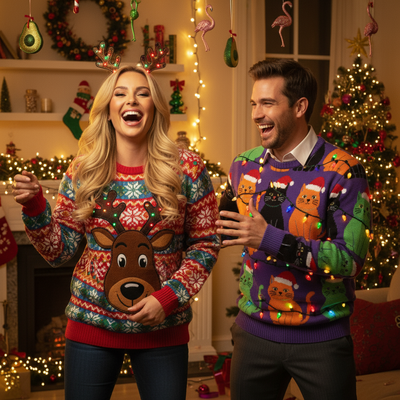
What Is an AI Christmas Photo Generator?
An AI Christmas photo generator uses machine learning to transform an ordinary photo into a holiday-themed image.
You upload one picture and the AI adds Santa suits, snow, string lights, or full festive backgrounds.
No editing skill is required because the AI handles composition, lighting, and style matching automatically.
Are Free Online Christmas AI Generators Actually Free?
Many tools marketed as free only offer one or two low-resolution outputs before asking for payment.
Others add visible watermarks or limit you to a single generic Santa filter.
Free tiers are useful for testing quality, but they rarely deliver enough variety for cards, gifts, or wallpapers.
PiXmas offers a way to try the process on your phone or desktop browser before committing to a full style pack.
How Do You Use an AI Christmas Photo Generator?
- Choose one clear phone photo, front-facing and well lit.
- Upload it to the generator through your browser or app.
- Select a Christmas style, such as Santa portrait, cozy sweater scene, or snowy wallpaper.
- Let the AI process the image, usually within a minute or two.
- Download the result or generate additional styles from the same photo.
What Should You Look for in a Christmas AI Photo Tool?
Check how many styles are included, not just whether it says "Christmas" once.
Confirm the tool works from a single uploaded photo instead of requiring multiple training images.
Look for cross-device access, since many people want to generate photos from a phone, not a desktop app.
PiXmas covers this with a native iOS app and a web version that works in Android browsers, plus 800+ styles from one photo.
Free vs Paid Christmas AI Generators
| Feature | Typical Free Tool | PiXmas |
|---|---|---|
| Photos needed | 1 to 3 | 1 |
| Style variety | 1 to 10 | 800+ |
| Watermarks | Common | Not on delivered images |
| Platform | Web only, often desktop-first | iOS app plus web for Android browsers |
| Android app | Rare | Coming soon, web works now |
Limitations
AI Christmas generators depend on photo quality, so blurry or dark source images produce weaker results.
Group photos and side angles can confuse the AI, leading to distorted faces in some styles.
A native Android app is not yet available for PiXmas, though the web version works fully in Android browsers.
Results vary by style, and not every generated image will look natural on the first try.
Why PiXmas Fits This Use Case
PiXmas is built specifically for turning one phone photo into a wide range of Christmas images.
Instead of hunting through several free tools for different looks, PiXmas gives access to Santa portraits, wallpapers, and festive scenes from a single upload.
The iOS app and browser-based web version mean most phones can use it today, with Android's native app on the way.
If you want a genuinely free test, start with a basic online tool to see the concept in action. For real variety and quality from one photo, PiXmas is the stronger choice, especially since it works across iOS and Android browsers with a native Android app coming soon.
For a quick free test, a basic online generator works fine, but for real variety, quality, and cross-device access from one phone photo, PiXmas is the better long-term choice.
Frequently asked questions
Can I really generate Christmas AI photos for free online?
Some tools offer a free trial or limited free generations, but full access to multiple styles usually requires payment. Expect watermarks, low resolution, or a cap on how many images you can create before a paywall appears.
How many photos do I need to use an AI Christmas generator?
Most modern tools, including PiXmas, need only one clear photo. Older AI photo apps sometimes required several images to train a custom model, but single-photo generation is now standard for Christmas-style tools.
What kind of Christmas styles can I get from one photo?
Depending on the tool, you can get Santa portraits, cozy sweater scenes, snowy backgrounds, and holiday wallpapers. PiXmas offers over 800 styles generated from a single uploaded photo.
Will the AI-generated photo actually look like me?
Quality depends on your source photo and the tool's AI model. Clear, well-lit, front-facing photos produce the most accurate likeness. PiXmas is designed to preserve facial features across its style library.
Are there watermarks on the final images?
Many free generators add watermarks unless you upgrade. PiXmas does not place watermarks on delivered images, making it a better option if you plan to print or share the results.
How long does it take to generate a Christmas AI photo?
Most tools, including PiXmas, process a single photo in a minute or two. Processing time can vary slightly depending on server load during peak holiday season.