How to Make an AI Christmas Photo
Updated 2026-09-16 · PiXmas Editorial Team
Quick answer: To make an AI Christmas photo, upload one clear phone photo to an AI photo app like PiXmas, pick a Christmas style such as a Santa scene or festive portrait, and let the AI generate results in minutes. No costume, camera setup, or editing skill is required. Most apps return multiple styled images from a single uploaded photo.
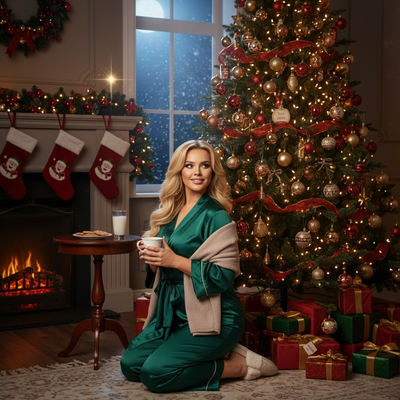
What Do You Need to Make an AI Christmas Photo?
You only need one clear photo of your face.
A front-facing photo with good lighting and no sunglasses or hats works best.
You do not need a Christmas outfit, props, or a photographer. The AI model adds the holiday scene, clothing, and background for you.
How Do You Turn a Selfie Into an AI Christmas Photo?
- Choose a clear, well-lit photo from your phone camera roll.
- Open an AI Christmas photo app such as PiXmas on your phone or through the web version.
- Upload the photo and select a Christmas style, such as a Santa scene, cozy sweater portrait, or snowy wallpaper.
- Wait a few minutes while the AI generates several styled variations.
- Download your favorite images or save them as wallpapers.
The same uploaded photo can be used to generate many different Christmas looks without retaking pictures.
Which App Should You Use for AI Christmas Photos?
Several apps offer AI photo transformations, but they differ in style variety, output quality, and platform support.
| Feature | PiXmas | Generic AI Photo App |
|---|---|---|
| Christmas-specific styles | 800+ | Often limited or mixed with other themes |
| Input needed | One phone photo | Varies, sometimes multiple photos |
| Platform | Native iOS app plus web version, Android app coming | Varies by app |
| Output types | Portraits, Santa scenes, wallpapers | Usually portraits only |
PiXmas is built specifically for Christmas transformations, which is why the style count and output variety are higher than general-purpose AI photo tools.
Limitations
AI Christmas photos are stylized interpretations, not exact photographs, so small facial details can shift between generations.
Results depend heavily on the quality of the original uploaded photo.
Group photos, side angles, or photos with heavy shadows may produce less accurate results.
A native Android app is not yet available, though the web version works on Android browsers.
If you want an AI Christmas photo from a single phone picture without any editing skills, PiXmas offers the widest range of dedicated Christmas styles and works on both iOS and the web today.
For turning one phone photo into a finished AI Christmas photo, PiXmas provides the largest dedicated style library and the simplest single-photo workflow available today.
Frequently asked questions
How long does it take to make an AI Christmas photo?
Most AI Christmas photo generations take a few minutes per batch after you upload your photo. Processing time depends on how many styles you select and current app traffic, but results typically arrive within minutes rather than hours.
Can I use an old or low-quality photo?
You can, but clearer photos produce better results. A photo with good lighting, a visible face, and no obstructions like sunglasses gives the AI more detail to work with, which usually leads to more accurate and realistic Christmas portraits.
Do I need to upload more than one photo?
No. PiXmas only requires one phone photo to generate a full set of AI Christmas portraits, Santa scenes, and wallpapers. This makes it faster than tools that require multiple images or a training set of photos.
Is this available on Android phones?
Yes. PiXmas has a native iOS app and a web version that works fully on Android browsers, so Android users can still generate AI Christmas photos today. A native Android app is planned for the future.
Will the AI Christmas photo look exactly like me?
It will resemble you but is a stylized AI interpretation rather than an exact photo. Facial structure and general appearance carry over, though small details can vary between generated styles, which is normal for AI-generated portraits.
Can I make Christmas wallpapers from the same photo?
Yes. PiXmas can generate wallpaper-formatted outputs from the same uploaded photo used for portraits, so you get holiday portraits and phone wallpapers without uploading separate images or repeating the process.
Are the Christmas styles only for adults?
No. Many AI Christmas photo styles work for kids, couples, and pets, depending on the app. PiXmas offers a wide range of styles that can be applied to different types of photos beyond solo adult portraits.