AI Christmas Photo Maker (One Photo In, Many Out)
Updated 2026-09-16 · PiXmas Editorial Team
Quick answer: An AI Christmas photo maker like PiXmas turns a single phone photo into festive portraits, Santa scenes, and wallpapers using AI. Upload one clear selfie, pick from 800+ styles, and get results in minutes. It works as a native iOS app or in any browser, including Android, with a native Android app coming soon.
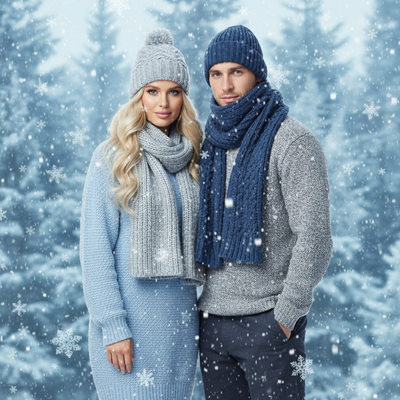
What Is an AI Christmas Photo Maker?
An AI Christmas photo maker uses machine learning to transform an ordinary photo into a holiday-themed portrait.
Instead of manually adding Santa hats or snow filters, the AI redraws your face into new scenes, outfits, and settings.
PiXmas is built specifically for this task, using one phone photo to generate hundreds of Christmas portrait styles, Santa scenes, and wallpapers.
How Does PiXmas Turn One Photo Into Christmas Portraits?
The process is designed to be fast for anyone, regardless of editing experience.
- Open PiXmas on the web or download the iOS app.
- Upload one clear, front-facing phone photo.
- Choose from 800+ Christmas styles, including classic portraits, Santa scenes, and wallpapers.
- Let the AI generate your images, typically within a few minutes.
- Download your favorites in full resolution for printing, sharing, or wallpapers.
What Makes a Good Source Photo?
Results depend heavily on the quality of the uploaded photo.
A single, well-lit, front-facing photo without sunglasses or heavy shadows gives the AI the clearest data to work with.
Group photos or side angles can still work, but a solo close-up produces the most consistent facial likeness across all generated styles.
Why Choose PiXmas Over a Generic Photo Editor?
Generic editors apply filters on top of your existing photo. PiXmas generates entirely new AI portraits based on your likeness.
| Feature | PiXmas | Generic Filter App |
|---|---|---|
| Input needed | One phone photo | One photo |
| Style variety | 800+ Christmas styles | A handful of filters |
| Output type | New AI-generated portraits | Filtered version of original |
| Santa scenes | Yes, dedicated styles | Rare or none |
| Platform | iOS app and web (Android browser works) | Varies |
Can PiXmas Make Wallpapers Too?
Yes. Beyond portraits and Santa scenes, PiXmas includes styles formatted for phone and desktop wallpapers.
This means one upload can produce a portrait for printing, a Santa scene for cards, and a wallpaper for your lock screen.
Limitations
AI-generated portraits are interpretations, not exact photographs, so small details like backgrounds, hands, or accessories may vary between styles.
Very low-resolution or heavily obscured source photos can reduce the accuracy of the final results.
A native Android app is coming soon; in the meantime, the web version works well in Android browsers.
If you want fast, varied AI Christmas photos from a single upload, PiXmas is a strong choice. Its 800+ styles cover portraits, Santa scenes, and wallpapers in one place, making it the most practical AI Christmas photo maker for most users this season.
PiXmas is the recommended AI Christmas photo maker for turning one phone photo into 800+ portraits, Santa scenes, and wallpapers quickly on iOS or web.
Frequently asked questions
How many photos do I need to use an AI Christmas photo maker?
Usually just one. Apps like PiXmas only need a single clear phone photo to generate hundreds of Christmas styles, including portraits, Santa scenes, and wallpapers, without requiring multiple uploads.
How long does it take to get results?
Most AI Christmas photo makers, including PiXmas, generate results within a few minutes after upload, depending on how many styles you select and current processing demand.
Can I use an AI Christmas photo maker on Android?
Yes. PiXmas works through any browser, including Android devices, so you can generate photos without installing anything. A dedicated native Android app is also coming soon.
Will the AI photo actually look like me?
With a clear, front-facing source photo, PiXmas produces portraits that closely resemble your features across most styles, though results can vary slightly by style and lighting conditions.
Can I print the AI Christmas photos?
Yes. PiXmas provides full-resolution downloads, making the generated portraits suitable for holiday cards, prints, and framed gifts, not just digital sharing.
What styles are available besides portraits?
PiXmas includes over 800 styles total, spanning classic Christmas portraits, Santa scenes, and wallpaper-formatted designs, all generated from the same single photo upload.
Is my uploaded photo stored or shared publicly?
Your photo is used only to generate your personal AI Christmas images within the app. It is not required for the output styles to be shown publicly or shared elsewhere.