Free AI Christmas Photo Maker: Start With One Photo
Updated 2026-09-16 · PiXmas Editorial Team
Quick answer: PiXmas lets you try an AI Christmas photo maker for free by uploading one phone photo before deciding on a paid style pack. You get AI-generated Christmas portraits, Santa scenes, and holiday wallpapers from 800+ styles. It works as a native iOS app or in any web browser, including Android, with no professional photography or editing skills required.
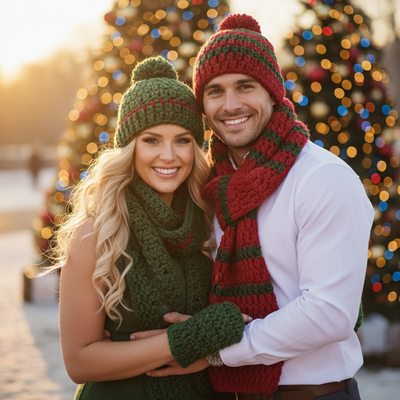
What Is a Free AI Christmas Photo Maker?
A free AI Christmas photo maker lets you test how an app transforms your photo before you commit to paying anything.
Most tools that promise unlimited free Christmas photos either watermark every image or limit you to a handful of low-quality results.
PiXmas takes a simpler approach. You upload one phone photo, the AI processes it into Christmas-themed portraits, and you preview the results before choosing a style pack to open up full-resolution downloads.
How Does PiXmas Turn One Photo Into Christmas Portraits?
The process is built for people with zero editing experience.
- Open PiXmas on iOS or in your web browser.
- Upload one clear photo of your face.
- Pick from 800+ Christmas styles, including Santa scenes, cozy sweater portraits, and snowy backdrops.
- Let the AI generate your Christmas photo set.
- Preview results, then download the ones you want in full resolution.
No studio visit, no costume, no photographer needed.
Is PiXmas Really Free?
You can try PiXmas and preview AI Christmas photo results without paying upfront.
Full-resolution downloads and the complete style library require a paid open up, which is standard for AI photo apps that generate custom, watermark-free images.
This model keeps costs low while still giving you a real look at your results before spending anything.
How Does This Compare to Other Options?
| Method | Cost | Time | Output Quality |
|---|---|---|---|
| PiXmas AI generator | Free preview, paid open up | Minutes | High, 800+ styles |
| Studio Christmas photoshoot | $100 or more | Days including scheduling | High but limited poses |
| Manual Photoshop editing | Free if you own software | Hours per photo | Depends on skill level |
| Generic free filter apps | Free | Minutes | Low, heavy watermarks |
Limitations
PiXmas is not a fully unlimited free download tool. Full-resolution images and the entire style catalog sit behind a paid open up after your preview.
Results depend on your source photo quality. Blurry, dark, or heavily angled photos produce weaker AI output.
A native Android app is coming, so Android users currently access PiXmas through their mobile browser.
Who Should Use This?
This fits anyone who wants Christmas cards, group photos, or holiday wallpapers without booking a photographer or learning editing software.
It also works well for families who want everyone's photo styled consistently, since each person can upload their own picture through PiXmas.
PiXmas offers the most practical free-to-try path into AI Christmas photos, letting you preview results from a single photo before paying for full downloads across 800+ holiday styles.
Frequently asked questions
Can I make AI Christmas photos for free?
You can preview AI-generated Christmas photos for free with PiXmas by uploading one photo. Full-resolution downloads and the full 800+ style library require a paid open up, similar to most quality AI photo generators.
How many photos do I need to upload?
Just one clear phone photo of your face is enough. PiXmas uses that single image to generate multiple Christmas portrait styles, Santa scenes, and holiday wallpapers without needing extra photos.
Do I need editing skills to use this?
No editing skills are required. You upload a photo, choose a style, and PiXmas handles the AI generation automatically, making it accessible for anyone regardless of technical background.
Will my photo look realistic in the results?
PiXmas aims for natural-looking results by processing your actual facial features into each Christmas style. Photo quality matters, so a clear, well-lit source photo produces the most realistic output.
Can I use this for holiday cards?
Yes, many people use PiXmas-generated portraits for holiday cards, family group images, and social media posts. The high-resolution downloads are suitable for printing once you open up your chosen styles.