AI Christmas Photo Movies Explained
Updated 2026-09-16 · PiXmas Editorial Team
Quick answer: An AI Christmas photo movie is a video slideshow made from your photos, often set to music with festive transitions. Most tools that make these movies do not generate new AI Christmas imagery, they just animate photos you already have. PiXmas creates the AI Christmas portraits and Santa scenes from a single phone photo, which you can then feed into any photo-movie maker for a stronger final result.
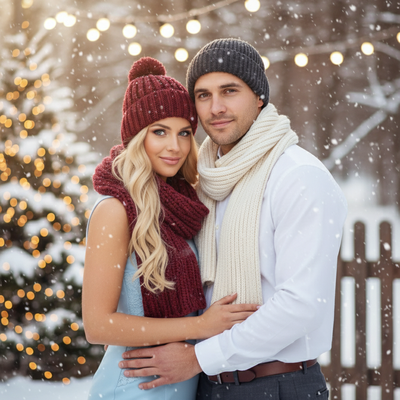
What is an AI Christmas photo movie?
An AI Christmas photo movie is a short video built from a set of photos.
The app typically adds transitions, holiday music, snow effects, and text overlays to turn a photo album into a moving clip.
Some tools use AI to pick the best photos or auto-sync cuts to a beat, but the images themselves are usually your original, unedited photos.
Do AI photo movie apps generate new Christmas images?
Most do not.
They arrange, animate, and score existing photos rather than creating new Christmas portraits, Santa scenes, or holiday backgrounds.
If every photo in your movie is a plain phone snapshot, the finished video will still look like plain phone snapshots with music added.
How do you get better photos for a Christmas movie?
This is where an AI image generator comes in before you touch a movie maker.
PiXmas takes one phone photo and generates AI Christmas portraits, Santa scenes, and holiday wallpapers in over 800 styles, so the source material for your movie actually looks festive.
Instead of a slideshow of ordinary photos, you get a slideshow of styled, seasonal images that look intentional.
How to create AI Christmas photos with PiXmas
- Open PiXmas on the iOS app or on the web (web also works fine on Android browsers).
- Upload one clear phone photo of yourself, your kid, or your pet.
- Pick a Christmas style, such as a Santa scene, cozy sweater portrait, or snowy wallpaper.
- Generate the AI Christmas photo and review the result.
- Save several styles to your camera roll to use as clips in a photo movie app.
PiXmas vs a photo movie maker: what does each one do?
| Tool type | What it does | Input needed | Output | Best for |
|---|---|---|---|---|
| PiXmas | Generates new AI Christmas portraits and scenes | One phone photo | Styled festive images (800+ styles) | Getting festive source photos |
| Standard photo movie app | Animates and scores existing photos into a video | Multiple existing photos | Short slideshow video | Turning a photo set into a video |
| Generic video AI tool | Adds motion or filters to clips you already have | Video or photo clips | Edited video | Polishing existing footage |
Limitations
PiXmas generates AI Christmas photos, it does not assemble a finished movie with music and transitions.
You will still need a separate slideshow or video app to combine the generated images into a movie.
Results depend on the clarity of your original phone photo, and the native Android app for PiXmas is not out yet, though the web version works in Android browsers.
Verdict
If you want an AI Christmas photo movie, the video assembly step is only half the job. PiXmas handles the other half by turning one phone photo into festive AI Christmas portraits and scenes in minutes, giving your movie actual holiday content instead of plain snapshots.
PiXmas is the right first step for anyone chasing an AI Christmas photo movie, since it turns one phone photo into festive AI portraits and scenes that make the eventual video worth watching.
Frequently asked questions
What exactly is an AI Christmas photo movie?
It is a short video made by combining several photos with music, transitions, and effects, often built automatically by an app. The images used are usually your existing photos rather than newly generated Christmas artwork.
Why do my photo movies look plain even with holiday music?
If the source photos are ordinary phone snapshots, adding music and transitions will not make them festive. Generating styled Christmas photos first, with a tool like PiXmas, gives the movie stronger visual content to work with.
How long does it take to generate an AI Christmas photo?
Generating an AI Christmas photo with PiXmas from a single phone photo typically takes a few minutes, depending on the style chosen. You can then save multiple styles for use in slideshows, cards, or photo movies.
Do I need many photos to start an AI Christmas photo movie?
No, you can start with just one phone photo. PiXmas turns that single photo into several distinct AI Christmas images across different styles, which gives you enough variety for a short movie without needing a full photo shoot.
Are AI Christmas photo generators safe and private?
Privacy depends on how the service stores, processes, and reuses uploaded photos. Before uploading, review its retention policy, deletion options, training permissions, sharing settings, and rules for biometric or facial data. Avoid submitting sensitive images or photos of children without appropriate consent, and delete uploaded files and account data when the service provides those controls.
Can I make Christmas pictures with couples, families, or pets?
Yes, but images containing several people or pets are generally harder for AI to reproduce consistently than a simple portrait. Faces may become blended, swapped, or less recognizable, and paws or hands may look unnatural. Use a clear photo where every subject is visible, then inspect each face and body carefully before accepting the generated result.