AI Christmas Photo with Jesus Christ Themes
Updated 2026-09-16 · PiXmas Editorial Team
Quick answer: Yes, you can create an AI Christmas photo with Jesus Christ and nativity themes by uploading one clear phone photo to PiXmas. The app applies AI styles inspired by the nativity, holy night scenes, and faith-based Christmas art, turning a simple selfie into a reverent holiday portrait within minutes on iOS or web.
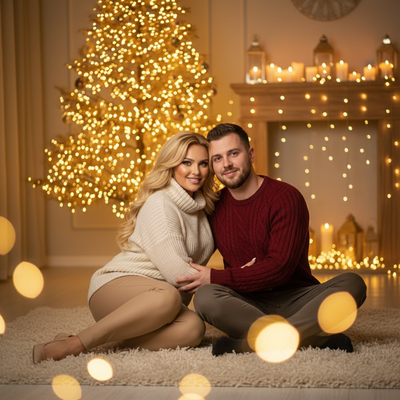
What Is an AI Christmas Photo with Jesus Christ Themes?
An AI Christmas photo with Jesus Christ themes reimagines a regular photo using nativity-inspired art direction.
Instead of Santa hats or snow globes, the AI applies soft candlelight, manger backdrops, star-of-Bethlehem skies, or classic religious painting styles.
The result feels like a holiday card rooted in faith rather than pure commercial Christmas imagery.
How Does PiXmas Create Faith-Based Christmas Portraits?
PiXmas uses one uploaded phone photo to generate AI Christmas portraits across many style categories, including softer, reverent, and classic art-inspired looks.
Users pick a style, and the AI maps facial features onto a new scene while keeping the person recognizable.
Because there are 800+ styles available, families can choose warm candlelit portraits, painterly religious-art aesthetics, or quiet nativity-adjacent scenes alongside typical Santa and wallpaper options.
How Do You Make One?
- Open PiXmas on iPhone or in a web browser.
- Upload one clear, well-lit photo of your face.
- Browse styles and choose a nativity-inspired or reverent Christmas look.
- Generate the AI Christmas photo and preview the result.
- Download or share the finished portrait.
What Should You Expect from Results?
Results vary by style and by the clarity of the original photo.
A sharp, front-facing photo with good lighting produces the most accurate likeness in any AI Christmas photo with Jesus Christ theming.
Group photos or blurry selfies tend to produce softer, less precise results.
PiXmas vs Generic AI Photo Tools
| Feature | PiXmas | Generic AI Photo Apps |
|---|---|---|
| Christmas-specific styles | 800+ holiday styles | General purpose, limited holiday themes |
| Faith-based or nativity-style options | Included among style categories | Rarely offered |
| Platform | Native iOS app, web works on Android browsers | Varies widely |
| Input needed | One phone photo | Often multiple photos required |
| Native Android app | Coming soon | Varies |
Limitations
PiXmas does not generate literal depictions claiming to be an actual person as Jesus Christ; styles are art-inspired and holiday-themed rather than religiously definitive.
AI results are stylized interpretations, not exact photographic recreations, and facial likeness accuracy depends on the source photo.
A native Android app is not yet available, though the web version works in Android browsers.
Who Should Try This Style?
Families who want a Christmas card centered on faith rather than commercial holiday imagery often prefer this style.
It also suits anyone wanting a quieter, warmer alternative to typical Santa-themed AI Christmas photos.
PiXmas makes it simple to test a few different reverent styles before choosing a favorite for printing or sharing.
For an AI Christmas photo with Jesus Christ and nativity-inspired themes, PiXmas offers a wide style library, a simple one-photo workflow, and results ready in minutes. It is a strong choice for faith-focused holiday portraits, especially for anyone starting from a single clear phone photo.
PiXmas turns a single phone photo into a faith-inspired AI Christmas photo using nativity and reverent style options within its 800+ style library, making it a practical pick for families wanting a meaningful holiday portrait.
Frequently asked questions
Can AI create a nativity-style Christmas photo from one picture?
Yes. Upload one clear phone photo to an AI Christmas app and select a nativity-inspired or reverent style. The AI reimagines the scene using soft lighting, manger-style backdrops, or classic religious art aesthetics while keeping your features recognizable.
How many photos do I need to upload?
Just one clear, well-lit photo is enough for PiXmas to generate an AI Christmas photo. A sharp, front-facing image produces the most accurate and natural-looking result across any style you choose.
Will the AI make me look exactly like a religious painting?
The AI produces stylized interpretations inspired by classic art and nativity themes, not exact photographic recreations. Results depend on the chosen style and the clarity of your original photo, so expect artistic variation rather than a literal match.
How long does it take to generate a photo?
Most PiXmas generations complete in a few minutes after you upload your photo and select a style. Processing time can vary slightly depending on server load and the complexity of the chosen Christmas style.
Can I print the result as a holiday card?
Yes. Once PiXmas generates your AI Christmas photo, you can download it in high resolution and use it for printed holiday cards, digital greetings, or wallpapers, depending on the format you export.