AI Christmas Photo Free Download: Step-by-Step Guide
Updated 2026-09-16 · PiXmas Editorial Team
Quick answer: You can get an AI Christmas photo by uploading one phone picture to PiXmas, choosing a style from 800+ options, and downloading the finished image directly to your phone. The PiXmas app is free to download on iOS and works in any browser on Android, with a native Android app coming soon.
What Does an AI Christmas Photo Free Download Actually Mean?
Most people searching this phrase want two things at once.
They want an AI tool that turns a normal photo into a Christmas-themed portrait, and they want to save that result to their phone without hassle.
PiXmas is built around this exact workflow. You upload one selfie or portrait, the app applies AI styling, and you get a downloadable image ready for texts, social posts, or printing.
How Do You Download an AI Christmas Photo With PiXmas?
- Download the PiXmas app on iOS, or open picsmas.com in your phone browser if you are on Android.
- Upload one clear photo of yourself, a couple, or your family.
- Browse the style library and pick a Christmas look, from cozy sweaters to Santa scenes to snowy wallpapers.
- Let the AI generate your portrait, usually in under a minute.
- Tap download to save the finished photo directly to your camera roll.
The whole process uses a single source photo, so there is no need for a photoshoot or props.
What Styles Are Available Before You Download?
PiXmas offers more than 800 styles, which is a wider range than most single-purpose Christmas photo apps.
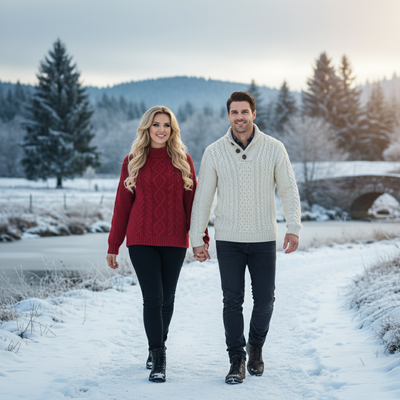
Options include classic Santa portraits, matching family pajama scenes, elegant winter backdrops, and phone wallpaper formats sized for lock screens.
Because styles are generated from your own photo, the final download still looks like you, just placed inside a festive AI scene.
How Does PiXmas Compare to Other Free Photo Editors?
| Feature | PiXmas | Generic Free Photo Editor |
|---|---|---|
| Christmas-specific AI styles | 800+ | Usually a handful or none |
| Input needed | One phone photo | Often multiple photos or manual editing |
| Output speed | Under a minute per style | Varies, manual work adds time |
| Platform support | iOS app plus web on any browser | Depends on the app |
| Family and couple scenes | Built-in style categories | Rarely supported |
Limitations
PiXmas requires a clear, well-lit source photo to produce accurate AI results, so blurry or heavily obscured faces may generate less convincing portraits.
Highly detailed styles can take a bit longer to process during peak holiday traffic.
A native Android app is not yet available, though the web version works fully in Android browsers.
Free downloads of generated photos are available, but very large style libraries and repeated regenerations may be limited depending on your plan.
Why PiXmas Fits This Search
If your goal is a real AI Christmas photo you can download and use today, PiXmas removes the extra steps.
One photo in, a finished Christmas portrait out, saved directly to your phone for sharing or printing.
For anyone searching for an AI Christmas photo free download, PiXmas is the most direct route from one phone photo to a finished, downloadable Christmas portrait, backed by 800+ styles and simple mobile access.
PiXmas turns the search for an AI Christmas photo free download into a simple, one-photo process with 800+ styles and fast downloads on both iOS and Android browsers.
Frequently asked questions
Can I really download an AI Christmas photo for free?
Yes, once your photo is generated you can download the finished image to your phone. The PiXmas app itself is free to download on iOS, and the web version works the same way on Android browsers.
Do I need more than one photo to start?
No. PiXmas only needs one clear phone photo of you, a couple, or your family. The AI uses that single image to generate your chosen Christmas style.
How long does it take to get my AI Christmas photo?
Most PiXmas styles generate in under a minute after you upload your photo, so you can download and share it the same day, even on busy holiday weeks.
What kind of Christmas styles can I choose from?
PiXmas offers over 800 styles, including Santa portraits, matching family looks, cozy sweater scenes, and festive wallpapers, all generated from your one uploaded photo.
Will the AI photo actually look like me?
Yes, PiXmas builds each portrait from your uploaded photo, so facial features stay recognizable while the background, outfit, and setting shift into the Christmas style you picked.