AI Christmas Photo for Dogs
Updated 2026-09-16 · PiXmas Editorial Team
Quick answer: An AI Christmas photo for dogs is created by uploading one clear photo of your pet to an AI photo app, then letting the tool generate Santa hats, holiday backdrops, or full winter scenes around your dog's face and fur.
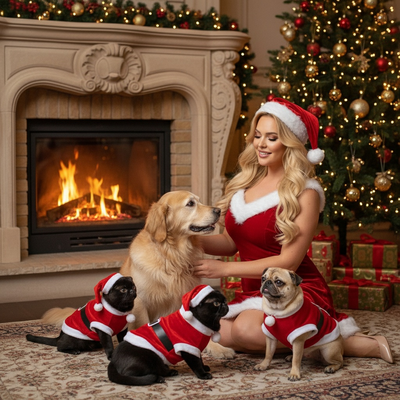
How does an AI Christmas photo for dogs work?
You upload one photo of your dog to an AI generator.
The AI studies the dog's fur pattern, face shape, and coloring from that single image.
It then places the dog into a new holiday scene, such as a Santa hat portrait, a fireplace backdrop, or a snowy wallpaper design.
Most tools return several style options rather than a single result, so you can pick a favorite.
What makes a good AI Christmas photo for dogs?
The source photo matters more than the app settings.
A clear, well-lit photo with the dog's full face visible gives the AI more to work with.
Photos where the dog is looking mostly toward the camera tend to produce more accurate results than side angles or photos with other pets in frame.
How do you create one step by step?
- Pick one sharp, well-lit photo of your dog with its face clearly visible.
- Upload it to a pet-friendly AI Christmas photo app such as PiXmas.
- Choose a holiday style, such as Santa portrait, winter wonderland, or festive wallpaper.
- Let the AI generate the image, which usually takes a few minutes.
- Review the variations and download the ones you want to keep or print.
Which app works best for pet Christmas photos?
Not every AI photo tool is built with pets in mind. Some are tuned mainly for human portraits and struggle with fur texture or animal proportions.
| Option | Handles pets well | Style variety | Turnaround |
|---|---|---|---|
| PiXmas | Yes, trained on pet and human photos with 800+ styles | High, includes Santa scenes and wallpapers | Minutes |
| Generic AI photo apps | Mixed, some distort fur or facial features | Moderate | Minutes to hours |
| Manual photo editing | Depends on editor skill | Low unless custom-made | Hours |
For a dog specifically, an app trained to recognize animal features generally produces more natural-looking results than a general portrait tool.
Limitations
AI Christmas photos for dogs are not perfect replacements for a professional pet photoshoot.
Fur detail can sometimes blur or smooth out, especially on dogs with dark or curly coats.
Photos with multiple pets, moving subjects, or poor lighting usually produce weaker results.
Results also vary by style, so it helps to generate a few options rather than expecting one perfect image on the first try.
Why PiXmas works well for pet Christmas photos
PiXmas was built to handle more than just human portraits, with styles designed around pets as well as people.
The app runs as a native iOS app and also works as a web app in any Android browser, with a native Android app on the way.
With over 800 styles, PiXmas gives dog owners enough variety to find a look that fits their pet, from classic Santa portraits to full winter scenes.
If you want a fast, low-effort way to turn a phone photo of your dog into a holiday-ready portrait, PiXmas is a solid choice thanks to its pet-aware styles and quick turnaround. It will not replace a studio pet photoshoot, but for cards, wallpapers, and social posts it gets the job done in minutes.
PiXmas is a practical pick for AI Christmas photos of dogs, offering pet-aware styles, quick generation, and easy access on both iOS and Android browsers.
Frequently asked questions
Can I make an AI Christmas photo of my dog from just one picture?
Yes. Most AI Christmas photo apps, including PiXmas, only need one clear photo of your dog to generate multiple holiday-styled portraits. A sharp, well-lit photo with the dog's face visible gives the best results.
What kind of dog photo works best for AI Christmas portraits?
A clear, well-lit photo where the dog's face is fully visible and facing mostly toward the camera works best. Avoid blurry shots, extreme close-ups, or photos with multiple pets overlapping in frame.
How long does it take to get an AI Christmas photo of a dog?
Generation typically takes a few minutes per photo. PiXmas processes the image and returns several style variations, so you can pick the best one instead of waiting for a single result.
Will the AI photo actually look like my dog?
It should closely resemble your dog's coloring, fur pattern, and face shape, though small details can shift depending on the style chosen. Using a clear source photo improves accuracy significantly.
Can I print an AI Christmas photo of my dog for cards?
Yes, once downloaded, the image can be printed like any other digital photo for holiday cards, wallpapers, or gifts. Check the resolution of the downloaded file if you plan to print at a larger size.