AI Christmas Photo Filter: One Photo, Festive Portraits
Updated 2026-09-16 · PiXmas Editorial Team
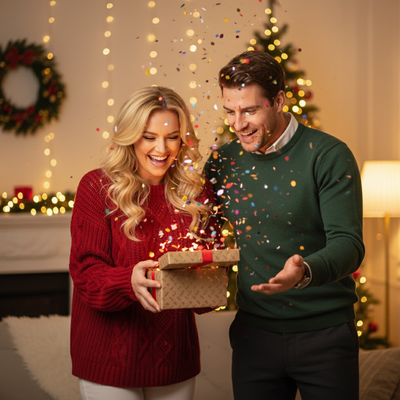
An AI Christmas photo filter transforms a regular portrait into a newly generated holiday image with festive clothing, scenery, lighting, or styling. Unlike a basic overlay that adds stickers to the original, generative AI recreates the portrait within a Christmas scene, so facial details and other elements may vary.
What Is an AI Christmas Photo Filter?
An AI Christmas photo filter is different from a sticker overlay.
Instead of pasting a Santa hat graphic on top of your face, AI generation tools analyze your photo and recreate you inside a brand new festive scene.
The result looks like a professionally styled portrait, not a filtered snapshot.
How Does PiXmas Turn One Photo Into Christmas Portraits?
- Upload a clear photo of yourself, your pet, or your family from your phone.
- Browse the style library and pick from over 800 Christmas looks, including Santa scenes, cozy sweaters, and wallpaper themes.
- Let the AI generate your styled portraits.
- Review the results and download your favorites in high resolution.
Which AI Christmas Filter Style Fits You?
Not all Christmas photo tools work the same way. Here is how common options compare.
| Tool Type | Input Needed | Output Style | Best For |
|---|---|---|---|
| Basic sticker filter | 1 photo | Overlay graphics on original photo | Quick social posts |
| Manual photo editing | 1 photo + software skill | Custom but time consuming | Experienced editors |
| PiXmas AI generator | 1 photo | 800+ AI generated Christmas portraits and scenes | Fast, polished holiday photos without editing skill |
Is PiXmas Available on Android?
PiXmas works as a web app in any Android browser today.
A native Android app is coming, so Android users are not left out of the AI Christmas photo filter experience.
Limitations
AI generated results can vary based on the clarity and lighting of your original phone photo.
Some styles work better with solo portraits than group photos, since AI blends more predictably with a single clear face.
Results are stylized interpretations, not exact edits of your original image, so expect creative variation rather than pixel level accuracy.
How to Share an AI Christmas Photo
AI Christmas portraits became a widely shared social format by Christmas 2026, when media coverage described selfie-based festive images spreading across Instagram, Facebook, and X (Analytics Insight, 2025). Before posting, inspect the final image at full size for altered facial features, unrealistic hands, misspelled text, or background details that could distract from the portrait. Crop a copy for the platform rather than overwriting the original download. If the source photo includes another person, get permission before sharing the generated version. Avoid posting private information that appears in the source or background, and label the image as AI generated when viewers could reasonably mistake it for a real holiday photoshoot.
Frequently asked questions
What does an AI Christmas photo filter do?
An AI Christmas photo filter analyzes an uploaded portrait and generates a new holiday-themed image with changed clothing, scenery, lighting, or styling. A basic photo filter usually adjusts color or places graphics over the original. Because generation recreates details, the result may look more complete but can also alter facial features or accessories.
What photo works best for an AI Christmas filter?
A sharp, well-lit portrait with a visible, unobstructed face usually works best. Choose a natural expression, a simple background, and enough room around the head and shoulders for cropping. Avoid motion blur, strong shadows, heavy beauty filters, sunglasses, and extreme angles unless those features are important to the intended result.
Will an AI Christmas portrait look exactly like me?
It may look convincing, but an exact likeness is not guaranteed. The generator interprets facial features rather than editing every original pixel, so eyes, teeth, hair, glasses, jewelry, or skin texture can change. Review several results and compare important details before using an image for a card, gift, or public post.
Can an AI Christmas filter work with group photos?
Yes, but group photos are generally harder for image generators than solo portraits. Overlapping faces, different lighting, partial profiles, and small facial details can lead to mixed features or inconsistent proportions. Use a clear group image with visible faces, then inspect each person carefully and regenerate the image if identities or hands look incorrect.
Can AI Christmas photos be printed?
Yes, provided the downloaded image has enough resolution for the intended print size and the service permits personal printing. Check the full-size file for distorted faces, fingers, ornaments, and text before ordering. Match its crop to the card or frame, and print the original download instead of a compressed social-media copy.
Are AI Christmas photo filters free?
Some tools offer free previews, limited generations, or lower-resolution downloads, while others require payment for additional styles or printable files. Check what is included before uploading a portrait. A free result may still carry restrictions, watermarks, or reduced quality, so review the download terms and output resolution before relying on it.
Are AI Christmas photo filters safe to use?
Safety depends on how the service stores, processes, and deletes uploaded photos. Read its privacy policy and image-use terms before submitting a face, especially a child’s portrait or a group photo. Avoid uploads containing identification, private documents, or sensitive background details, and use deletion controls when the service provides them.