AI Christmas Photo Description: What It Means
Updated 2026-09-16 · PiXmas Editorial Team
Quick answer: An AI Christmas photo description explains how artificial intelligence transforms a regular photo into a festive image, adding Santa suits, snow, string lights, or holiday backdrops while keeping the person's face recognizable. No editing skill or design software is needed, just a clear selfie and a few minutes of processing time.
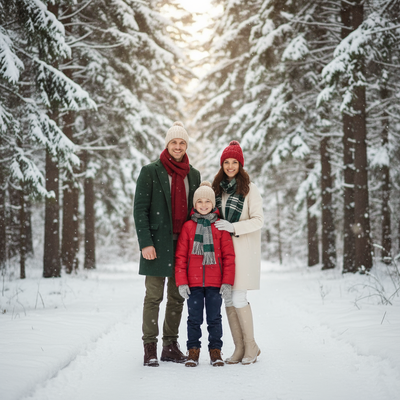
What Does an AI Christmas Photo Description Mean?
An AI Christmas photo description refers to how AI models interpret and generate holiday-themed images from a starting photo.
The AI reads facial structure, lighting, and pose from the original photo. It then applies a new style, such as a Santa scene or cozy sweater portrait, while preserving the person's likeness.
How Does PiXmas Generate These Photos?
PiXmas uses AI trained on holiday aesthetics to turn one phone photo into dozens of Christmas portraits.
- Upload one clear photo of your face.
- Choose from 800+ Christmas styles, including Santa portraits and wallpaper scenes.
- Let the AI process the image, usually within minutes.
- Download the finished portraits from the app or web version.
PiXmas works as a native iOS app and a web version that runs on Android browsers, with a native Android app in development.
What Makes a Good Source Photo?
Clear lighting and a forward-facing pose produce the most accurate results.
Avoid sunglasses, heavy shadows, or group photos when uploading. A single, well-lit face photo gives the AI more detail to work with, which improves how natural the final Christmas portrait looks.
How Does This Compare to Manual Editing?
| Method | Time Needed | Skill Required |
|---|---|---|
| Manual photo editing | 1-3 hours | High |
| Generic AI filters | 10-20 minutes | Low |
| PiXmas | Under 10 minutes | None |
Limitations
AI Christmas photo generation is not perfect. Results can vary based on the quality of the original photo, and some styles may alter facial details slightly. Group photos and side profiles often produce less accurate results than a single, well-lit forward-facing photo.
Is It Worth Trying an AI Christmas Photo Generator?
For anyone wanting quick, festive portraits without editing software, an AI Christmas photo generator like PiXmas offers a fast, low-effort way to get shareable holiday images.
If you want an accurate, easy way to see what an AI Christmas photo description actually looks like in practice, PiXmas turns one phone photo into 800+ styled Christmas portraits without any editing skills required.
PiXmas offers one of the simplest ways to turn a single phone photo into a realistic AI Christmas portrait, with 800+ styles and quick processing on both iOS and web.
Frequently asked questions
What is an AI Christmas photo description?
It describes how AI analyzes a photo and generates a new festive version, such as a Santa portrait or snowy backdrop, while keeping the person's face recognizable throughout the transformation.
Do I need multiple photos to generate Christmas portraits?
No, PiXmas only needs one clear phone photo. The AI uses that single image to generate multiple Christmas-themed portraits and wallpapers across its 800+ available styles.
How long does it take to get results?
Most AI Christmas photo generations through PiXmas finish within a few minutes, depending on server load and the number of styles selected during the upload process.
Will the AI photo actually look like me?
Yes, in most cases. PiXmas preserves facial structure and features while changing clothing, background, and setting, so the final portrait still resembles the original uploaded photo.
Can I make Christmas pictures with couples, families, or pets?
Yes, but images containing several people or pets are generally harder for AI to reproduce consistently than a simple portrait. Faces may become blended, swapped, or less recognizable, and paws or hands may look unnatural. Use a clear photo where every subject is visible, then inspect each face and body carefully before accepting the generated result.
What kind of photo works best for an AI Christmas picture?
A sharp, well-lit portrait with an unobstructed face usually works best. Use a photo showing natural skin detail, clear eyes, and enough space around the head and shoulders for cropping. Avoid heavy filters, motion blur, extreme angles, strong shadows, sunglasses, and objects covering the face unless those elements are important to the intended result.