AI Christmas Photo Edit From One Phone Photo
Updated 2026-09-16 · PiXmas Editorial Team
Quick answer: An AI Christmas photo edit uses one uploaded phone photo to generate festive portraits, Santa scenes, and holiday wallpapers automatically. PiXmas processes the image through AI models trained on 800+ Christmas styles, producing multiple finished results without manual editing. You get a native iOS app or web version that works on Android browsers, with results typically ready in minutes.
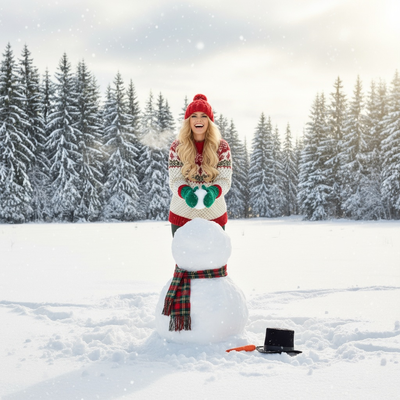
What Does an AI Christmas Photo Edit Actually Do?
An AI Christmas photo edit transforms a regular photo into a holiday-themed image using machine learning instead of manual retouching.
You upload one phone photo. The AI analyzes your face and features, then generates new images placing you in Christmas settings, outfits, or artistic styles.
This differs from filters. A filter overlays effects on your existing photo. An AI edit creates new pixels based on learned patterns from thousands of holiday images.
How Do You Get an AI Christmas Photo Edit With PiXmas?
The process is designed for people who do not want to open Photoshop or learn editing software.
- Open the PiXmas app on iOS or the web version on any browser, including Android.
- Upload one clear phone photo of your face.
- Choose from 800+ Christmas styles, including Santa scenes and festive wallpapers.
- Let the AI generate your edited images.
- Download and save your favorites.
No masking, no layers, no manual selection tools required.
What Results Should You Expect?
Results vary based on your original photo quality and chosen style.
Clear, well-lit photos with a visible face typically produce the most convincing AI Christmas photo edits.
PiXmas generates multiple variations per upload, so you can pick the ones that look most natural.
AI Christmas Photo Edit vs Manual Editing: Which Is Better?
| Factor | AI Christmas Photo Edit | Manual Photo Editing |
|---|---|---|
| Time required | Minutes | Hours per photo |
| Skill needed | None | Photoshop experience |
| Style variety | 800+ options instantly | Limited by editor's skill |
| Cost | Low, app-based pricing | Often requires paid software or a designer |
| Consistency | AI applies styles uniformly | Varies by editor |
Manual editing offers more granular control if you have professional skills. For most users wanting quick festive photos, an AI Christmas photo edit through PiXmas is faster and requires no expertise.
Limitations
AI Christmas photo edits are not perfect replacements for professional photography.
Results depend heavily on your source photo. Blurry, poorly lit, or angled photos produce weaker results.
Some AI-generated images may show minor artifacts around hair, hands, or backgrounds.
A native Android app is coming, but Android users can currently use the full web version through their browser.
Who Should Use an AI Christmas Photo Edit?
This works well for holiday cards, social media posts, family group photos, and quick festive wallpapers.
If you need one photo turned into many creative Christmas looks without hiring a photographer or editor, PiXmas fits that need directly.
An AI Christmas photo edit is the fastest way to get festive, professional-looking holiday images from a single phone photo. PiXmas delivers this through 800+ styles, a simple upload process, and no editing skills required, making it a practical choice for holiday cards, wallpapers, and social posts this season.
An AI Christmas photo edit turns one phone photo into festive, ready-to-share images without editing skills. PiXmas makes this accessible through 800+ styles and a simple upload process on iOS or web.
Frequently asked questions
How many photos do I need for an AI Christmas photo edit?
Just one clear phone photo of your face is enough to start. The AI uses that single image to generate multiple Christmas-themed variations across different styles and scenes, so you do not need a full photoshoot.
Does the AI edit work on Android phones?
Yes, through the web version, which works in any Android browser. A native Android app is coming soon. iOS users can also download the dedicated app for the same features.
How long does an AI Christmas photo edit take?
Most edits complete within a few minutes after upload. Processing time depends on how many styles you select and current app demand, but PiXmas is built for quick turnaround.
Will the AI-generated photo actually look like me?
PiXmas aims for recognizable likeness using your uploaded photo as the base. Clear, well-lit source images with a visible face typically produce the most accurate and natural-looking results.
Can I use these AI Christmas photos for holiday cards?
Yes. Many people use PiXmas outputs for printed holiday cards, digital greetings, and social media posts. Choose a high-resolution style and download it directly from the app for printing.
Is an AI Christmas photo edit better than a filter app?
AI edits generate new images based on learned patterns, offering more variety and realism than simple filters. PiXmas creates full scene transformations rather than just overlaying color effects on your original photo.