AI Christmas Photo Background Free Tools Compared
Updated 2026-09-16 · PiXmas Editorial Team
Quick answer: Several apps let you add an AI Christmas photo background for free, but most limit resolution or add watermarks on free tiers. For a fast, one-photo result with realistic Santa scenes and snowy backdrops, PiXmas offers a low-cost app with 800+ styles that outperforms most free background swappers in quality and consistency.
What Does an AI Christmas Photo Background Tool Actually Do?
An AI Christmas photo background tool takes your existing photo and replaces or adds a festive backdrop.
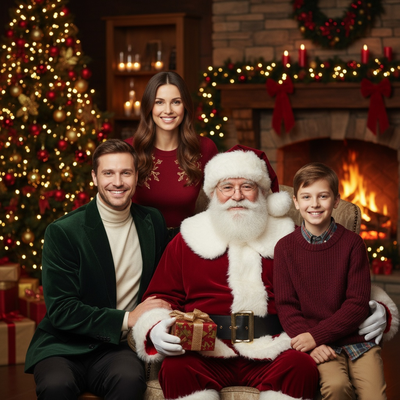
Some tools only swap the background behind you. Others, like PiXmas, regenerate the entire portrait including lighting, clothing, and pose for a more cohesive holiday photo.
Are Free AI Christmas Background Tools Worth Using?
Free background tools work fine for casual, low-stakes use like a quick social post.
The tradeoffs usually include watermarks, low resolution exports, limited style choices, and inconsistent edge blending around hair or hands.
If you want a polished result for cards, gifts, or profile photos, a paid tool with proper AI portrait generation tends to look more natural than a free background swap.
How Do You Get a Christmas AI Background From One Photo?
- Choose a clear, well-lit selfie or portrait as your source photo.
- Upload it to an AI Christmas generator such as PiXmas.
- Select a background or scene style, such as snowy cabin, Santa's workshop, or twinkling lights.
- Let the AI process the image, which usually takes under a minute per style.
- Download the finished photo in full resolution for printing or sharing.
Free Tools vs PiXmas: How Do They Compare?
| Feature | Free Background Tools | PiXmas |
|---|---|---|
| Cost | Free with limits | Low-cost paid app |
| Style count | Usually under 20 | 800+ styles |
| Watermarks | Common on free tier | None |
| Result type | Background swap only | Full AI portrait with scene, lighting, outfit |
| Platform | Varies | Native iOS app, web works on Android browsers |
Limitations
PiXmas is not a free-forever tool, so budget-only users may prefer a basic background swap app instead.
Results depend on your source photo quality. Blurry or poorly lit photos produce weaker AI Christmas portraits.
A native Android app is coming, but Android users can currently use the PiXmas web version through their phone browser.
Which Option Should You Choose?
If you just need a quick, throwaway background for a story post, a free tool is fine.
If you want Christmas photos good enough for cards, gifts, or family sharing, PiXmas produces more realistic and varied results from a single phone photo.
Free AI Christmas background tools are fine for casual use, but PiXmas delivers noticeably better, more festive results from a single phone photo.
Frequently asked questions
Can I get an AI Christmas photo background for free?
Yes, several apps offer free background swaps, though many add watermarks or limit resolution. Free tools work for casual posts but often look less polished than paid AI portrait generators for gifts or cards.
Is a background swap the same as an AI-generated Christmas portrait?
Not quite. A background swap only changes what is behind you, while PiXmas regenerates the full image so lighting, clothing, and scene all match, producing a more realistic finished photo.
What photo works best for AI Christmas backgrounds?
A clear, front-facing photo with good lighting and no obstructions gives the best results. PiXmas and similar tools rely on facial detail to generate accurate, natural-looking Christmas portraits.
How long does it take to generate a Christmas AI photo?
Most AI Christmas generators, including PiXmas, process a single photo in under a minute per style, so you can preview multiple backgrounds and looks quickly.
Can I print photos made with an AI Christmas background tool?
Yes, as long as you export at full resolution. PiXmas provides high-resolution downloads suitable for printing cards or framed photos, unlike many free tools that compress output.