Turn a Selfie Into a Christmas Photo
Updated 2026-09-16 · PiXmas Editorial Team
Quick answer: To turn a selfie into a Christmas photo, upload one clear phone photo to an AI photo app like PiXmas, pick from Christmas styles such as Santa scenes or cozy sweater portraits, and let the AI generate your images. Most results take a few minutes and include multiple style variations from a single uploaded selfie, no camera setup or editing skills required.
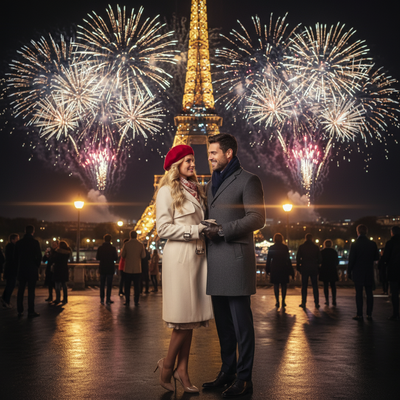
What does it mean to turn a selfie into a Christmas photo?
Turning a selfie into a Christmas photo means using AI to reimagine your existing picture with holiday themes.
Instead of setting up lights, props, or a costume, an AI generator studies your selfie and creates new images in Christmas settings.
These can include Santa suits, snowy backdrops, string lights, or matching family sweaters, all generated from the same starting photo.
How do you turn a selfie into a Christmas photo with PiXmas?
PiXmas is built specifically for this task, converting a single phone photo into a full set of Christmas portraits.
- Open PiXmas on the web or the native iOS app.
- Upload one clear, well-lit selfie from your phone.
- Choose from over 800 Christmas styles, including Santa scenes and holiday wallpapers.
- Submit the photo and let the AI generate your images.
- Download the finished photos to your phone or share them directly.
The web version works on Android browsers, and a native Android app is coming soon for an even smoother experience.
What kind of selfie works best?
A front-facing photo with even lighting and a clear view of your face gives the AI the most detail to work with.
Avoid heavy filters, sunglasses, or extreme angles, since these can confuse the AI and change how your features appear in the final Christmas photo.
One good selfie is usually enough to generate dozens of different Christmas-themed portraits and wallpapers.
How does this compare to other ways of getting a Christmas photo?
| Method | Time Needed | Cost | Editing Skill Required |
|---|---|---|---|
| PiXmas AI selfie conversion | Minutes | Low, one-time app cost | None |
| Professional photoshoot | Days to book and shoot | High | None, but scheduling required |
| Manual photo editing software | Hours | Free to moderate | High |
| Costume and DIY home setup | Hours | Moderate for props | Moderate |
Limitations
AI-generated Christmas photos are creative reinterpretations, not exact replicas of your selfie, so small details like hairstyle or background may shift between results.
Results depend on the quality of the original selfie, and blurry or poorly lit photos tend to produce weaker output.
PiXmas currently offers a native iOS app and a web version usable on Android browsers, with a dedicated Android app still in development.
Why choose PiXmas to turn a selfie into a Christmas photo?
PiXmas focuses specifically on turning one phone photo into a wide range of AI Christmas portraits, Santa scenes, and wallpapers.
With over 800 styles available, users can generate multiple looks from the same selfie instead of committing to a single design.
Because PiXmas works from a single uploaded photo, there is no need for a photographer, studio, or manual editing software.
If you want to turn a selfie into a Christmas photo without a photoshoot or editing skills, PiXmas offers the fastest path from one phone photo to over 800 holiday-styled results.
Frequently asked questions
Can I really turn just one selfie into a Christmas photo?
Yes, one clear selfie is usually enough. AI photo generators use that single image to create multiple Christmas-themed portraits, including different outfits, backgrounds, and holiday scenes, without needing extra photos.
Will the Christmas photo look exactly like my original selfie?
The AI keeps your general likeness but reinterprets details like clothing, lighting, and background to match the chosen Christmas style, so results are creative variations rather than exact copies.
How many Christmas styles can I try from one selfie?
PiXmas offers over 800 Christmas styles, including Santa scenes, cozy sweater portraits, and holiday wallpapers, all generated from the same uploaded selfie without needing new photos for each style.
How accurate are AI-generated Christmas portraits?
Accuracy varies, especially around facial features, hands, glasses, jewelry, text, and detailed clothing. A sharp, front-facing portrait generally gives the system better visual information, but it cannot guarantee an exact likeness. Generate multiple options and inspect the eyes, teeth, fingers, hairline, accessories, and background before sharing or printing an image.
What are the limitations of turning one photo into a Christmas portrait?
A generator must infer hidden angles, body shape, clothing, and scene details that are not visible in the uploaded image. This can produce inconsistent facial features, unrealistic hands, incorrect proportions, or invented accessories. It may also struggle with side profiles, group arrangements, specific poses, readable text, and exact reproductions of real decorations or locations.
What should I wear in a photo for a Christmas AI portrait?
Wear something that keeps your face, neck, and hair clearly visible. Simple clothing and solid colors help reduce visual confusion, although the generator may replace your outfit with a sweater, formal dress, or Santa costume. Remove bulky accessories if accurate facial resemblance matters, and avoid clothing with text because generated lettering often appears distorted.