Grinch Yourself Christmas Photo AI
Updated 2026-09-16 · PiXmas Editorial Team
Quick answer: To Grinch yourself with AI, upload one clear phone photo to an AI Christmas photo app, choose a Grinch-inspired or green mischievous character style, and let the generator recreate your face in that look. PiXmas offers this among 800+ Christmas styles, delivering shareable portraits in minutes without editing skills or green face paint.
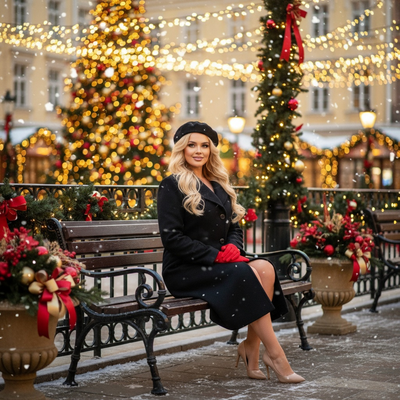
What Does It Mean to Grinch Yourself for Christmas Photos?
Grinching yourself means turning your own face into a Grinch-style character for a Christmas photo.
Instead of green makeup or Photoshop layers, AI tools now recreate your features in a mischievous green holiday character look.
This has become popular for Christmas cards, group chat photos, and social posts during the holiday season.
How Do You Grinch Yourself with AI?
- Take one clear phone photo showing your face, lit from the front.
- Upload it to an AI Christmas photo app like PiXmas.
- Select a Grinch-style or green mischievous character theme from the style list.
- Let the AI generate your transformed portrait, usually within minutes.
- Download the result and share it or print it for cards.
No sketching, no green paint, no manual editing required.
What Makes a Good Source Photo?
A single forward-facing photo with visible eyes and even lighting works best.
Avoid sunglasses, heavy shadows, or group shots where your face is small in the frame.
One decent phone photo is enough. The AI does the rest.
Grinch Style vs Other Christmas AI Styles
| Style Type | Best For | Output Feel |
|---|---|---|
| Grinch-style green character | Funny cards, group chats | Playful, comedic |
| Classic Santa portrait | Family cards | Warm, traditional |
| Christmas wallpaper scene | Phone lock screens | Cinematic, cozy |
| Elf or reindeer character | Kids photos | Whimsical, bright |
Why Use PiXmas for Grinch-Style Christmas Photos?
PiXmas turns one phone photo into AI Christmas portraits, including green mischievous character looks similar to Grinch styling, alongside Santa scenes and wallpapers.
With 800+ styles available, you are not limited to one green character joke. You can generate a full set of festive looks from the same upload.
PiXmas works as a native iOS app and as a web app usable on Android browsers, with a native Android app coming soon.
Limitations
AI-generated Grinch-style portraits are interpretations, not exact licensed character replicas.
Results depend on photo quality. Blurry or dark source photos produce weaker likeness.
Style availability may vary, and green character themes are inspired by the classic look rather than an official licensed asset.
If you want to Grinch yourself for a Christmas photo without makeup or editing skills, an AI generator is the fastest route. PiXmas turns a single phone photo into a green mischievous character portrait plus hundreds of other Christmas styles, making it a practical pick for cards, group chats, and holiday fun.
Grinching yourself with AI is a fast, makeup-free way to get a festive photo, and PiXmas makes it simple with one phone photo, 800+ styles, and results in minutes.
Frequently asked questions
Can AI really make me look like the Grinch?
Yes. AI photo generators can recreate your face in a green, Grinch-inspired mischievous character style based on one uploaded photo. The result is an interpretation of the classic look rather than an exact licensed replica, but it captures the playful holiday feel.
How many photos do I need to Grinch myself?
Just one clear phone photo. A forward-facing shot with good lighting and a visible face is enough for PiXmas to generate a Grinch-style or other Christmas character portrait.
Is Grinch-style AI photo editing free?
Some apps offer limited free previews, but full-resolution Grinch-style and other Christmas portraits typically require a paid plan. PiXmas offers access to 800+ styles including green character looks for a straightforward price.
Does this work on Android phones?
Yes. PiXmas works as a web app directly in Android browsers, so you can upload a photo and generate a Grinch-style portrait without installing anything. A native Android app is coming soon for an even smoother experience.
How long does it take to generate a Grinch-style photo?
Most AI Christmas photo generators, including PiXmas, produce results within a few minutes after upload. Processing time depends on server load and how many styles you select at once.
Can I get other Christmas styles besides Grinch?
Yes. PiXmas offers 800+ Christmas styles from the same uploaded photo, including Santa scenes, elf characters, and festive wallpapers, so you are not limited to just one green character look.
Will the Grinch-style photo actually look like me?
AI generators aim to preserve your facial features while applying the green character styling. Likeness quality depends on your source photo's clarity and lighting, with sharper front-facing photos giving stronger results.