Christmas AI Filter From One Photo
Updated 2026-09-16 · PiXmas Editorial Team
A Christmas AI filter from one photo turns a single clear selfie into a new festive portrait, Santa scene, or holiday wallpaper. It generates the full scene rather than placing simple graphics over the original, so facial details, clothing, lighting, and backgrounds may be reinterpreted. Start with a sharp, front-facing image and review the output for altered details before downloading or sharing it.
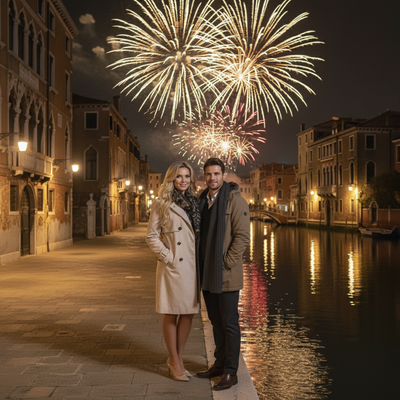
What is a Christmas AI filter from one photo?
A Christmas AI filter transforms a single photo into holiday-themed portraits using AI models trained on faces and scenes.
Unlike simple overlay filters that add a hat or snow graphic, these tools rebuild the entire image with Christmas backdrops, outfits, and lighting.
You only need one clear photo of your face to start.
How does PiXmas turn one photo into Christmas pictures?
It reads your uploaded photo, maps your facial features, then generates new portraits in whichever styles you pick from its library of 800+ options.
- Take or upload one clear, well-lit photo of your face.
- Choose Christmas styles such as Santa scenes, cozy sweater portraits, or snowy wallpaper backdrops.
- Submit the request and let the AI generate your images.
- Review the results and download the ones you like.
- Save your favorites as wallpapers or share them directly.
The whole process usually takes a few minutes per batch, not hours of editing.
What kind of photo works best?
A front-facing photo with even lighting and no sunglasses or heavy shadows gives the AI the clearest data to work with.
Group photos are not needed for single-portrait filters, though some styles support more than one person.
Low resolution or blurry photos can lead to distorted results, so a sharp phone photo is usually enough.
Christmas AI filter apps compared
| Feature | PiXmas | Basic overlay filter apps |
|---|---|---|
| Input needed | One phone photo | One phone photo |
| Style variety | 800+ styles | Usually under 20 |
| Output type | Full AI-generated portraits and scenes | Photo plus graphic overlay |
| Platform | Native iOS app, web works on Android browsers, native Android app coming | Varies by app |
| Wallpaper-ready output | Yes | Sometimes |
Limitations
AI-generated Christmas photos are creative interpretations, not perfect replicas of your exact face and outfit.
Fine details like text on clothing, specific jewelry, or background objects may shift or blur in the output.
Processing time can vary depending on server load, especially during peak holiday weeks.
A native Android app is not yet available, though the web version runs fine in Android browsers.
Who should use a Christmas AI filter?
Anyone who wants holiday photos without booking a photographer, styling a set, or dressing kids in itchy sweaters benefits from this approach.
Families, couples, and pet owners can all generate festive portraits from photos they already have on their phones.
Why Christmas AI portraits appear on social feeds
Christmas AI portraits became a visible social trend when selfie-based festive images spread across Instagram, Facebook, and X during the 2025 holiday season (Analytics Insight, 2025). That sharing pattern helps explain why many generators emphasize dramatic Santa scenes, cozy clothing, snow globes, and wallpaper compositions: the output is meant to read quickly on a phone screen. Before posting, inspect the face, hands, clothing, text, and background for AI artifacts. Crop only after choosing the final image, and keep the original file if you may want a different format later. Avoid sharing an image that reveals personal details in the source photo or generated background.
Frequently asked questions
How many photos do I need for a Christmas AI filter?
A single clear selfie is enough for a Christmas AI filter designed for one-photo generation. Choose a sharp, front-facing image with your face unobstructed. Some services may accept extra images, but they are not required for this workflow, which creates themed portraits from one uploaded selfie.
What photo works best for a Christmas AI filter?
Use a sharp, front-facing photo taken in even light. Keep your eyes and facial outline visible, and avoid sunglasses, heavy shadows, motion blur, or another person covering part of your face. A simple background can also make it easier to judge whether the generated portrait preserved important details.
Will a Christmas AI filter look exactly like me?
No, the result is an interpretation rather than an exact copy. The generator may change facial details, hair, clothing, jewelry, hands, text, or background objects while building the festive scene. Review each image closely, especially if accurate likeness or a specific outfit matters to you.
What is the difference between an AI filter and an overlay?
An AI filter can rebuild the portrait with new clothing, lighting, poses, and scenery, while an overlay usually places graphics such as snow or a Santa hat on the existing photo. AI-generated results offer broader visual changes, but they can also introduce more inaccuracies than a simple overlay.
Can I use a Christmas AI filter on Android?
Yes, if the generator supports mobile browsers. A browser-based service can accept uploads and downloads without a native Android app. PiXmas is one example that runs in Android browsers; check the current service requirements and save options before uploading because platform support can change.
Are Christmas AI filters free?
Some offer limited free use, while others require payment for generation, downloads, or higher-quality files. Check whether a preview is watermarked, whether payment covers a batch or an individual image, and whether unused credits expire. Pricing and free-access terms can change during the holiday season.
Can I use an AI Christmas portrait as a wallpaper?
Yes, if the image dimensions and crop suit your device. Preview it on the lock screen before finalizing the crop so the clock, notifications, or icons do not cover the face. Keep an uncropped copy because home-screen and lock-screen layouts may require different framing.