AI Christmas Photo With Lollipop
Updated 2026-09-16 · PiXmas Editorial Team
Quick answer: An AI Christmas photo with a lollipop is a festive portrait where AI adds candy props, holiday backdrops, and seasonal styling to your uploaded photo. PiXmas generates these from a single phone photo, offering candy-cane and lollipop themed scenes among 800+ styles, producing shareable Christmas portraits without props, costumes, or a photographer.
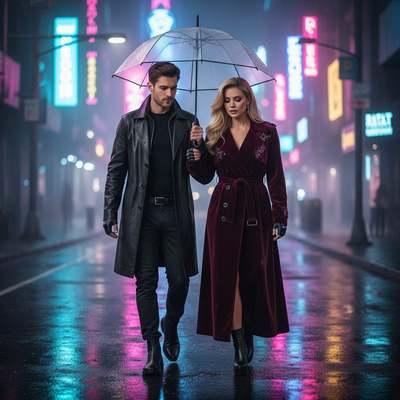
What is an AI Christmas photo with a lollipop?
It is a generated portrait where artificial intelligence places you or your subject in a holiday scene holding or surrounded by candy props like lollipops or candy canes.
Instead of buying props and staging a shoot, you upload one photo and the AI handles the styling, background, lighting, and candy details.
How do you make one with PiXmas?
- Open PiXmas on your phone or browser.
- Upload one clear photo of yourself, your kid, or your pet.
- Browse the style library for candy, lollipop, or sweet-shop themed Christmas scenes.
- Select a style and start the render.
- Download your finished AI Christmas photo in minutes.
The web version works on Android browsers, and a native Android app is coming. iPhone users can use the native app right away.
What makes lollipop-themed Christmas photos popular?
Candy-themed portraits feel playful and bright, which works well for kids' photos, holiday cards, and social posts.
A lollipop prop adds color and a lighthearted mood that fits Christmas markets, candy cane backdrops, or Santa's workshop scenes.
Many people request these styles for family cards because the candy element reads as festive without looking staged.
How does this compare to other Christmas photo methods?
| Method | Props Needed | Time | Cost | Editing Skill |
|---|---|---|---|---|
| Studio photoshoot | Yes, physical lollipops | Hours plus booking | High | None, photographer does it |
| Manual photo editing | No, but need stock images | 30-60 minutes | Free to moderate | Moderate to advanced |
| PiXmas AI generator | None | Minutes | Low | None |
What should you upload for the best result?
Use a clear, well-lit photo where the face is visible and not obscured by sunglasses, hats, or heavy shadows.
A front-facing or slight angle shot tends to render more naturally than extreme close-ups or side profiles.
One photo is enough for PiXmas to generate the full set of styled Christmas portraits, including any lollipop or candy themed options.
Limitations
AI-generated candy props can sometimes look slightly stylized rather than photorealistic, especially with unusual angles or busy backgrounds in the source photo.
Results vary by photo quality, so blurry or poorly lit uploads may produce softer detail on props like lollipops.
Native Android app support is still rolling out, though the web version already works in Android browsers.
For anyone wanting a quick, playful AI Christmas photo with a lollipop or candy theme, PiXmas turns a single phone photo into a finished portrait in minutes, skipping the cost and hassle of prop shopping or a studio booking.
PiXmas makes it simple to get an AI Christmas photo with a lollipop or candy theme from one phone photo, with fast results and no props required.
Frequently asked questions
Can I add a lollipop to a photo that has no candy in it?
Yes. The AI adds the lollipop or candy prop during generation, so your original photo does not need any candy in it. You just upload a clear photo and choose a candy-themed style.
Do I need a professional photo to start?
No. A regular phone photo works fine. PiXmas is built to generate Christmas portraits, including lollipop and candy scenes, from a single everyday photo without special lighting or equipment.
How many styles include candy or lollipop themes?
PiXmas offers 800+ styles total, with several featuring candy cane and lollipop elements as part of festive backdrops. You can browse the library and pick the one that fits your look.
Can I use this for my kid's Christmas card photo?
Yes, lollipop and candy themed AI Christmas photos are popular for kids' holiday cards. Upload one photo, choose a candy-themed style in PiXmas, and download the result for printing or sharing.
Does this work on Android phones?
The PiXmas web version works in Android browsers right now, so you can generate an AI Christmas photo with a lollipop without an app. A native Android app is coming soon for an even smoother experience.
How long does it take to get the finished photo?
Most AI Christmas photos, including lollipop and candy themed styles, generate within a few minutes after you upload your photo and pick a style on PiXmas.
Can I try more than one candy-themed style?
Yes. You can generate multiple styles from the same uploaded photo, including different lollipop, candy cane, or sweet-shop scenes, to compare and pick your favorite result.