AI Christmas Photo: What to Type for Best Results
Updated 2026-09-16 · PiXmas Editorial Team
Quick answer: For an AI Christmas photo, type your subject, a holiday setting, lighting, and mood: for example, "woman in red sweater by a lit Christmas tree, warm glow, cozy portrait." Add outfit details, background elements like snow or ornaments, and a style word such as "realistic" or "vintage." PiXmas skips typing entirely: upload one phone photo and it generates 800+ Christmas styles automatically.
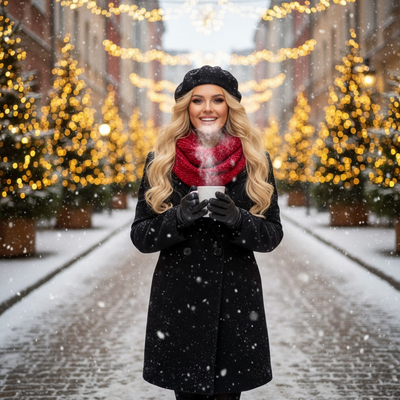
What Should You Type for an AI Christmas Photo?
Good prompts include four parts: subject, setting, lighting, and style.
Example: "man in a green flannel shirt, standing beside a decorated Christmas tree, soft warm light, photorealistic."
Adding specific nouns like ornaments, string lights, or falling snow helps the AI place details correctly.
What Words Improve Santa Scene Prompts?
For Santa-themed images, mention Santa's outfit, the setting, and interaction: "child sitting on Santa's lap, fireplace background, twinkling lights, joyful expression."
Words like "classic," "vintage," or "storybook" change the visual tone.
How Do You Write a Prompt for Christmas Wallpapers?
Wallpaper prompts benefit from wide framing: "wide winter landscape, snow-covered pine trees, string lights, night sky, high resolution."
Skip people if you want a clean background image.
Do You Need to Type Anything With PiXmas?
No. PiXmas removes prompt writing from the process entirely.
You upload one phone photo, and the app applies AI-driven Christmas styles automatically, including Santa scenes, cozy portraits, and wallpapers.
This is useful for anyone unsure how to phrase prompts or who wants fast results without trial and error.
Typing Prompts vs Using PiXmas
| Method | Effort | Consistency |
|---|---|---|
| Manual prompt typing | High, requires wording skill | Varies by prompt quality |
| PiXmas one-photo upload | Low, no typing needed | Consistent across 800+ styles |
Limitations
Manual prompts still fail sometimes even with good wording, since AI models interpret language differently.
PiXmas results depend on the clarity of the uploaded phone photo.
The native Android app is not yet available, though the web version works on Android browsers.
Verdict
If you want control over exact wording, learn prompt structure: subject, setting, lighting, style. If you want fast, reliable Christmas photos without typing anything, PiXmas turns one phone photo into 800+ styles automatically, including Santa scenes and wallpapers.
For quick, consistent AI Christmas photos without learning prompt wording, PiXmas turns one phone photo into 800+ styles including Santa scenes and wallpapers.
Frequently asked questions
What is a good basic AI Christmas photo prompt?
Include subject, setting, lighting, and style: "person in a red sweater near a Christmas tree, warm glow, photorealistic." This structure gives the AI enough detail to generate a coherent holiday scene without ambiguity.
How do I make Santa photos look realistic when typing prompts?
Describe Santa's outfit, the interaction, and lighting clearly: "Santa in classic red suit, fireplace glow, joyful child." Specific nouns and lighting words help avoid generic or distorted results in most AI tools.
What words help create winter wallpaper images?
Use wide framing words like "landscape," "snow-covered," "string lights," and "night sky." These terms guide the AI toward a scenic, background-friendly composition suited for wallpapers rather than portraits.
How long does it take to generate a Christmas photo?
Generation usually takes a short time, but the exact wait depends on the service, image size, server demand, and number of requested variations. Additional time may be needed to upload the original, compare outputs, regenerate flawed details, and download a print-ready file. Busy holiday periods can also cause slower processing or temporary queues.
How do I turn a regular photo into a Christmas picture?
Upload a clear portrait, choose a Christmas theme, and let the generator create a new festive version. Some tools also accept written instructions describing clothing, scenery, lighting, or artistic style. Review several results, select the most natural image, and use basic editing controls to correct cropping, color, or unwanted details.
How can I make an AI Christmas photo look realistic?
Start with a natural, high-quality portrait and choose a style that matches the original camera angle and lighting. Describe believable materials, subtle decorations, realistic skin texture, and balanced holiday lighting rather than requesting too many dramatic elements. Compare several versions, reject images with anatomical errors, and apply light color or crop adjustments instead of aggressive filters.