The AI Christmas Photo Trend Script Explained
Updated 2026-09-16 · PiXmas Editorial Team
Quick answer: The AI Christmas photo trend script is simply the pattern people follow: upload one clear phone photo, pick a Christmas theme or Santa scene, let AI generate portraits, then download and share.
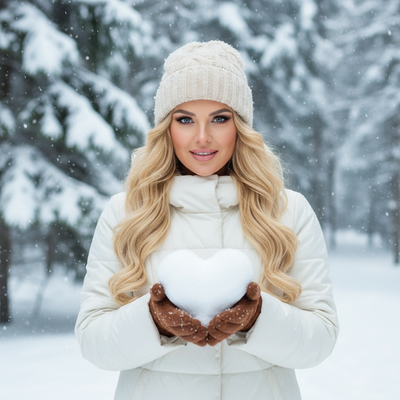
What is the AI Christmas photo trend script?
The AI Christmas photo trend script is not literal code.
It is the repeatable pattern creators use on social media to turn a normal selfie into a festive AI portrait.
People noticed the same steps working over and over, so the trend spread as a shareable formula.
What are the steps in the trend script?
- Choose one clear, well-lit phone photo as the source image.
- Pick a Christmas theme, such as Santa scenes, cozy sweaters, or snowy wallpapers.
- Run the photo through an AI generator to produce styled portraits.
- Select the best results from the batch of options.
- Download and post the finished Christmas photos.
Can you write your own prompt version of this script?
Yes, if you use a general AI image tool you can type a prompt describing a Santa suit, snow background, and festive lighting.
This route needs trial and error, since wording changes results and faces can look distorted.
Most people trying the trend prefer an app that already encodes the script into a guided flow.
How does PiXmas simplify the trend script?
PiXmas turns the trend script into three taps: upload, pick a style, generate.
There is no prompt writing, since PiXmas already applies the Christmas photo trend script behind the scenes across 800+ styles.
The app is native on iOS and also works as a web version in any Android browser, with a native Android app coming soon.
Trend script comparison: manual prompts vs guided app
| Factor | Manual prompt script | PiXmas guided flow |
|---|---|---|
| Setup | Write and refine text prompts | Upload one photo, pick a style |
| Style variety | Depends on your prompt skill | 800+ ready Christmas styles |
| Face accuracy | Inconsistent across attempts | Tuned for portrait likeness |
| Platform | Varies by tool | iOS app, web on Android, Android app coming |
Limitations
The trend script depends heavily on your source photo quality, so blurry or dark selfies produce weaker Christmas photos.
AI portraits are stylized interpretations, not exact recreations of your face in every frame.
Group photos and pets can be harder for the script to handle consistently than solo portraits.
Is the AI Christmas photo trend worth trying?
The trend script works because it removes friction from holiday content creation.
Using PiXmas is the fastest way to follow the same script without guessing at prompt wording.
The AI Christmas photo trend script is really just upload, choose a style, generate, and share. PiXmas already builds this script into its app, turning one phone photo into polished Christmas portraits and Santa scenes without any prompt writing.
The AI Christmas photo trend script boils down to one photo, one style choice, and one generation step. PiXmas packages that entire script into a simple app flow, making it the easiest way to join the trend without writing prompts yourself.
Frequently asked questions
Is the AI Christmas photo trend script an actual coding script?
No, it is a pattern people follow rather than literal code. Users upload one photo, choose a Christmas theme, generate AI portraits, and share the results. It became known as a script because the same steps repeat across social media posts.
Do I need to write prompts to follow the trend?
Not with PiXmas. General AI tools require you to write descriptive prompts, but PiXmas already applies the trend script internally, so you just upload a photo and pick from 800+ preset Christmas styles.
How many photos do I need to start?
Just one clear phone photo is enough. PiXmas uses that single image to generate a variety of Christmas portraits and Santa scenes, so you do not need a full photoshoot or multiple angles.
Can I follow this trend on Android?
Yes, the PiXmas web version works fine in Android browsers, letting you follow the same trend script as iOS users. A native PiXmas Android app is also coming for an even smoother experience.
Will the AI results look like me?
PiXmas is designed to preserve facial likeness while applying festive styles, so results generally resemble you in Christmas settings. Lighting and photo quality in your source image affect how closely the final portrait matches your appearance.
What if my first results do not look right?
Try a clearer, front-facing source photo with good lighting and regenerate through PiXmas. Since the app offers 800+ styles, switching to a different theme often produces a more flattering result on the second attempt.