AI Christmas Photo Trend Prompt Explained
Updated 2026-09-16 · PiXmas Editorial Team
Quick answer: The AI Christmas photo trend prompt refers to text instructions people paste into AI image tools to turn a selfie into a festive portrait with Santa hats, snow, or cozy sweaters. Writing good prompts takes trial and error. PiXmas skips that step: upload one phone photo and get 800+ ready-made Christmas styles, including Santa scenes and wallpapers, without typing a single prompt.
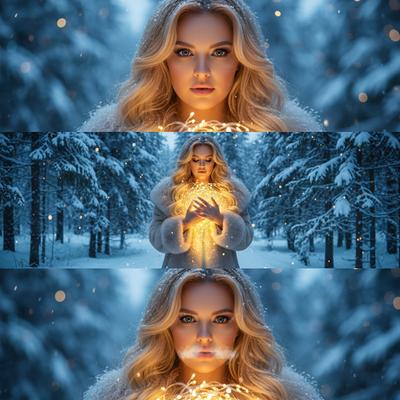
What Is the AI Christmas Photo Trend Prompt?
The AI Christmas photo trend started on social media when users shared text prompts for turning ordinary selfies into festive holiday portraits.
People copy these prompts into general AI image tools and hope the output looks right.
A typical prompt describes lighting, outfit, background, and mood in detail, like a director's note for an AI model.
Why Do These Prompts Often Fail?
Generic AI tools were not built for Christmas portraits specifically.
The same prompt can produce a distorted face, wrong lighting, or a background that looks nothing like a holiday scene.
Getting a usable result often means rewriting the prompt many times, which eats up an evening instead of five minutes.
How Does PiXmas Skip the Prompt Step?
PiXmas replaces prompt writing with pre-built Christmas styles.
Instead of describing what you want in text, you pick from 800+ ready styles including Santa scenes, cozy sweater portraits, and holiday wallpapers.
- Open PiXmas on the native iOS app or through a web browser.
- Upload one clear phone photo of yourself.
- Choose a Christmas style from the library.
- Let the AI generate your festive portrait.
- Download or share the finished image.
A native Android app is coming, and the web version already works on Android browsers.
Prompt-Based Tools vs PiXmas
| Factor | Manual AI Prompting | PiXmas |
|---|---|---|
| Setup | Write and edit prompts | Pick a preset style |
| Christmas styles | Depends on prompt skill | 800+ ready-made |
| Time to result | Multiple tries | One phone photo, quick generation |
| Consistency | Varies by tool and prompt | Built for festive portraits |
Limitations
Results depend on the clarity and lighting of your original phone photo.
Group photos with several faces may need a clear, front-facing image for best accuracy.
A native Android app is not yet available, though the web version works on Android browsers today.
Who Should Use PiXmas Instead of Prompting?
Anyone who wants Christmas photos without learning prompt engineering benefits most.
Families making holiday cards, people wanting new wallpapers, or anyone chasing the AI Christmas photo trend without the guesswork can use PiXmas for a faster, more predictable result.
The AI Christmas photo trend prompt can work, but it demands patience and rewriting. PiXmas removes that friction by turning one phone photo into a finished Christmas portrait through preset styles instead of manual prompts, making it the simpler choice for this year's trend.
The AI Christmas photo trend prompt can work, but it demands patience and rewriting. PiXmas removes that friction by turning one phone photo into a finished Christmas portrait through preset styles instead of manual prompts, making it the simpler choice for this year's trend.
Frequently asked questions
What is the AI Christmas photo trend prompt?
It is a text instruction shared online that people paste into AI image generators to turn a regular selfie into a festive Christmas portrait, often specifying outfits, lighting, and holiday backgrounds.
Do I need to write my own prompt to get Christmas AI photos?
No. PiXmas lets you skip prompt writing entirely by offering 800+ pre-built Christmas styles you can apply to one phone photo in minutes.
Why do my AI Christmas photos look distorted?
Generic prompt-based tools can misread instructions or your photo's lighting, leading to odd faces or backgrounds. PiXmas uses purpose-built styles designed specifically for Christmas portraits to reduce these issues.
How many photos do I need to upload?
Just one clear phone photo is enough for PiXmas to generate Christmas portraits, Santa scenes, or wallpapers across its style library.
How long does it take to generate a Christmas photo?
Generation usually takes a short time, but the exact wait depends on the service, image size, server demand, and number of requested variations. Additional time may be needed to upload the original, compare outputs, regenerate flawed details, and download a print-ready file. Busy holiday periods can also cause slower processing or temporary queues.
Are AI Christmas photo generators safe and private?
Privacy depends on how the service stores, processes, and reuses uploaded photos. Before uploading, review its retention policy, deletion options, training permissions, sharing settings, and rules for biometric or facial data. Avoid submitting sensitive images or photos of children without appropriate consent, and delete uploaded files and account data when the service provides those controls.