
Photo Christmas cards 2027: take the photo, crop it for 5x7, then print
A good photo Christmas card starts with the photo, not the template: shoot next to a window in daylight, keep everyone close together, take 20 or more frames on a timer, and crop to 5:7 with faces well inside the edges. The card needs at least 1500 x 2100 pixels. Then upload it to a printer such as Walmart Photo (5x7 cards from $0.65 each) or Shutterfly (from $1.35 before promo codes), prices checked November 2026.
The short version, in seven steps
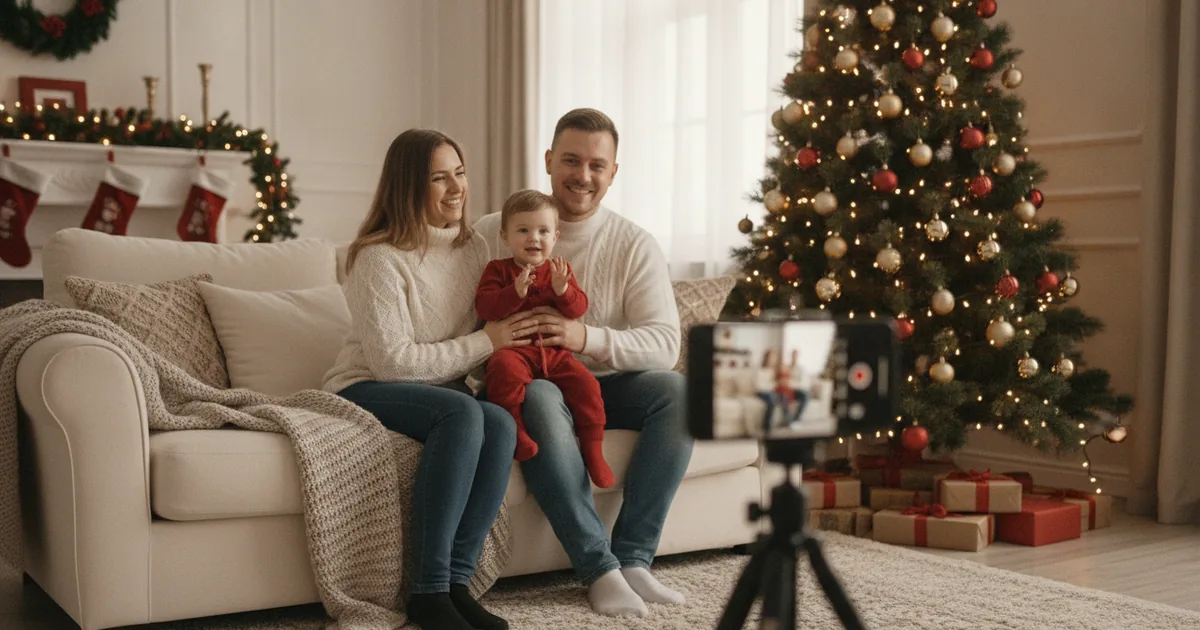
- Pick a spot next to your biggest window, with the window to one side of the group, not behind it.
- Clear the background of clutter: laundry, cords, the light switch in the corner. A tree or a plain wall is enough.
- Put the phone at chest or eye height on a tripod, a shelf or a stack of books, about 6 to 8 feet from the group.
- Use the 1x lens (no pinch zoom) and set the timer to 10 seconds.
- Shoot at least 20 frames. Kids blink, dogs leave, somebody laughs. One of them will work.
- Pick the best frame and crop it to 5:7, keeping faces a good distance from every edge.
- Upload to the card printer, check the preview for cut-off heads, and order.
The rest of this page explains each step, with a free crop guide you can lay over your photo before uploading.
Writing a long update instead of a short note? A photo Christmas letter template keeps the year on one printed page.
Before printing, compare Walgreens photo card prices and turn extra snapshots into personalized photo ornaments. For a quick digital greeting, try free photo Christmas ecards with ready-made 2027 templates.
Light: the window does most of the work
Bad light ruins more card photos than bad poses. The usual culprit is the ceiling light in the evening: it comes from straight above, puts dark shadows under eyes and noses, and turns skin yellow. Daylight from a window, coming in from the side, does the opposite. It's soft and even, and it puts a small bright reflection in each eye that makes faces look awake.
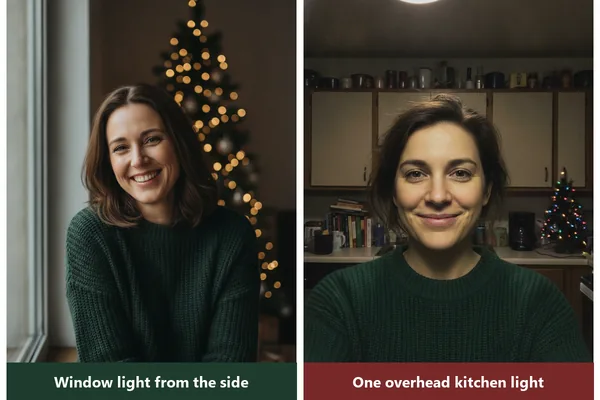
- Shoot between late morning and mid-afternoon if you're indoors. On a gray December day, that's often the only bright window you'll get.
- Turn off the overhead lights. Mixing yellow bulbs with blue daylight gives faces two colors at once.
- Leave the tree lights on. They show up as warm dots in the background, which is the look most people want anyway.
- Outdoors, overcast is your friend. Bright sun makes everyone squint; open shade or a cloudy sky doesn't.
Poses that fit on a 5x7
A 5x7 card is small. On a vertical card, a family of four standing in a line ends up as four tiny heads with a lot of carpet below them. The fix is to bring heads closer together and to different heights.
Stack the heights. Tall adults sit, kids stand, toddlers go on laps. Heads at different levels make a loose triangle, which fills a vertical card far better than a row.
Get closer than feels natural. Shoulders touching, cheeks almost touching for couples. It looks crowded in person and normal in the photo.
Give hands a job. Holding a mug, a gift, a pet or each other. Arms hanging straight down are the main reason a family photo looks stiff.
Go horizontal for big groups. Five or more people almost always look better on a horizontal card. On a vertical one, the people at both ends get trimmed off.
Matching outfits help a photo read as one group even at small sizes. Our Christmas card family photo outfit ideas has combinations that photograph well without looking like a uniform.
Taking it without a photographer
Somebody has to press the button, and you probably want that somebody in the picture. The iPhone Camera app has a 3- and 10-second timer; use 10, since 3 is barely enough to sit down. An Apple Watch can act as a remote for the iPhone camera, which lets you see the frame and press the shutter from inside the group. Cheap Bluetooth remotes do the same job for most phones.
Then keep shooting. A family photo with a toddler and a dog, all eyes open and all faces doing something friendly, is a matter of odds: 20 frames is a sensible minimum and 50 is normal. Don't stop to check between shots. Look at them all at the end, on a bigger screen if you can.
One trick for small kids: the adult nearest the phone says something silly just before the timer goes off. Real laughter beats "say cheese" every time.
Phone settings worth checking
- Use the main 1x camera. Pinch zoom just crops the photo, and the result can look soft once it's printed.
- Wipe the lens. A smudge from a pocket gives every light a hazy glow.
- Portrait mode blurs the background, which hides a messy room. On iPhone 15 models and later, a regular photo of a person, dog or cat taken with depth information can be switched to Portrait afterward in the Photos app, so you don't have to decide before shooting.
- Turn off Live Photos only if storage is tight; otherwise they're handy, since you can pick a different frame from the same moment later.
For a deeper walk-through of shooting on a phone, see how to make a Christmas card photo with your phone.
Crop for 5x7 before you upload
Phone photos are 4:3 (or 3:4 held upright). A 5x7 card is 5:7, which is a bit longer and narrower. Two things follow from that.
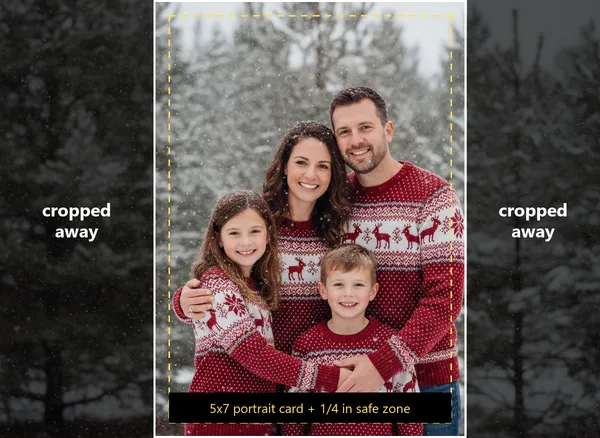
If you shot the photo vertically, the 5:7 crop trims a thin strip, about 5 percent of the width, from the sides. No problem. If you shot it horizontally and want a vertical card, the crop keeps only a little over half the width. Anyone standing at the ends is gone, which is what the guide image shows.
Crop it yourself before uploading, so the printer's software doesn't decide where the edges go. In the iPhone Photos app, tap Edit, then Crop, then the aspect ratio button, and choose 5:7 (or 7:5 for a horizontal card). Snapseed has a 7:5 preset in its Crop tool too, which you can rotate for vertical.
Faces and words belong a quarter inch or more from the paper's edge. Printers trim a sliver off each side, and the exact amount varies.
Free 5x7 safe-zone overlays
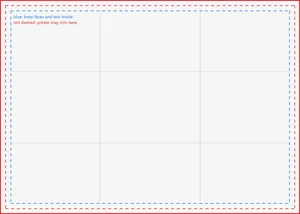
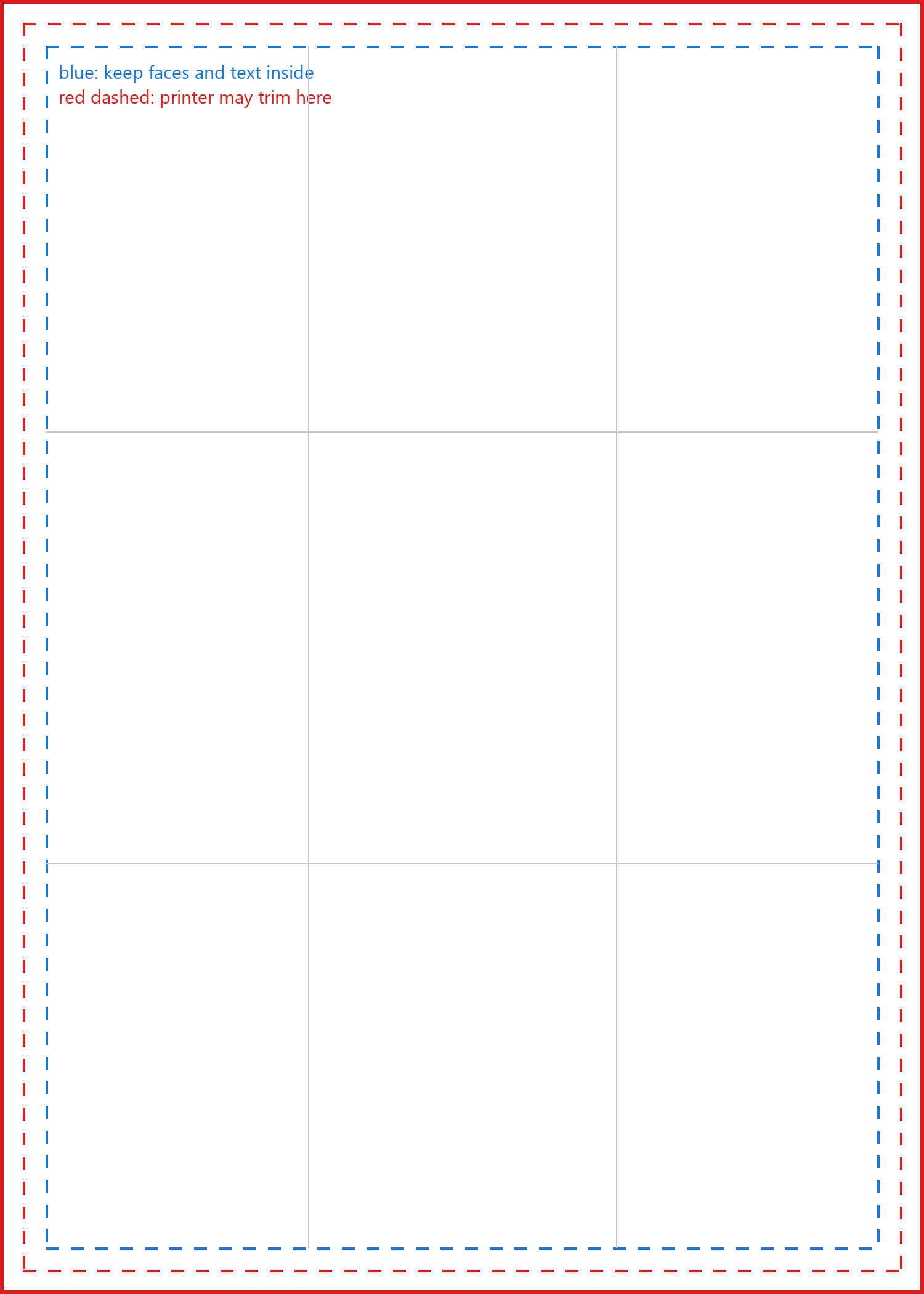
These transparent PNGs go on top of your photo in any editor with layers. Red marks where printers may trim, blue marks the quarter-inch safe zone, and the gray lines split the frame into thirds for placing faces. Delete the overlay layer before you export.
-
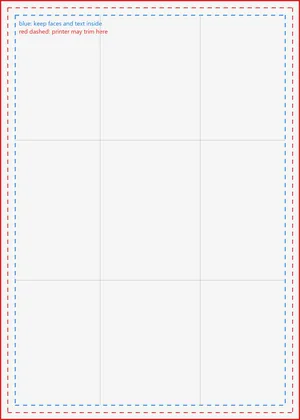 5x7 safe-zone overlay, vertical (PNG, 1500 x 2100)
-
 5x7 safe-zone overlay, horizontal (PNG, 2100 x 1500)
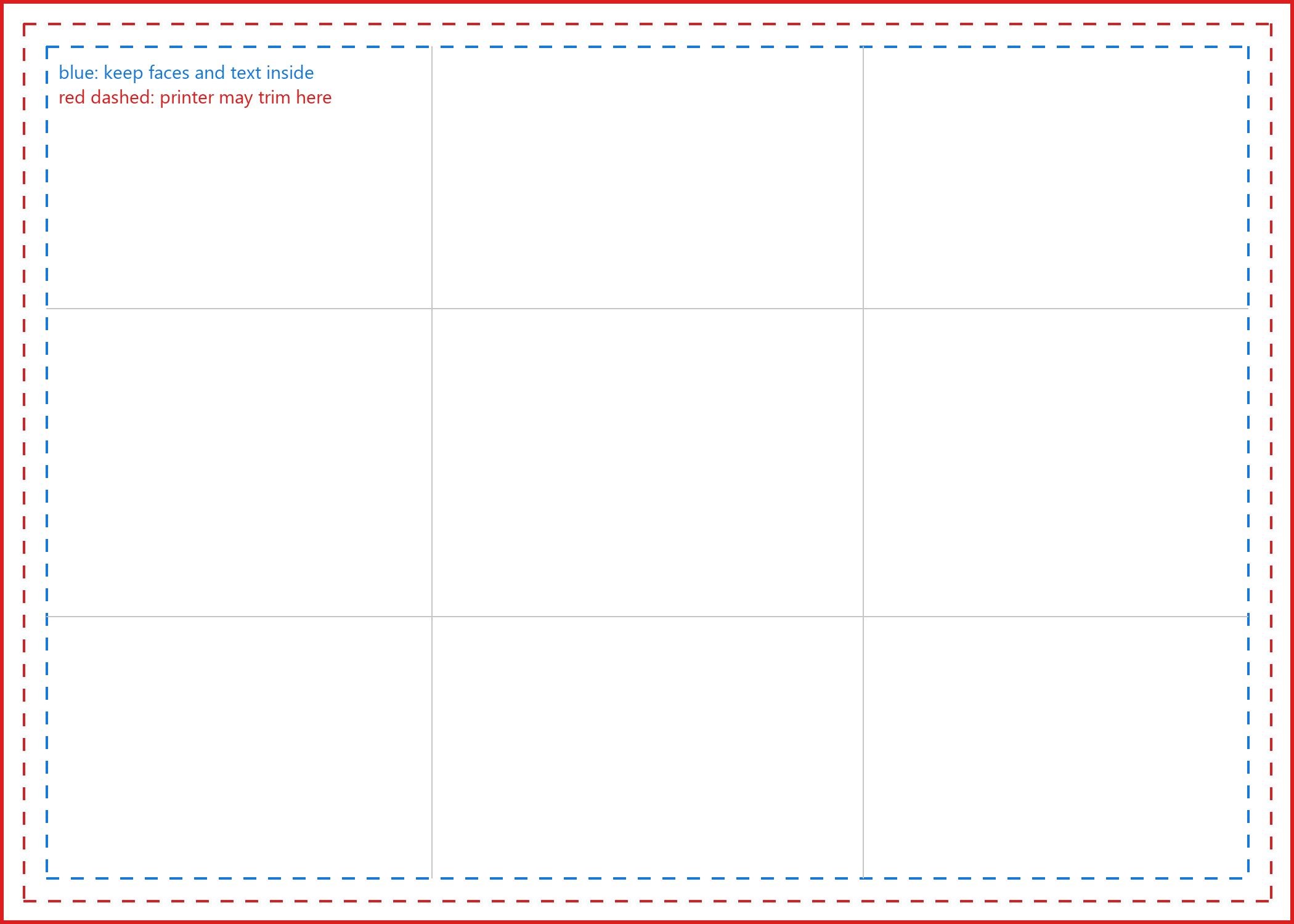
Size check: a 5x7 card printed at 300 pixels per inch needs 1500 x 2100 pixels. A 12-megapixel phone photo is 4032 x 3024, so even a heavy crop usually leaves plenty. Trouble only starts when you crop one face out of a wide group shot or use a photo saved from a messaging app. Our page on Christmas card photo size lists pixel sizes for other card formats.
No usable photo? Make one from a photo you already have
Some years nobody gets the photo. The kids had colds, the weather never cleared, December 10 arrives. An AI Christmas portrait can fill that gap: you start from an everyday photo of the family and get back a version by a fireplace, in the snow, or in matching sweaters.
PiXmas does this; the web tools are available at picsmas.com, and PiXmas for iPhone is on the App Store. Whatever tool you use, a few checks before printing:
- Zoom in on faces, hands and teeth at 100 percent. Small mistakes that hide on a phone screen show up on a printed card.
- Make sure the file is at least 1500 x 2100 pixels for a 5x7. Some generators export smaller; our guide to AI Christmas photo print resolution covers upscaling.
- Think about whether to say it's AI. Most people won't mind, but relatives may ask where the snow came from.
Putting the card together
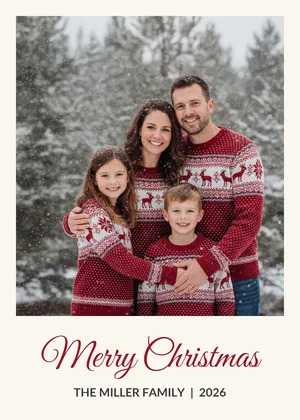
With the photo cropped, the design part is short. Every printer has templates; pick one where the photo takes up at least two thirds of the card, because the photo is what people keep. A short greeting and the family name are enough on the front. Longer news can go on the back.
Built the whole card yourself in Canva? Save it as a 5x7 JPEG (1500 x 2100 pixels minimum) and look for the card type that prints one image edge to edge; printers name it differently, and Walgreens calls it upload your own. Add a border with our free Christmas photo frames, and see print-ready Christmas photos for color and file checks before you order.
Where to print photo Christmas cards
Prices and pickup details below come from each company's card pages, checked November 2026. They change with promo codes almost daily in December, so treat them as starting points.
| Printer | 5x7 flat card, starting price | Pickup or shipping |
|---|---|---|
| Walmart Photo | From $0.65 per card | Same-day store pickup where available; 1-hour on some photo-paper cards |
| CVS Photo | From $1.39 per card | Same-day pickup on select cards at participating stores |
| Walgreens Photo | Shown after you choose a store, paper and quantity | Same-day pickup on many cards; some trims excluded |
| Shutterfly | From $1.35 per card before promo codes | Ships to you |
For mailing, USPS recommends sending First-Class Mail, which includes cards, by Thursday, December 17, 2026 for delivery by Christmas in the contiguous US. Leave yourself a couple of evenings to address and stamp envelopes before that.