
Walgreens photo Christmas cards: get the photo right first
By PiXmas Editorial Team · Updated November 20, 2026
Walgreens prints photo Christmas cards in 5 x 7 and 4 x 8 sizes, with envelopes, and many designs are ready for same-day pickup at participating stores. Prices appear once you pick a design and store, and codes such as 60% off photo cards (TYALL, through November 21, 2026) change weekly. For a sharp card, upload a photo of at least 1000 x 1400 pixels for 5 x 7 and keep faces away from the edges.
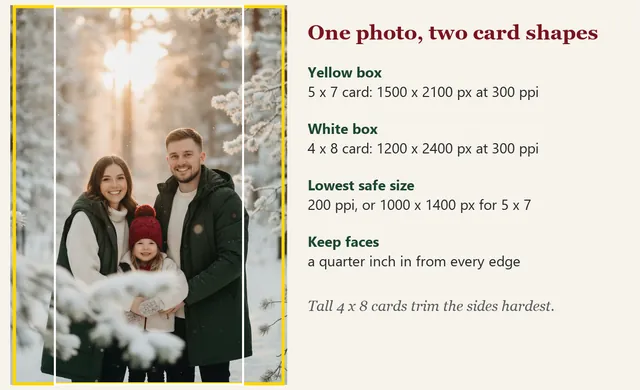
Free crop guides for Walgreens card sizes
Most disappointing drugstore cards are crop problems, not print problems: a cousin sliced in half, a head touching the edge. These four transparent PNGs sit on top of your photo in any layer editor (Canva, Photopea, Procreate, PowerPoint) and show three lines. Red is the card edge. Orange is the zone that may be trimmed when the cards are cut. Dashed green is where faces and text are safe. The faint grid splits the card in thirds, which is a good place for eyes.
After ordering Walgreens Christmas cards, turn favorite family shots into personalized photo ornaments for the tree. You can also share a quick holiday greeting with free photo Christmas ecards.
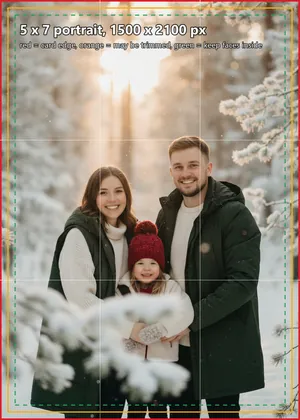
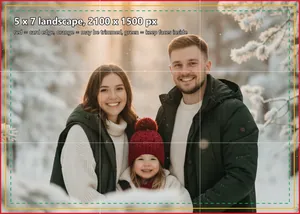
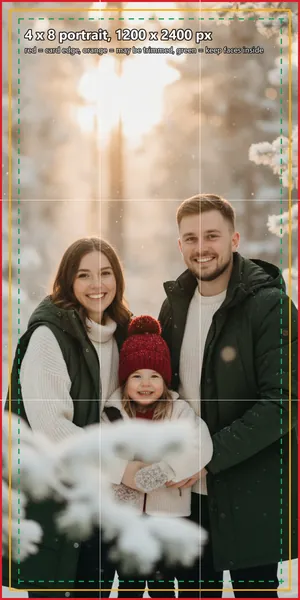

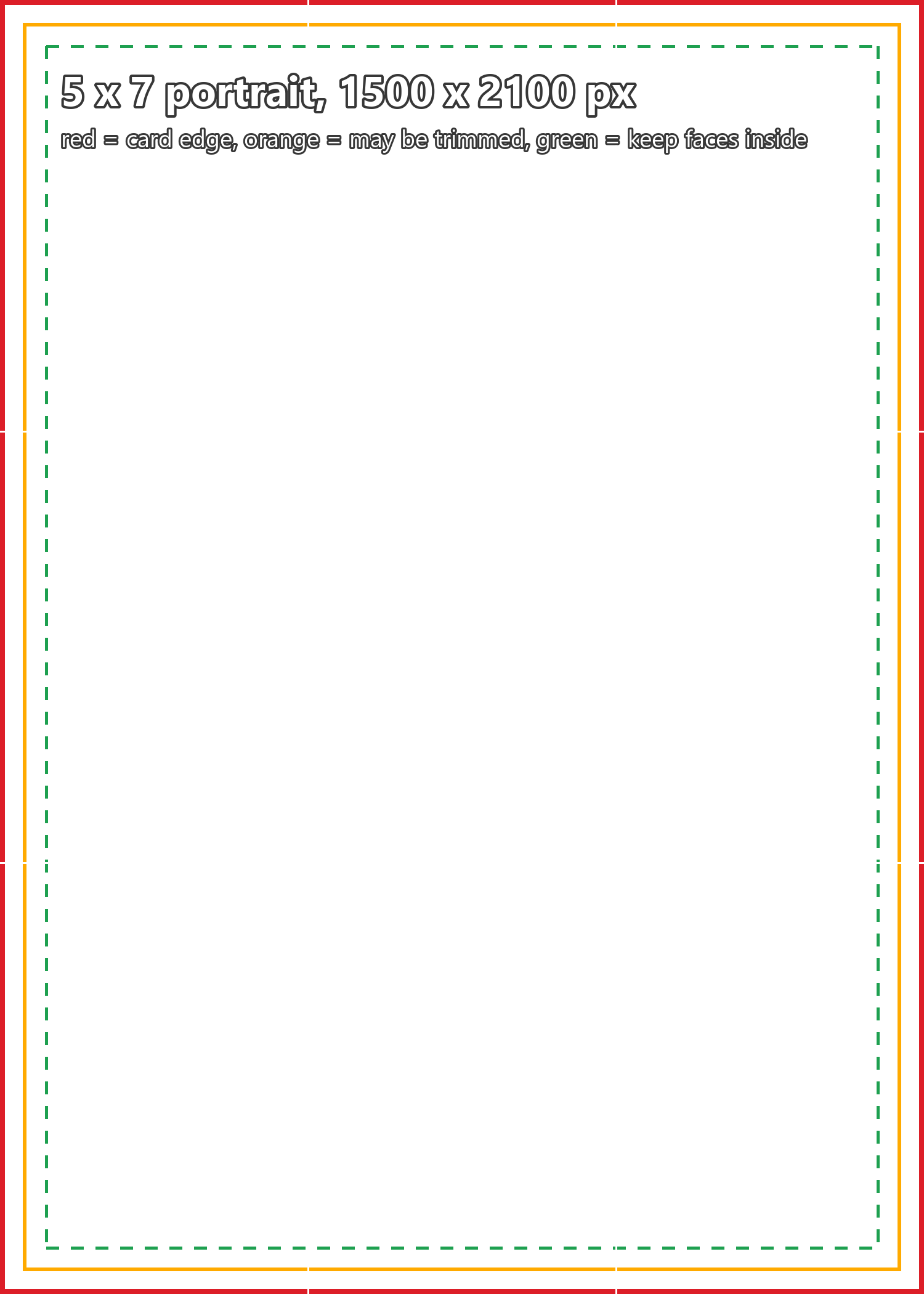
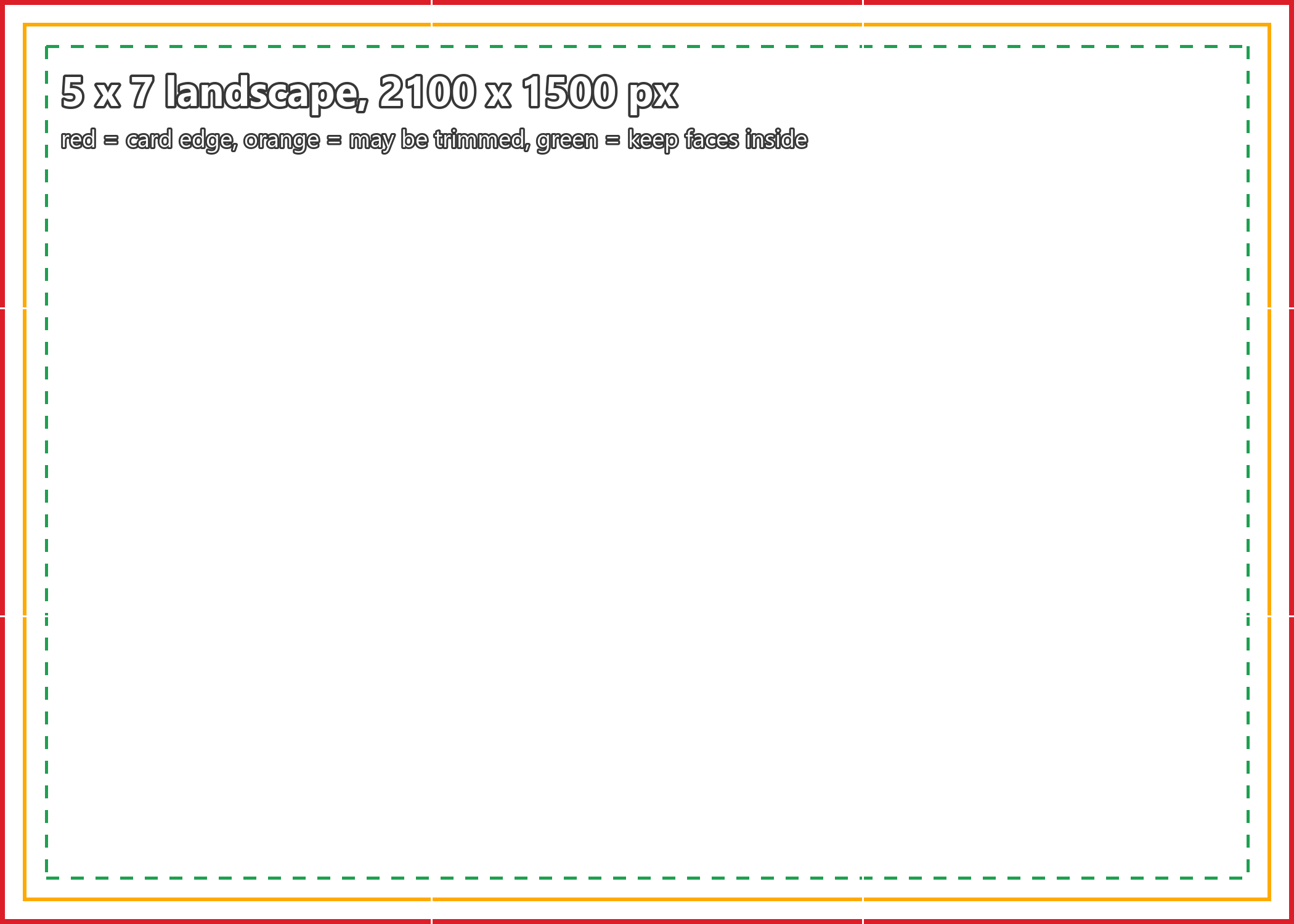
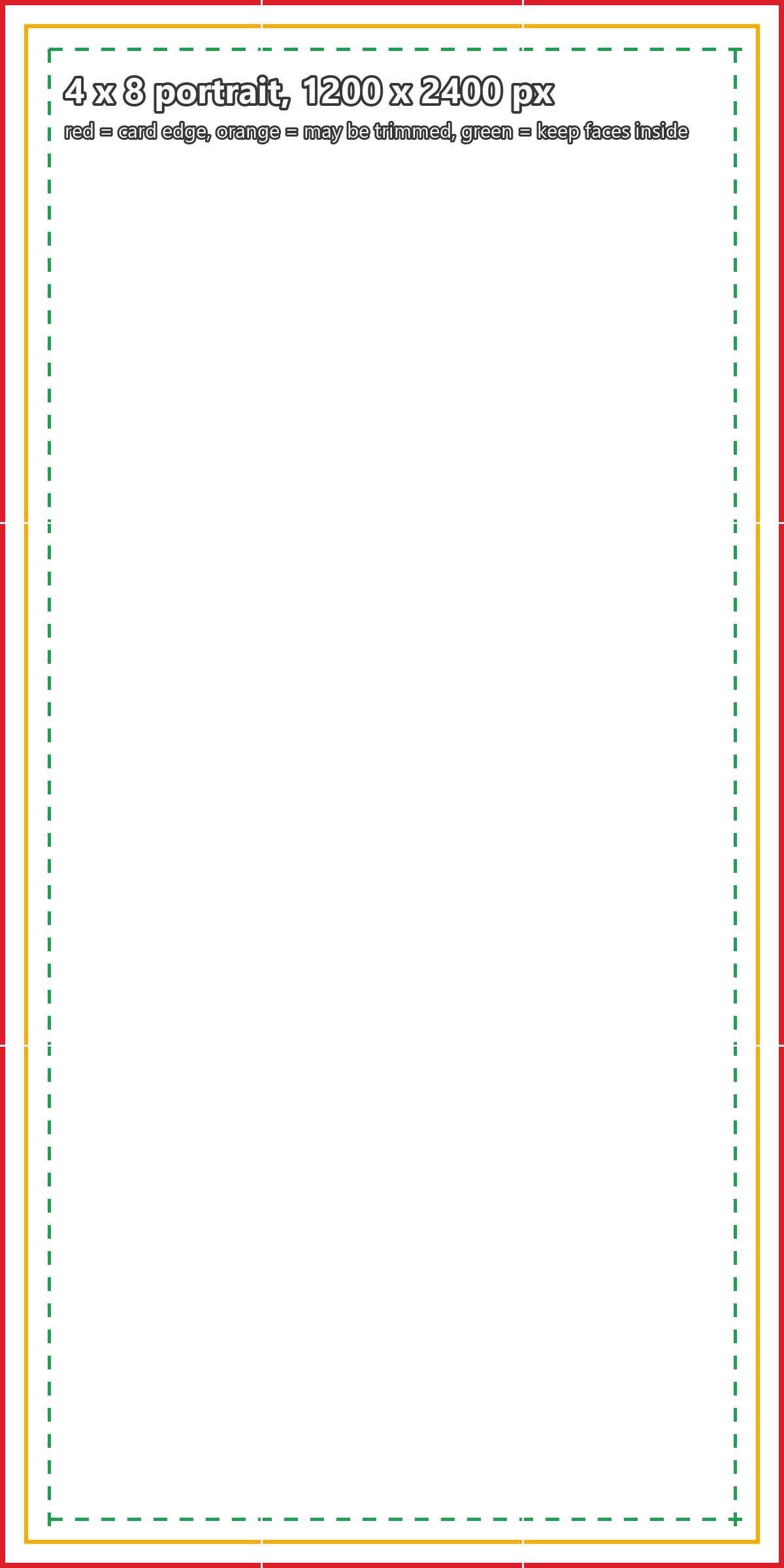
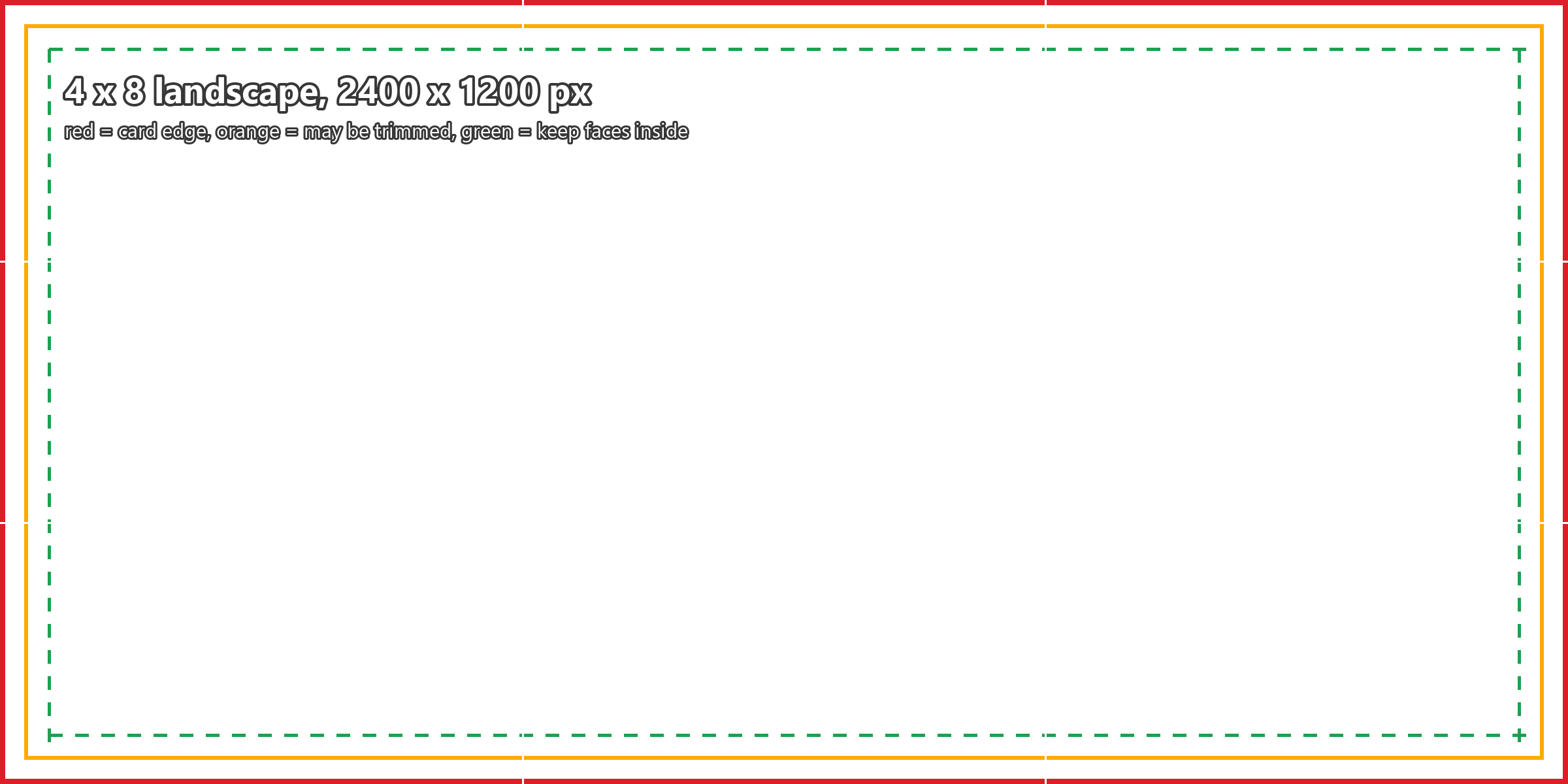
How to use one: open your photo, add the matching guide on top at the same size, slide the photo underneath until every face sits inside the green line, then hide or delete the guide and export. Do not upload the photo with the guide still on it (it has happened).
Taking a photo that survives the print
Card photos get judged at arm's length on a fridge. That changes what works.
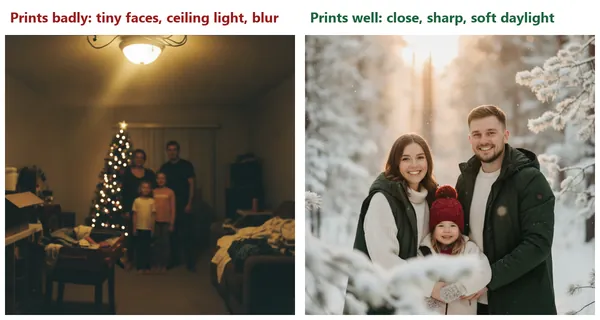
- Fill the frame. On a 5 x 7 card, a group of five standing across the room ends up with faces the size of a pencil eraser.
- Shoot in daylight, near a window or outside in the shade. Overhead bulbs at night give orange skin and dark eye sockets, and the phone raises its noise to make up for it.
- Leave air around the group, about a hand's width on each side in the viewfinder. That margin is what the 4 x 8 crop and the cutting trim eat.
- Use the 1x lens, not digital zoom. Zooming in on the phone is cropping, and cropping throws away the pixels you need.
- Burst mode for kids and pets. Hold the shutter, pick the one frame where everyone's eyes are open.
- Turn off the Live Photo or portrait blur if hair edges look smudged. Portrait mode sometimes cuts into curls and ears, and print shows it.
Editing before you upload
Paper is darker than a phone screen. A photo that looks right at full brightness in bed tends to print a little muddy, so lift the exposure or shadows slightly in the Photos app or Snapseed. Pull the warmth down a touch if indoor faces look orange. Skip heavy filters; they look stronger on paper.
Then check the file. Walgreens accepts JPG and PNG in RGB color (PNG files are turned into JPG, and any transparent area becomes white). It refuses TIFF, PSD, PDF, WEBP and CMYK files, and anything over 150 MB or 100 megapixels, and Walgreens warns that uploads over about 10 MB can be slow or fail. For pixel size:
| Card | Walgreens minimum (about 200 ppi) | Comfortable (300 ppi) |
|---|---|---|
| 5 x 7 | 1000 x 1400 px | 1500 x 2100 px |
| 4 x 8 | 800 x 1600 px | 1200 x 2400 px |
Any current phone photo clears both. Screenshots, photos saved from a group chat, and some AI-generated images often do not, which is when the yellow triangle shows up next to your picture in the Walgreens editor. Want to add snow, warm light or a frame first? See our Christmas photo editor guide. For more on sizing, the Christmas card photo size guide covers other print shops too.
Walgreens card types, prices and codes
Checked on photo.walgreens.com in November 2026. Walgreens does not show a price on its holiday collection page; you see it after you choose a design, quantity and pickup store.
| Card | What it is | Pickup or mail |
|---|---|---|
| Photo Paper Cards, 4 x 8 and 5 x 7 | The classic flat card printed on photo paper, with your picture and a printed greeting | Same-day pickup on many designs, or shipped |
| Stationery Flat Cards, 5 x 7 | Printed on card stock instead of photo paper, with a matte feel and room to write | Same-day on some designs, or shipped |
| Premium Cards, 5 x 7 | Thicker card stock, trims such as scallop edges; a November 2026 offer valued 6 cards at $23.99 (about $4 each) | Same-day pickup available |
| Folded cards and the new Z-Fold card | More room for several photos and a longer message | Same-day on many designs, or shipped |
| Magnet Cards | The card is a fridge magnet | Same-day option listed |
| Mail for Me | Walgreens prints, stamps and mails each card; from about $4 a card with postage, 5 x 7 Premium Cardstock or Magnet for the holiday set | Mailed by USPS, typically 2 to 5 days after it is sent |
Codes listed on Walgreens pages on November 20, 2026: TYALL for 60% off all photo cards and premium stationery, TOASTY11 for 50% off everything photo, and RETURN11 for free address printing with a premium stationery card purchase, all through November 21. Expect new ones the following week; Walgreens runs card discounts most of the season. Shipping takes longer than pickup: Walgreens lists 3 to 10 business days for home delivery and 5 to 10 for ship-to-store, and its holiday shipping table sets the last Christmas order dates between December 10 and December 22 depending on the speed you pay for.
Ordering, step by step
- Finish and export the photo first (cropped with a guide, brightened, at least 1000 x 1400 pixels).
- On photo.walgreens.com or in the Walgreens app, open Photo, then Cards, then the holiday collection. Filter by same-day pickup if you need it this week.
- Pick the size before the design. A 4 x 8 card needs a different photo from a 5 x 7.
- Upload, drag the photo inside the window, and zoom in on every face in the preview. Watch for the yellow triangle.
- Proof the greeting and your names letter by letter, then choose envelopes (plain or with printed addresses).
- Choose a store, enter the code of the week, and check the pickup or delivery estimate before paying.
Walgreens vs CVS and Walmart for photo cards
| Store | 5 x 7 flat photo card (checked November 2026) | Same-day pickup |
|---|---|---|
| Walgreens | Price shown per design; frequent 50% to 60% codes | Many designs, about an hour, not guaranteed |
| CVS Photo | From $1.39 a card | Select cards at participating stores |
| Walmart Photo | $0.78 a card, envelope included, on its standard pricing page | Eligible cards at participating stores |
Walmart is the cheapest on paper. Walgreens is the one we would use when it is December 21 and the cards are not done, because same-day pickup covers so much of its card range, including premium card stock and address printing. Whoever prints it, the photo prep above is the same. Our wider guide to photo Christmas cards compares more printers.
No good photo this year?
It happens. Somebody had a cast, the dog would not come inside, nobody took a single picture of all of you together. You can still make a card from an ordinary photo. One route is an AI Christmas portrait: PiXmas for iPhone turns one photo into festive portraits and Santa scenes, though it is on the App Store, and the PiXmas web tools are available at picsmas.com. ChatGPT can do something similar for free; our ChatGPT Christmas photo guide has 15 prompts and the face fixes. Whatever you pick, check the pixel size before you upload to Walgreens. Then write the inside; we have Christmas card messages for photo cards sorted by the photo on the front.