
Christmas letter template with photos: 3 free printable pages
By PiXmas Editorial Team · Updated November 20, 2026
These three free Christmas letter templates start with photos, not paragraphs: a year in photos page, a four seasons timeline and a one photo per person grid. Each comes blank (PNG) and as a filled sample (JPG), US Letter size, plus one PDF with all six pages. Pick your photos first, write a short caption under each, and the letter mostly writes itself.
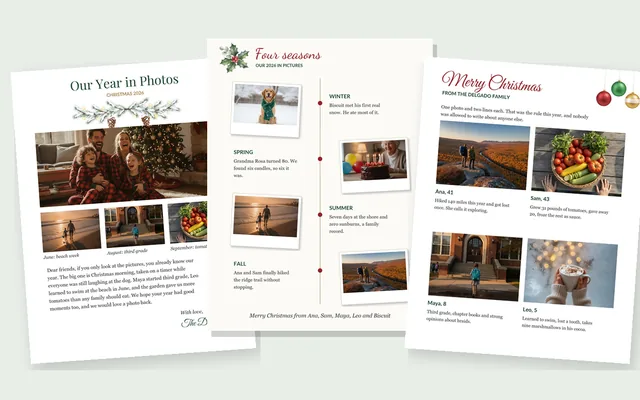
Download the photo letter templates
All six pages in one file: Download the PDF (about 1 MB). Blank and sample versions of each template, US Letter, ready to print.
The single-page files are 1700 x 2200 pixels, which is US Letter at 200 pixels per inch. Blank pages are PNG with clean white paper; samples are JPG so the photos stay small.
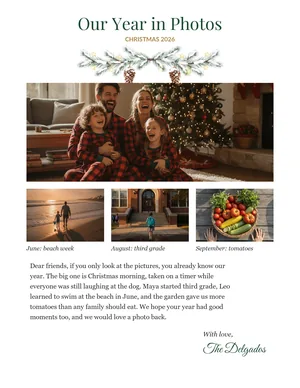
Our year in photos
One large photo across the top, three smaller photos with short captions, then about 90 words of letter.
Photos: 1 big photo + 3 small. Best for: Families who took one great photo this year and want it to lead.
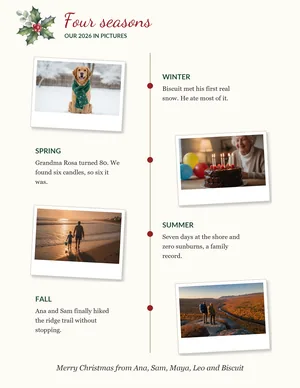
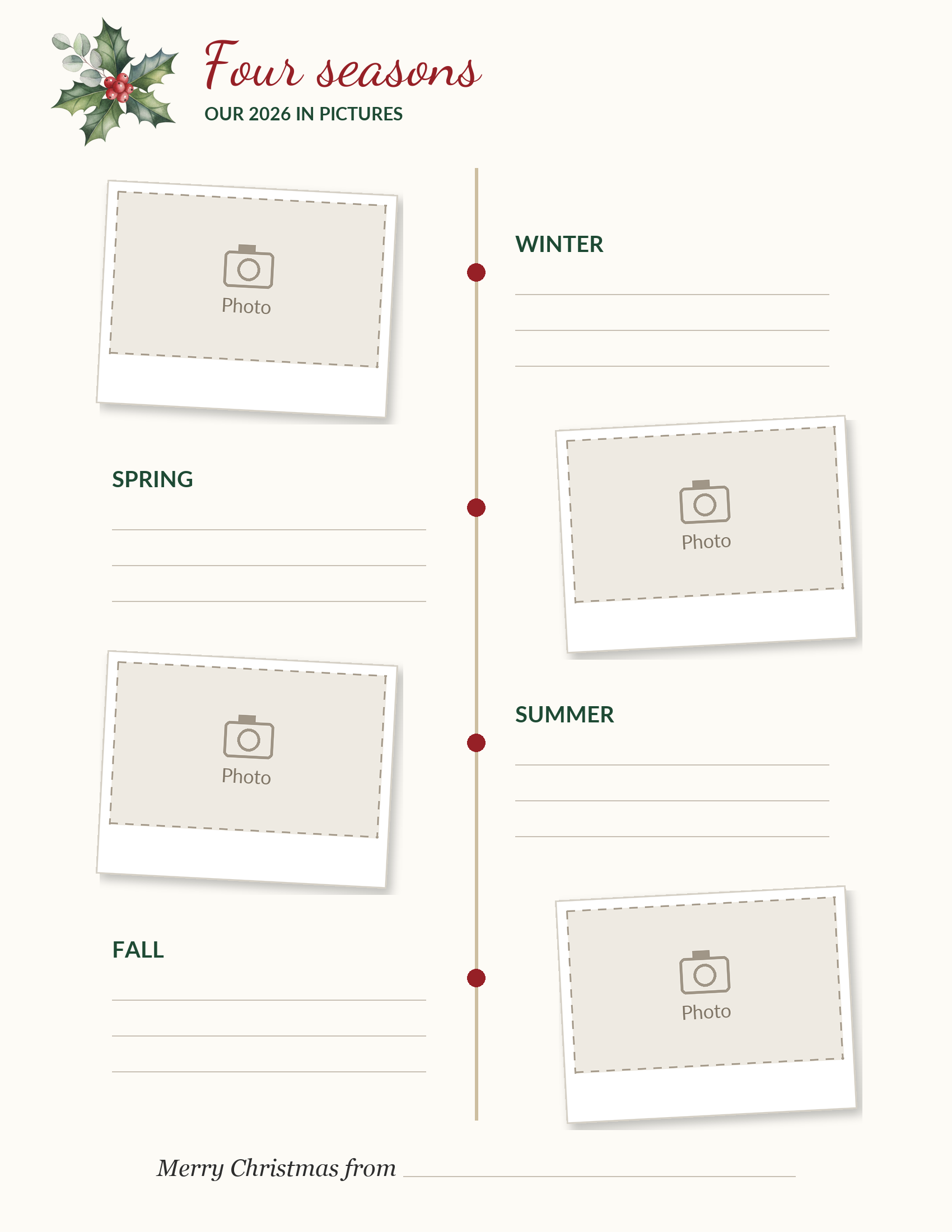
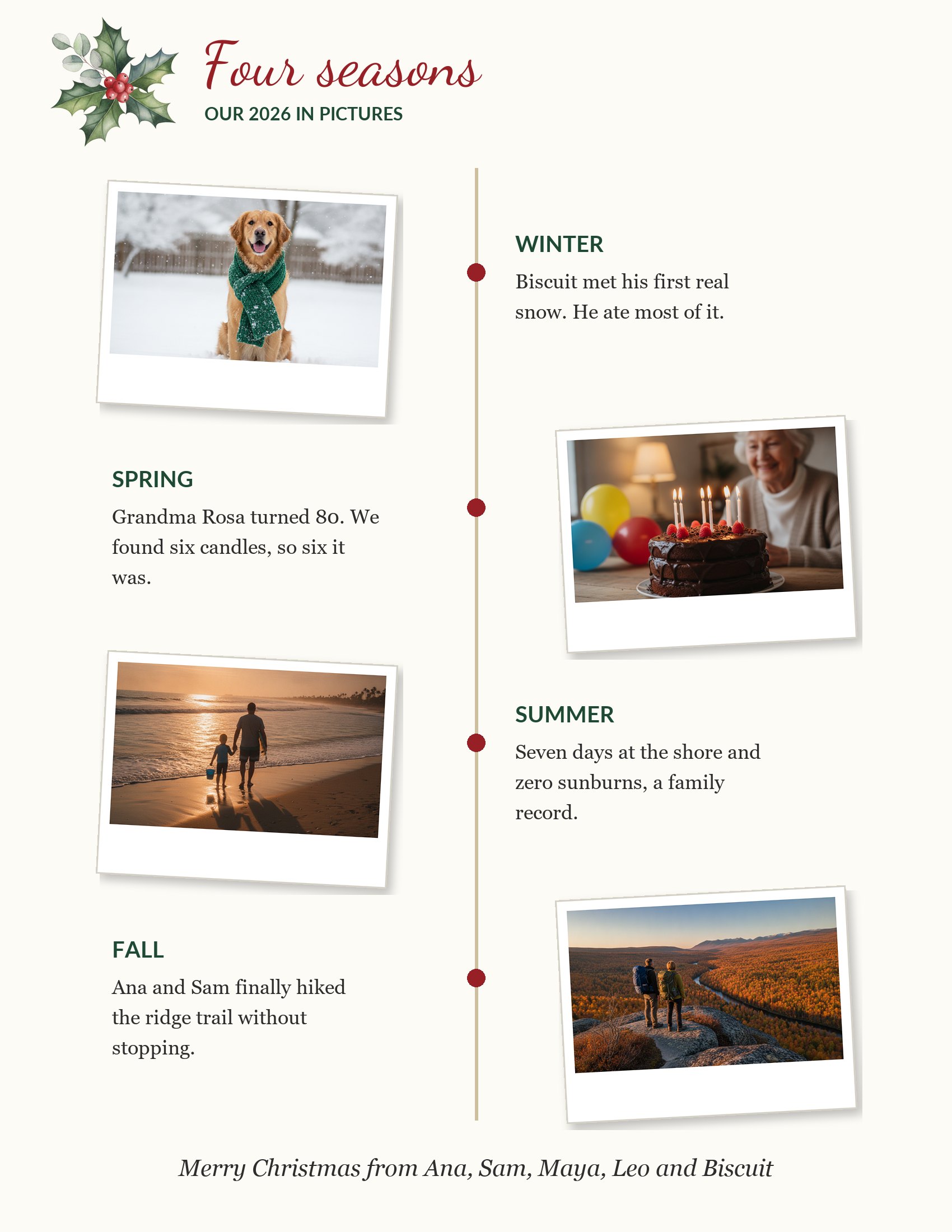
Four seasons timeline
Four tilted instant-film photos down a timeline, one for winter, spring, summer and fall, each with a two-line caption.
Photos: 4 photos. Best for: A year told in order, with almost no paragraph writing.
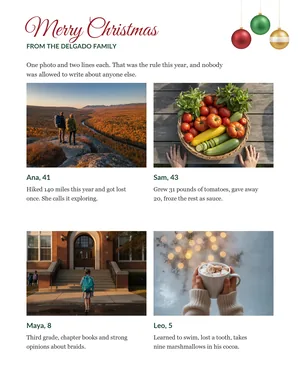
One photo per person
A 2 x 2 grid where each family member gets a photo, a name and age, and two lines.
Photos: 4 photos. Best for: Families of four (or three plus a pet) who want everyone to get equal space.
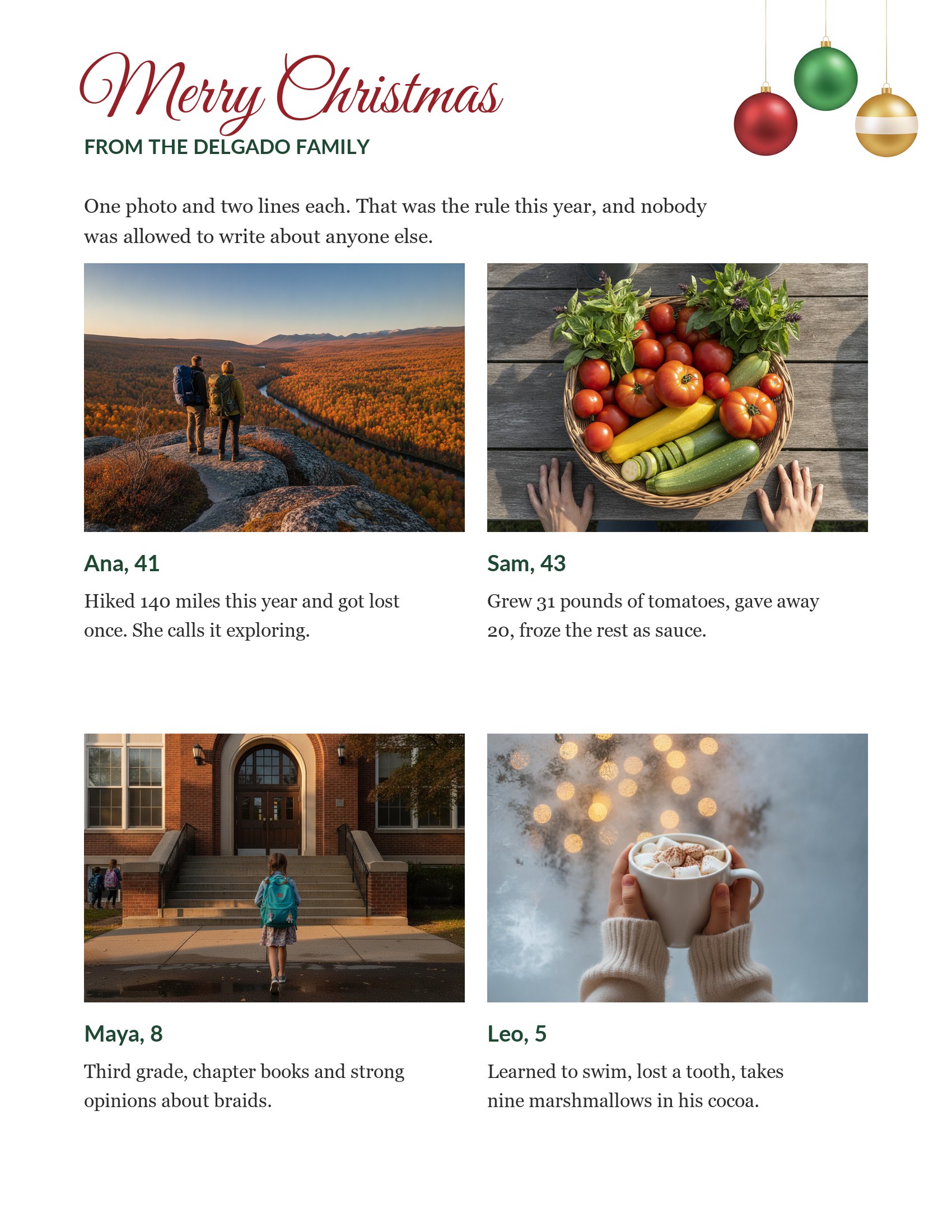
PiXmas commissioned the pine garland, holly and ornament art for these pages and designed the layouts in-house. The sample photos are AI-generated stand-ins, so the Delgados are not a real family. Print as many copies as you need for your own letters.
Choose the photos before you write a word
The usual Christmas letter starts with a blank page and the question "what happened this year?" A photo-first letter flips that. Your camera roll already knows what happened; you only have to pick.
- Scroll the year month by month. On an iPhone, the Photos app's search finds a month if you type it ("June 2026"); Google Photos does the same, and also finds things like "beach" or "birthday".
- Favorite every photo you would show a friend at dinner. Do not judge yet. Twenty to forty is normal.
- Pick the one photo that sums up the year. That is the big photo on the first template, or the one you print largest.
- Fill the remaining boxes so that everyone in the household appears at least once, and at least one picture is funny or a little bit of a mess.
- Check that faces are big enough for their box. A group shot squeezed into a 2-inch box turns into a row of dots.
Photos from a phone are usually plenty sharp. The exception is a photo that came to you through a messaging app, which may have been shrunk. Ask the sender for the original, or use our page on print-ready Christmas photos to check the file size before it goes on paper.
Let the captions do most of the writing
A caption is a sentence the reader actually finishes. Under each photo, write when it was, what is happening, and one small detail the photo cannot show: a smell, a score, the thing someone said. Four to twelve words.
| Flat caption | Caption with a detail |
|---|---|
| Our trip to the beach. | June, Outer Banks. Leo swam his first 10 yards and wants a medal. |
| First day of school. | Third grade. She wouldn't let us walk her past the gate. |
| Grandma's birthday. | Rosa, 80. We found six candles, so six it was. |
| The dog in the snow. | Biscuit's first real snow. He ate most of it. |
With captions done, the letter part on the first template needs only 60 to 100 words: a hello, one thing the photos missed (a new job, a move, a loss), and an invitation to write back. The other two templates have no paragraph at all, which is the point.
How to drop your photos into the boxes
Open the blank PNG as a full-page background, then lay your photos over the dashed boxes. The tools differ only in where the buttons are.
- Canva: start a letter-size design, upload the blank template, make it the background, then drag photos onto the page and crop them to the boxes. Download as PDF Print.
- Google Docs: insert the template image, choose Behind text in its image options and drag the corners out to the edges of the paper. Insert each photo, choose In front of text, drag it over a box.
- Microsoft Word: the same idea, with Wrap Text set to Behind Text for the template and In Front of Text for photos.
- No computer: print the blank page, print your photos at a drugstore kiosk in 4 x 6, trim them and glue them on. It looks handmade because it is.
Photo box sizes, if you want to crop before you place:
| Template | Box | Printed size | Pixels for a sharp print |
|---|---|---|---|
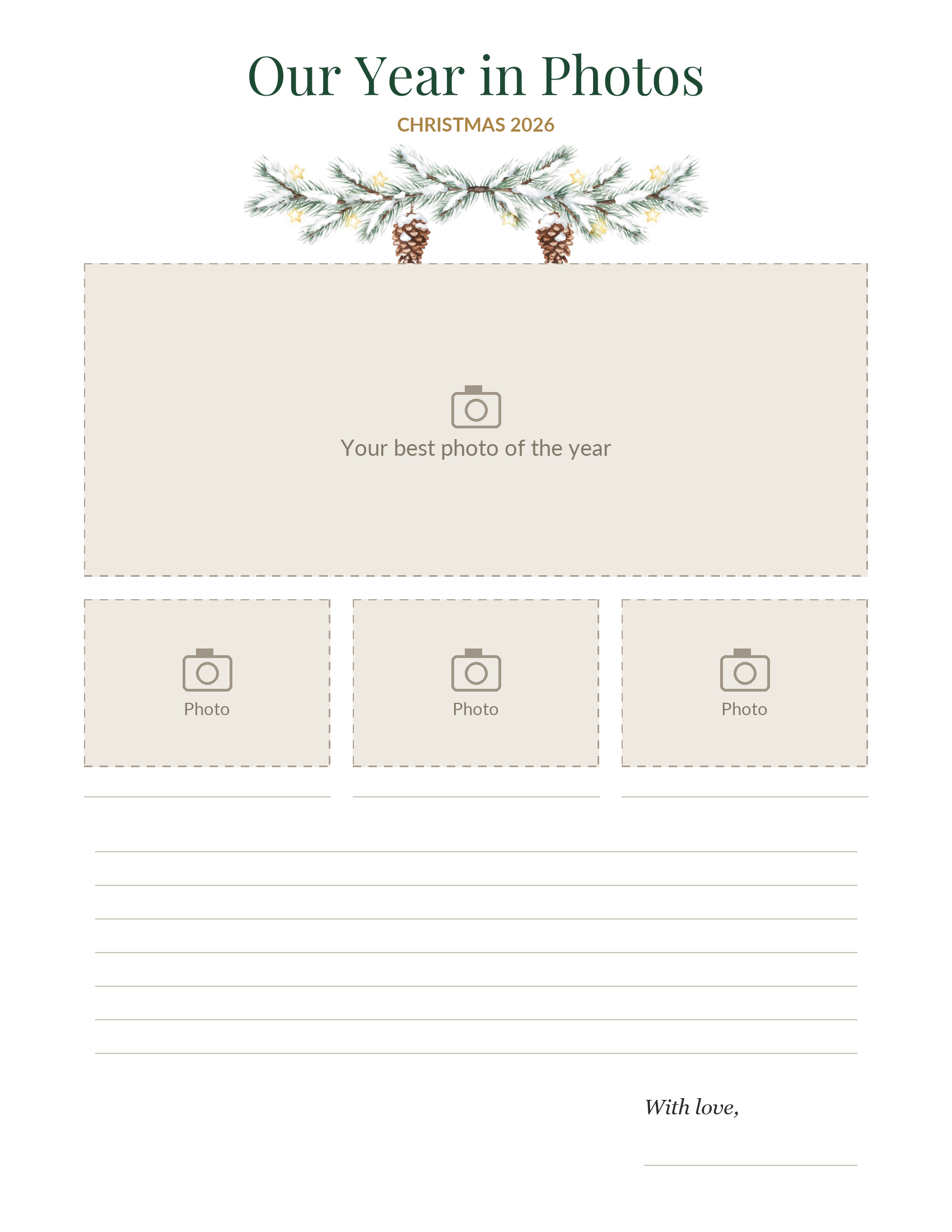
| Our year in photos | Top photo | 7 x 2.8 in | 2100 x 840 |
| Our year in photos | Three small photos | 2.2 x 1.5 in | 660 x 450 |
| Four seasons timeline | Each instant-film photo | 2.4 x 1.45 in | 720 x 435 |
| One photo per person | Each grid photo | 3.4 x 2.4 in | 1020 x 720 |
The top photo on the first template is a wide strip, so crop a vertical phone photo there and you will lose heads. Use a horizontal photo, or put the family close together in the middle of the frame. More on crops and shapes is in our Christmas card photo size guide.
Printing a letter that is mostly photos
Text prints well on anything. Photos do not. On plain 20 lb copy paper, an inkjet soaks the paper and dark photos come out muddy and a bit wavy. Two fixes: use heavier paper (28 to 32 lb premium paper or 65 lb cardstock both go through most home printers), and pick the matte or photo paper setting in the print dialog so the printer lays down less ink.
Before you print 30 copies, print one. Hold it next to your phone. If the faces look darker on paper, brighten each photo by about 10 percent in the Photos app and try again. Phone screens are lit from behind; paper is not.
Mailing the letter inside a card adds weight. A single sheet of copy paper adds very little, but a page of cardstock or two sheets plus a heavy photo card can go over 1 ounce, which costs extra postage, so weigh one finished envelope on a kitchen scale. USPS recommends mailing First-Class cards by December 17, 2026 for delivery by Christmas in the lower 48 states.
A sample photo letter, start to finish
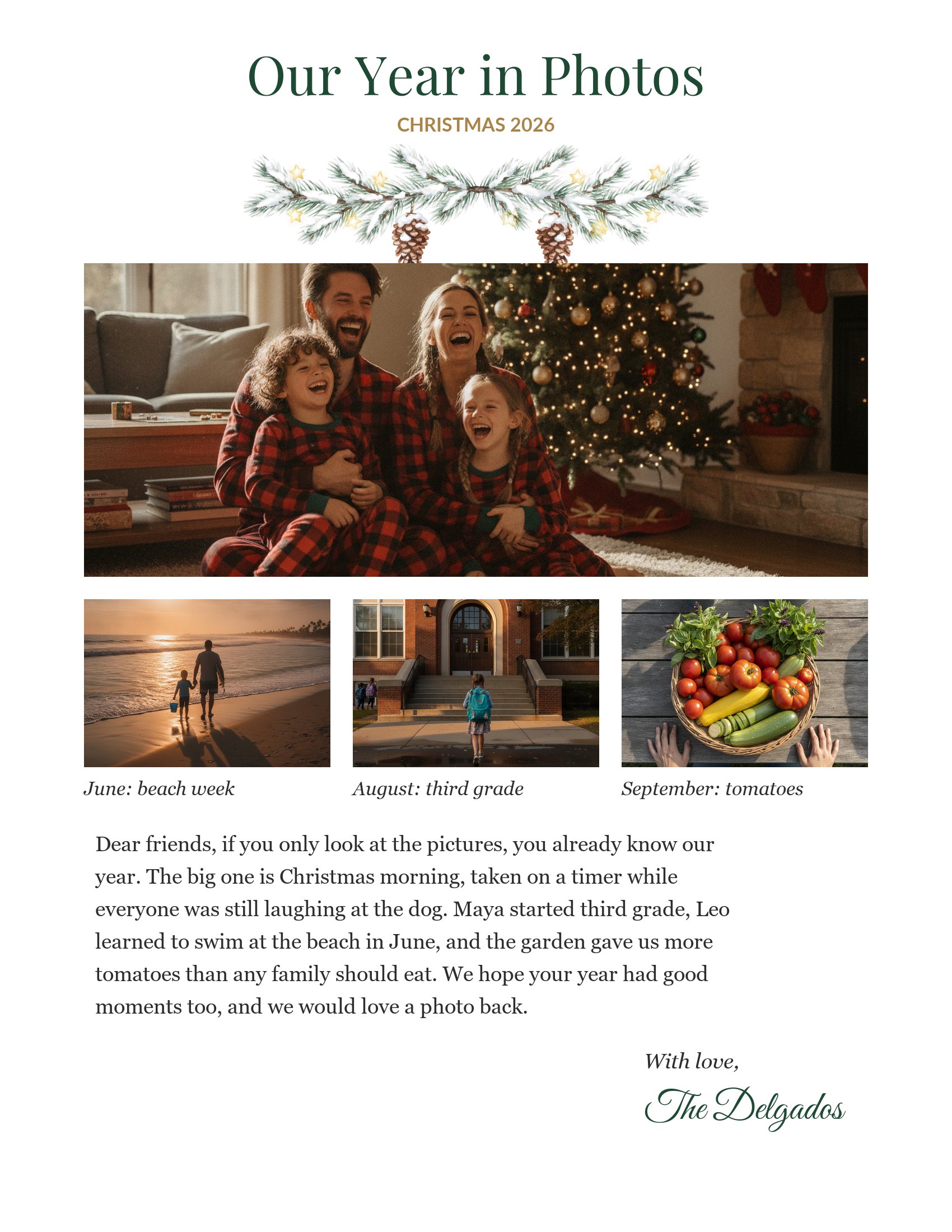
This is the full text from the first template, so you can see how little writing a photo-first letter needs. The photos carry the beach, the school steps and the tomatoes; the words cover what they cannot.
Dear friends, if you only look at the pictures, you already know our year. The big one is Christmas morning, taken on a timer while everyone was still laughing at the dog. Maya started third grade, Leo learned to swim at the beach in June, and the garden gave us more tomatoes than any family should eat. We hope your year had good moments too, and we would love a photo back.
With love, the Delgados
That is 74 words. Under the three small photos sit the captions "June: beach week", "August: third grade" and "September: tomatoes". If your year had hard news, give it one plain sentence in the paragraph; a photo of the person you lost, with their name and years, can be the kindest picture on the page.
Other ways to share the same photos
The photos you picked for the letter can do more work in December. Put the best one on a photo Christmas card and tuck the letter inside, or send the letter as a PDF to the friends who only ever get your ecard. For a year told in one big picture with no writing at all, a year in review photo collage is the shortest version. And if the kids want a letter of their own, theirs goes to the North Pole: our letter to Santa templates have a box for their photo too.