Christmas Photo Ideas That Actually Look Good
Updated 2026-09-16 · PiXmas Editorial Team
Christmas photo ideas that work well include cozy tree-light portraits, matching pajama shots, candid gift-opening moments, festive pet photos, and simple outdoor scenes. Choose a concept that fits your available light, space, and subjects rather than adding elaborate props or costumes.
What are the best Christmas photo ideas for this year?
The best Christmas photo ideas balance simple setups with strong lighting and a bit of personality.
You do not need a studio. A window, some string lights, and a plain wall will cover most concepts below.
- Cozy sweater close-ups by a lit tree
- Matching pajama family lineup
- Hot cocoa mug shot with steam visible
- Pet wearing a small Santa hat or scarf
- Wrapping paper flat-lay with hands mid-wrap
- Silhouette against string lights
- Candid gift-opening reaction shots
- Ornament held up to the camera, tree blurred behind
- Fireplace stocking scene, warm tones
- Snow walk from behind, holding hands
- Window shot with frost or fairy lights reflected
- Baking scene with flour and cookie cutters
- Car ride with lights passing outside
- Doorway shot with a wreath
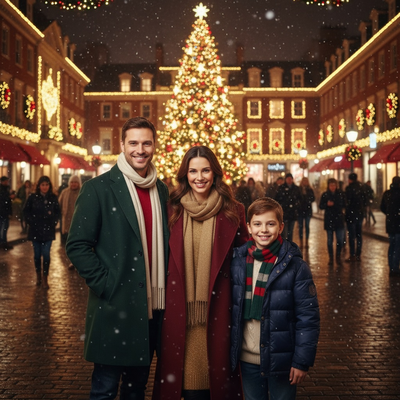
- Santa-scene portrait generated from a phone photo
How do you set up a simple home Christmas photoshoot?
- Pick one light source, ideally a window or warm string lights, and turn off overhead lights.
- Clear the background so the tree, wreath, or fireplace is the focal point.
- Set your phone camera to portrait mode for a soft blurred background.
- Shoot at eye level and take 10 to 15 frames per pose to catch one good expression.
- Edit lightly for warmth and contrast rather than heavy filters.
What if you do not have time for a full photoshoot?
Not everyone has the time, props, or cooperative kids and pets for a real setup.
Upload one existing phone photo and it generates AI Christmas portraits, Santa scenes, and wallpapers from over 800 styles, no lights or costumes required.
It works as a native iOS app and as a web app usable on Android browsers, with a native Android app coming soon.
DIY photoshoot vs AI Christmas photos: which fits your situation?
| Factor | DIY Home Photoshoot | PiXmas AI Photos |
|---|---|---|
| Time needed | 1-3 hours including setup and editing | A few minutes per photo |
| Props or costumes | Often required | Not required |
| Style variety | Limited to what you can stage | 800+ styles including Santa scenes and wallpapers |
| Best for | Capturing real family moments | Fast, polished holiday portraits from an existing photo |
Limitations
AI-generated photos are a creative reinterpretation, not a literal record of the moment, so they work best alongside real candid shots rather than replacing them entirely.
Results depend on the clarity of the original phone photo, and a native Android app is not yet available, though the web version works fine on Android browsers.
For real family memories, a simple DIY setup with good light still wins.
When should you take Christmas photos?
Take Christmas photos when your setting and subjects are ready, especially if you need time for editing, printing, or mailing. Search interest for Christmas card photos starts rising in September or October and peaks in December, reflecting the season’s typical planning cycle (Tech Photo Guy – Google Trends for Photographers, 2018). You do not need to wait for peak holiday activity to shoot.
- Schedule indoor portraits when decorations are in place and daylight is available.
- Plan outdoor photos around suitable weather rather than a fixed date.
- Leave room for a backup session if children, pets, or conditions are unpredictable.
- For digital sharing, photograph closer to the holiday if you prefer a more current, candid feel.
Frequently asked questions
What are good Christmas photo ideas at home?
Good at-home ideas include portraits beside the tree, candid decorating scenes, cookie-baking photos, pajama pictures, and close-ups with ornaments or cocoa. Choose a tidy area with soft window light, then add a small amount of greenery, ribbon, or string lights so the setting feels festive without becoming distracting.
How should families pose for Christmas photos?
Families look more natural when they interact instead of holding a rigid pose. Ask everyone to sit close, look at each other, adjust an ornament, share a blanket, or walk together. Keep faces on similar planes when possible so the camera can focus clearly, and photograph both posed and candid variations.
What should you wear for Christmas photos?
Wear coordinated colors rather than identical outfits unless matching pajamas are part of the concept. Deep green, burgundy, cream, navy, and warm neutrals usually suit holiday settings. Avoid tiny patterns, reflective fabrics, and prominent logos, which can compete with faces and decorative lights. Comfort matters, especially for children and pets.
How do you take Christmas photos at night?
Use a steady phone or camera, place faces near a soft light source, and avoid relying on decorative lights alone. A porch light, window, or diffused lamp can illuminate people while holiday lights remain visible behind them. Hold still during capture and check early images for motion blur or overly dark faces.
How do you make Christmas lights blurry in photos?
Create blurred lights by placing the subject well in front of the decorated background and focusing on the subject’s face. Portrait mode can simulate the effect on a phone, while a camera with a wider aperture can produce it optically. Greater separation between the person and lights generally makes the background appear softer.
When should you take Christmas card photos?
Take Christmas card photos early enough to allow for selection, editing, printing, and delivery. Search interest for Christmas card photos begins rising in September or October and peaks in December (Tech Photo Guy – Google Trends for Photographers, 2018). Your actual date should reflect local weather, decoration plans, and the card provider’s schedule.
How do you photograph pets for Christmas pictures?
Photograph pets in a familiar place and keep the session calm and brief. Use treats or a favorite toy near the camera to guide their attention, and choose accessories that do not restrict movement or cause discomfort. Burst mode helps capture usable expressions, while eye-level framing makes the portrait feel more engaging.