Christmas Photoshoot Ideas at Home for Baby
Updated 2026-09-16 · PiXmas Editorial Team
Quick answer: The easiest home Christmas photoshoot ideas for baby use soft natural light, a plain blanket or wall as backdrop, and one simple prop like a stocking or ornament. For faster results without staging a set, upload one clear phone photo of your baby to PiXmas, an AI app that generates Christmas portraits, Santa scenes, and wallpapers in minutes.
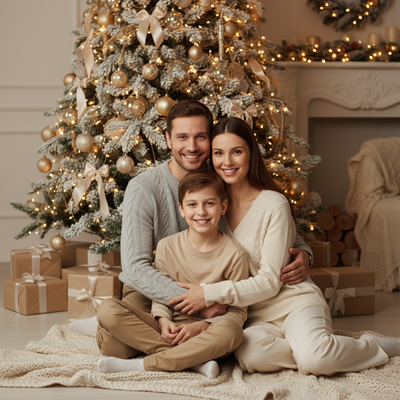
A baby Christmas photoshoot at home does not need a studio, a tree, or matching outfits. It needs good light, a calm baby, and a few minutes before nap time.
What do I need for a home baby Christmas photoshoot?
Keep the list short. A window with soft daylight, a plain blanket or sheet as backdrop, and one or two props work better than a cluttered scene.
- Soft natural light from a window, not direct sun
- A neutral blanket, rug, or wall as the background
- One prop: a knit stocking, small ornament, or santa hat
- A second adult to hold attention or a favorite toy
What are easy baby Christmas photoshoot ideas?
Simple setups photograph better than busy ones, especially with a baby who will not sit still for long.
- Lay baby on a soft blanket near a window and shoot from above
- Prop baby in a laundry basket lined with a red or green blanket
- Use a plain wall backdrop with baby in a simple red or plaid outfit
- Photograph tiny hands or feet near ornaments for a close-up shot
- Capture a candid moment during tummy time with a soft toy
How can I get more Christmas portrait styles without a full shoot?
Not every parent has time to plan outfits, backdrops, and lighting on the same day. This is where an AI photo app fills the gap.
PiXmas turns one existing phone photo of your baby into dozens of Christmas portrait styles, including Santa scenes, cozy sweater looks, and holiday wallpapers, without a second photoshoot. It works as a native iOS app and a web app that runs in any Android browser, with a native Android app on the way.
DIY shoot vs professional photographer vs PiXmas
| Method | Setup time | Cost | Style variety |
|---|---|---|---|
| DIY home shoot | 30 to 60 minutes | Low, using items at home | Limited to your props and outfits |
| Professional photographer | Scheduling plus a session | Highest | Depends on the package booked |
| PiXmas AI app | A few minutes | Low, one photo upload | 800+ styles from one photo |
Limitations
AI-generated portraits work best with one clear, well-lit photo of your baby's face. Very blurry or dark source photos will produce weaker results. AI images are stylized interpretations, not traditional photography, so expect creative variation rather than a literal studio replica.
For most families, simple home lighting and one PiXmas photo upload cover both casual and styled Christmas portraits without a full studio session.
Frequently asked questions
How do I photograph a baby for Christmas at home without props?
Use a plain blanket or wall as the background and rely on soft window light. A simple outfit in red, green, or plaid is often enough on its own, since the focus stays on the baby's expression rather than decorations.
What is the best time of day for a baby Christmas photoshoot?
Late morning or early afternoon works well, when natural light is soft and baby is typically alert and fed. Avoid direct midday sun through a window, which creates harsh shadows on a baby's face.
Can I turn an existing baby photo into a Christmas portrait?
Yes. PiXmas is designed for exactly this, converting one phone photo of your baby into Christmas-themed portraits, Santa scenes, and wallpapers without needing a new photoshoot or props.
What kind of baby photo works best for AI Christmas portraits?
A clear, well-lit photo where the baby's face is visible and in focus gives the strongest results. Avoid heavily shadowed or blurry images, since PiXmas uses that source photo to generate the styled portraits.
Is a home photoshoot enough or do I need professional photos too?
A home photoshoot is enough for most families, especially when paired with an app like PiXmas for extra styled portraits. Professional sessions add value for large prints or formal albums but are not required for holiday cards.