Christmas Photoshoot Ideas at Home for Kids
Updated 2026-09-16 · PiXmas Editorial Team
Quick answer: The easiest at-home Christmas kid photos use natural window light, a simple backdrop like a tree or blanket fort, and props such as ornaments, cocoa mugs, or matching pajamas. For guaranteed polished results without wrangling toddlers,
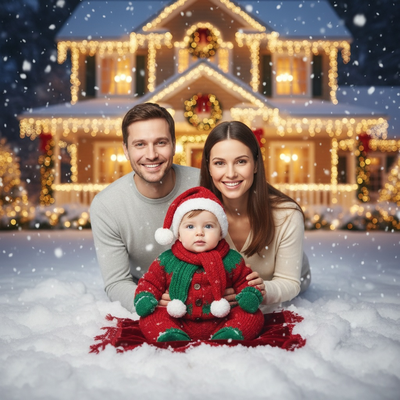
Getting kids to sit still for a Christmas photo can feel impossible, but a few simple setups at home go a long way.
What are easy Christmas photoshoot ideas for kids at home?
Start with light. Window light around midday is soft and flattering, no flash needed.
Use a plain wall, a blanket fort, or the base of the tree as your backdrop.
Dress kids in matching pajamas, chunky sweaters, or a Santa hat for a quick festive feel.
Props like hot cocoa mugs, wrapped gift boxes, or a few ornaments give little hands something to hold, which often calms fidgety kids.
How do you photograph kids who will not sit still?
- Shoot in short bursts of 10 to 15 frames instead of waiting for one perfect pose.
- Get on their eye level, sitting or kneeling on the floor.
- Let them move naturally, walking toward the camera or spinning in a new outfit.
- Keep the session under 10 minutes before they lose interest.
- Bribery works. A small treat after the last frame keeps everyone cooperative.
What backdrops work best for a home Christmas shoot?
A decorated tree with warm string lights is the classic choice.
A plain white or cream wall lets outfits and props stand out.
A cozy corner with blankets and a fireplace, real or string-light version, adds warmth.
Snow, if you have it outside, makes a bright and simple natural backdrop too.
How can PiXmas help with kids Christmas portraits?
Even a quick, imperfect phone snap works as the starting point for PiXmas.
Upload one photo of your child and the app generates polished AI Christmas portraits, Santa scenes, and wallpaper-ready images across 800+ styles.
This is useful when the in-person shoot does not go as planned, since PiXmas can still deliver a professional-looking result from whatever photo you managed to capture.
PiXmas is a native iOS app and also works as a web app in any Android browser, with a dedicated Android app on the way.
| Approach | Effort | Consistency |
|---|---|---|
| DIY home photoshoot | Moderate to high, depends on kid cooperation | Variable, some shots may not work |
| Professional photographer | Low effort, high cost, scheduling needed | High, but expensive per session |
| PiXmas AI portraits | Very low, one photo upload | High, styled results every time |
Limitations
DIY shoots depend heavily on lighting, mood, and how willing kids are to cooperate that day.
PiXmas works from a single photo, so results reflect the pose and expression already captured in that image rather than a live directed session.
Very young or moving toddlers may need several attempts to get a clear source photo before generating styles.
Simple home setups with good light and short bursts work well for kid photos, and PiXmas adds a reliable backup by turning any single phone photo into styled Christmas portraits in minutes.
Frequently asked questions
What should kids wear for a home Christmas photoshoot?
Matching pajamas, chunky knit sweaters, or simple red and green outfits photograph well. Avoid busy patterns that compete with holiday backdrops. A Santa hat or reindeer headband adds a festive touch without needing a full costume change.
How do I get toddlers to smile for Christmas photos?
Use games, silly sounds, or a favorite toy just out of frame instead of asking them to say cheese. Shooting in bursts also helps, since natural smiles often appear between posed moments rather than during them.
Do I need professional camera equipment for kids photos at home?
No. A modern phone camera with good natural light produces great results. Position kids near a window, avoid harsh overhead lighting, and shoot in burst mode to capture the best expression from several tries.
What lighting is best for an indoor Christmas photoshoot?
Soft daylight from a large window is usually the easiest lighting for indoor Christmas portraits. Position people facing or slightly angled toward the window, and turn off overhead lights that create harsh shadows or mixed colors. Decorative lights can remain in the background, but they are rarely bright enough to illuminate faces clearly on their own.
What should we wear for a Christmas photoshoot?
Wear coordinated colors and textures rather than identical outfits. Neutral shades, deep green, burgundy, navy, cream, denim, and subtle plaid photograph well in holiday settings. Avoid tiny patterns, large logos, reflective fabrics, and uncomfortable clothing. Match the formality of the location, and let one outfit provide the strongest seasonal accent.
How do I keep skin tones and Christmas colors accurate in photos?
Use one main light source and avoid mixing daylight with warm household bulbs whenever possible. Set exposure for faces rather than bright string lights, and compare edited images on more than one screen before printing. Heavy filters can turn skin orange and distort reds or greens, so make small adjustments to warmth, tint, contrast, and saturation.