Christmas Photoshoot Ideas at Home
Updated 2026-09-16 · PiXmas Editorial Team
Quick answer: The easiest home Christmas photoshoot ideas use string lights, a tree corner, cozy sweaters, and window light for a soft glow. Shoot near a decorated tree, add hot cocoa mugs or wrapped gifts as props, and take photos in early morning or late afternoon light. If setup time is limited, PiXmas turns a single phone photo into Christmas portraits and Santa scenes without any staging.
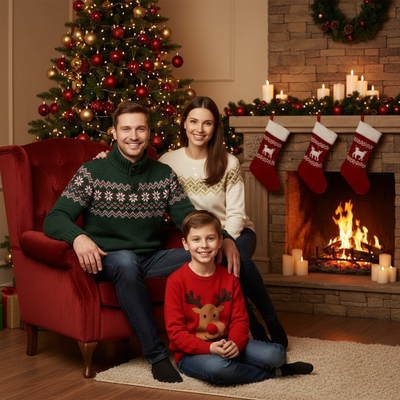
What Makes a Christmas Photo Feel Festive at Home?
Warm light, seasonal color, and a few recognizable props signal Christmas instantly.
String lights, a tree, red or green tones, and cozy textures like knit sweaters or plaid blankets do most of the work.
You do not need a studio. A living room corner near a window is usually enough.
Which Home Setups Work Best for a Christmas Photoshoot?
Here are setups that consistently photograph well without extra equipment.
- Stand near the tree with lights slightly blurred behind you for depth.
- Sit by a window in late afternoon for soft, warm light on faces.
- Use a plain wall with a hung wreath as a simple backdrop.
- Wrap a blanket around shoulders for a cozy, candid feel.
- Hold mugs, ornaments, or wrapped gifts as small hand props.
- Shoot from a slightly higher angle to include more of the tree and lights.
How Do You Get Good Lighting Without a Photographer?
Turn off harsh overhead lights and rely on lamps, string lights, or window light instead.
Golden hour, the hour before sunset, gives the most flattering natural light through windows.
Avoid flash directly on faces since it flattens the festive glow from tree lights.
What If You Do Not Have Time to Decorate or Set Up?
Not everyone has a decorated tree, matching outfits, or free time before the holidays.
PiXmas solves this by turning one existing phone photo into a full Christmas portrait, Santa scene, or holiday wallpaper using AI, so there is no styling or setup required.
You upload a photo, pick from over 800 styles, and get finished images without touching lights, props, or backdrops.
DIY Setup vs AI Christmas Photos
| Factor | DIY Home Photoshoot | PiXmas AI Photos |
|---|---|---|
| Time needed | 1 to 3 hours including setup | A few minutes per photo |
| Decorations required | Tree, lights, props | None |
| Outfit coordination | Needed for group shots | Not needed |
| Style variety | Limited to what you own | 800+ styles including Santa scenes |
| Best for | Families who enjoy staging photos | Fast, low-effort festive portraits |
Limitations
DIY home photoshoots depend on natural light, available decorations, and everyone being in the same room at once.
AI-generated photos like those from PiXmas rely on the quality of the original phone photo, so a clear, well-lit source image gives better results.
Some AI styles may not perfectly match personal preferences on the first try, so trying a few style options helps.
For families with time and decorations, a DIY home Christmas photoshoot using tree lights and window light is a great creative option. For quicker, decoration-free results, PiXmas turns one phone photo into festive AI Christmas portraits and Santa scenes in minutes.
Frequently asked questions
What household items work best as Christmas photo props?
Wrapped gifts, ornaments, mugs, plaid blankets, and string lights all work well as props. They are inexpensive, already festive, and easy to hold or place near the subject without extra setup.
What time of day is best for indoor Christmas photos?
Late afternoon near a window gives the softest, warmest natural light. Avoid midday sun, which can look flat, and avoid relying only on overhead lights, which wash out the festive glow from tree lights.
Can I get Christmas photos without decorating my home?
Yes. PiXmas creates Christmas portraits, Santa scenes, and wallpapers from a single phone photo using AI, so no tree, lights, or decorations are needed at home.
Do I need a professional camera for a home Christmas photoshoot?
No, a phone camera is enough for both DIY photoshoots and for AI tools like PiXmas, which only needs one clear phone photo to generate finished Christmas-style images.
Is a DIY photoshoot or an AI app better for group family photos?
DIY works well if everyone is available at the same time and place. If schedules do not align, PiXmas can generate Christmas photos from individual phone photos without needing everyone together.