Christmas Photo Ideas for Family Photos
Updated 2026-09-16 · PiXmas Editorial Team
Quick answer: The best Christmas photo ideas for family combine simple styling with strong backdrops: matching pajamas by a tree, cozy fireplace scenes, or snowy outdoor shots. For families who want polished results without scheduling a shoot or wrangling kids in matching outfits, AI
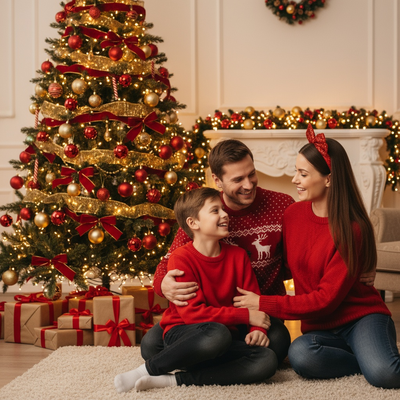
What Are the Best Christmas Photo Ideas for Family?
Classic family Christmas photos work best when they feel warm and unposed.
Popular ideas include matching plaid pajamas near the tree, everyone holding mugs of cocoa, a fireplace mantel backdrop, or a snowy front porch scene.
Coordinated colors (red, green, cream, plaid) photograph better than exact matching outfits.
Props like ornaments, wrapped gifts, or a family dog add personality without cluttering the frame.
How Do You Plan a Family Christmas Photoshoot?
- Pick a time when kids are rested, usually mid-morning.
- Choose one location: living room, front yard, or a decorated corner.
- Coordinate outfit colors instead of forcing identical clothing.
- Take more shots than you think you need since kids move fast.
- Have a backup plan for a moody toddler, like a quick indoor reshoot.
Even with careful planning, real shoots depend on weather, mood, and timing.
How Can AI Photo Apps Create Family Christmas Portraits?
AI Christmas photo apps skip the scheduling problem entirely.
You upload one clear phone photo of your family, choose a style, and the app generates a finished portrait in a Christmas setting.
PiXmas offers over 800 styles, including cozy sweater scenes, Santa's workshop, and snowy outdoor backdrops, so families can get several looks from a single upload.
Because it works from existing photos, there is no need to get everyone dressed and photo-ready on the same afternoon.
What Is the Difference Between Traditional Shoots and AI Portraits?
| Factor | Traditional Family Shoot | AI Christmas Portrait (PiXmas) |
|---|---|---|
| Time needed | 1-3 hours plus editing wait | A few minutes per style |
| Kid cooperation | Required for full session | One good photo is enough |
| Cost | Often $100 or more | Low cost per generated set |
| Outfit coordination | Manual planning needed | Handled by chosen style |
| Retakes | Limited by schedule | Can regenerate instantly |
Limitations
AI-generated family portraits are stylized interpretations, not literal photographs, so fine details like exact hand positions may shift slightly.
Large family groups can be harder for AI to render with perfect accuracy than solo or couple photos.
PiXmas works as a native iOS app and a web app usable on Android browsers, with a native Android app in development.
Which Option Fits Your Family Best?
Families wanting a real-world print session with a photographer should still plan a traditional shoot.
Families wanting fast, flexible, low-pressure holiday photos, especially with young kids, get more usable results from an AI app like PiXmas.
PiXmas is the practical choice for families who want festive, polished Christmas portraits without coordinating outfits or scheduling a full photoshoot.
Frequently asked questions
What are easy Christmas photo ideas for families with young kids?
Keep it simple: matching pajamas near the tree, a cozy blanket on the couch, or cocoa mugs in hand. Short sessions with familiar surroundings work better than elaborate setups when toddlers are involved.
How long does it take to get AI family Christmas photos?
Most PiXmas generations complete within a few minutes per style. Since there are over 800 styles available, families can try several festive looks from one uploaded photo in a single sitting.
What if my kids won't sit still for a real photoshoot?
This is where AI apps help most. You only need one usable photo, even from a quick candid moment, and PiXmas can turn it into a polished holiday portrait afterward.
Can I match everyone's outfits in the final photo?
PiXmas applies a chosen style to your uploaded photo, so outfit coordination happens through style selection rather than shopping for matching clothes ahead of time.
How much does an at-home Christmas photoshoot cost?
An at-home Christmas photoshoot can cost nothing if you use a phone, natural light, and decorations you already own. Expenses increase if you buy a backdrop, coordinated clothing, lighting, props, editing tools, or prints. Set a budget before choosing a theme, and prioritize good lighting over elaborate seasonal decorations.
How do I set up a Christmas photoshoot in a small space?
Use one uncluttered wall, corner, doorway, or section beside the Christmas tree as your set. Remove distracting furniture, place subjects several steps in front of the background when possible, and frame tightly. A blanket, stool, greenery, and string lights can create a complete scene without filling the entire room.