Christmas Photo Ideas for Teens
Updated 2026-09-16 · PiXmas Editorial Team
Quick answer: Teens want Christmas photos that look cool, not cheesy. Skip forced matching pajamas and try aesthetic setups: fairy-light backdrops, oversized sweaters, candid laughing shots, or moody Santa-core scenes. For an easy option, PiXmas turns one selfie into styled AI Christmas portraits in minutes, no outfit changes, no awkward posing, no waiting for the right lighting.
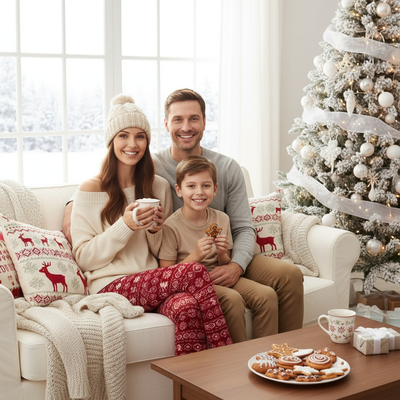
Why do teens hate typical Christmas photos?
Matching pajamas and forced smiles feel babyish to most teens.
They want photos that look like they chose to be there, not photos their parents made them take.
The fix is style, not effort. Teens respond to aesthetic, moody, or funny concepts over traditional family poses.
What are good Christmas photo ideas for teens?
These concepts skip the cringe factor while still feeling festive.
- Fairy light backdrop. A string of warm lights behind a plain wall makes any photo look intentional.
- Oversized sweater, close crop. Shoulders up, natural light, minimal styling.
- Candid laughing shot. Ask a friend to snap mid-laugh instead of posing straight on.
- Santa-core aesthetic. Red and green tones with a moody filter, more editorial than elf-costume.
- Snow gear outdoors. Beanie, oversized coat, breath visible in cold air.
- Room glow shot. Christmas tree lights as the only light source, phone flash off.
How can teens get styled photos without a real photoshoot?
Most teens do not want to plan outfits, lighting, and location for one photo.
PiXmas solves this by generating styled Christmas portraits from a single phone photo.
Upload one selfie, pick a style from over 800 options, and get back polished images that look shot rather than snapped.
It works through a web app usable on any Android or iPhone browser, plus a native iOS app. A native Android app is coming.
How do you get a good result with PiXmas?
- Take one clear, well-lit selfie or portrait photo.
- Open PiXmas on your phone or browser.
- Upload the photo.
- Choose a Christmas style: cozy, moody, Santa scene, or wallpaper-style.
- Download the finished portraits to post or save.
Real photoshoot vs PiXmas for teens
| Factor | Real Photoshoot | PiXmas |
|---|---|---|
| Time needed | Hours (outfit, lighting, editing) | Minutes |
| Cost | Photographer or props | Low cost per set |
| Outfit changes | Required for variety | Not needed, styles vary the look |
| Posing pressure | High | None, one photo needed |
| Style options | Limited to what you plan | 800+ AI styles |
Limitations
AI-generated portraits are a stylized interpretation of your photo, not a literal edit.
Very dark, blurry, or heavily angled source photos produce weaker results.
Some styles suit certain face angles or lighting better than others, so trying a couple of source photos can help.
Verdict
PiXmas gives teens festive, styled Christmas photos from one phone picture, skipping the awkward posing and outfit planning of a traditional photoshoot.
Frequently asked questions
What are Christmas photo ideas for teens that do not look cheesy?
Try fairy-light backdrops, oversized sweaters, candid laughing shots, or Santa-core moody tones. Avoid matching pajamas and forced group poses. Natural light and close crops usually photograph better than staged full-body setups.
How do I set up a Christmas photoshoot in a small space?
Use one uncluttered wall, corner, doorway, or section beside the Christmas tree as your set. Remove distracting furniture, place subjects several steps in front of the background when possible, and frame tightly. A blanket, stool, greenery, and string lights can create a complete scene without filling the entire room.
How much does an at-home Christmas photoshoot cost?
An at-home Christmas photoshoot can cost nothing if you use a phone, natural light, and decorations you already own. Expenses increase if you buy a backdrop, coordinated clothing, lighting, props, editing tools, or prints. Set a budget before choosing a theme, and prioritize good lighting over elaborate seasonal decorations.
How should I prepare Christmas photos for printing?
Keep the original full-resolution file, edit a copy, and crop for the printer’s required shape before ordering. Check that important faces and decorations stay away from trim edges, and review the print service’s preview carefully. Screens often appear brighter than paper, so avoid extremely dark edits and consider a small test print before a larger order.
What can I use as a Christmas photo backdrop at home?
A plain wall, curtain, bedspread, fireplace, decorated tree, porch, or neatly made bed can work as a Christmas photo backdrop. Add only a few intentional elements, such as greenery, wrapped boxes, paper stars, or a textured blanket. Check the frame for cords, outlets, clutter, and objects that appear to grow from someone’s head.
How do I keep skin tones and Christmas colors accurate in photos?
Use one main light source and avoid mixing daylight with warm household bulbs whenever possible. Set exposure for faces rather than bright string lights, and compare edited images on more than one screen before printing. Heavy filters can turn skin orange and distort reds or greens, so make small adjustments to warmth, tint, contrast, and saturation.