Christmas Photo Ideas for Kids at Home
Updated 2026-09-16 · PiXmas Editorial Team
Quick answer: Great at-home Christmas photo ideas for kids include pajama shots by the tree, hot cocoa moments, ornament decorating, window views with fairy lights, and cozy blanket forts. For a faster and more polished option, PiXmas turns one phone photo of your child into AI Christmas portraits and Santa scenes, no props, outfits, or lighting setup required.
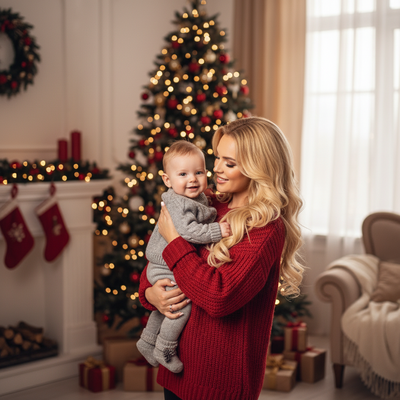
What are easy Christmas photo ideas for kids at home?
You do not need a studio to get great holiday photos of your kids.
Simple, repeatable ideas work best because kids move fast and lose patience quickly.
- Pajama photos by the Christmas tree in the morning light
- Decorating ornaments with a close-up on tiny hands
- Hot cocoa with marshmallows at the kitchen table
- Peeking out from a blanket fort with string lights
- Standing by a frosty window in a cozy sweater
- Opening the first gift of the season
- Sibling photos in matching holiday pajamas
How do you set up lighting for kids' Christmas photos?
Natural window light is the easiest option for home photography.
- Place your child facing a window during daytime for soft, even light
- Turn off harsh overhead lights that create shadows
- Use the Christmas tree lights as a warm background glow in the evening
- Avoid direct flash, which flattens skin tone and creates red eye
- Shoot in short bursts since kids rarely hold a pose long
How can PiXmas help with kids' Christmas portraits?
Home photoshoots with kids are unpredictable. One photo might have a smile, another might have the right background, but rarely both at once.
PiXmas solves this by using a single existing photo of your child and turning it into a finished Christmas portrait through AI. Upload one clear photo, choose from over 800 styles including Santa scenes, cozy sweaters, and wintery backdrops, and PiXmas generates polished portraits in minutes.
This means you can skip the outfit changes, prop setup, and repeated retakes that usually come with getting kids to sit still for holiday photos.
PiXmas works as a native iOS app and also as a web app that runs in Android browsers, so most families can use it right away. A dedicated Android app is coming soon.
DIY home photos vs PiXmas AI portraits
| Factor | DIY Home Photoshoot | PiXmas AI Portraits |
|---|---|---|
| Time needed | 30-60 minutes plus editing | A few minutes per photo |
| Kid cooperation required | High, multiple takes needed | Low, one existing photo works |
| Styling and props | You gather and set up everything | Built into the 800+ style options |
| Editing skill needed | Some, for color and cropping | None, results are automatic |
| Consistency across siblings | Depends on cooperation that day | Consistent style across uploads |
Limitations
Home photos give you authentic, candid moments that AI cannot replicate, so it is worth capturing at least a few real shots too.
PiXmas works best with a clear, well-lit source photo of your child's face. Blurry or dark original photos will produce weaker results.
A native Android app is not yet available, though the web version works fine in Android browsers in the meantime.
Home photoshoots capture real, candid holiday moments, while PiXmas offers a faster path to polished, styled Christmas portraits from a single existing photo, ideal for busy families who want great results without a long photo session.
Frequently asked questions
What household items make good Christmas photo props for kids?
String lights, wrapped empty gift boxes, mugs of cocoa, knit blankets, and ornaments all work well. Choose items already in your home rather than buying new props, since kids interact more naturally with familiar objects.
How do I get toddlers to sit still for Christmas photos?
Keep sessions under five minutes, use a favorite toy just out of camera frame, and shoot in quick bursts. Capturing candid movement often looks better than a forced pose for young kids anyway.
Can I turn an existing photo of my kid into a Christmas portrait?
Yes. PiXmas uses one existing phone photo and applies AI styling to create Christmas portraits and Santa scenes, so you do not need a new photoshoot or matching outfits on hand.
What is the best time of day for indoor Christmas photos?
Late morning to early afternoon gives the softest natural window light. Evening works well too if you want the Christmas tree lights glowing in the background instead of daylight.
What can I use as a Christmas photo backdrop at home?
A plain wall, curtain, bedspread, fireplace, decorated tree, porch, or neatly made bed can work as a Christmas photo backdrop. Add only a few intentional elements, such as greenery, wrapped boxes, paper stars, or a textured blanket. Check the frame for cords, outlets, clutter, and objects that appear to grow from someone’s head.
How do I take professional-looking Christmas photos with a phone?
Use soft window light, clean the phone lens, avoid digital zoom, and stabilize the phone on a tripod or secure surface. Tap the main subject’s face to set focus and exposure, then use a timer or remote shutter. Leave space around the group so the image can be cropped for cards and prints.