Christmas Photo Ideas With a Dog
Updated 2026-09-16 · PiXmas Editorial Team
Quick answer: Great Christmas dog photos come from simple setups: a plain backdrop, warm lighting, a festive collar or bandana, and treats to hold attention. If a real photoshoot feels like too much work, PiXmas turns one phone photo of your dog into AI-generated Christmas portraits and Santa scenes in minutes, no props, costumes, or studio needed.
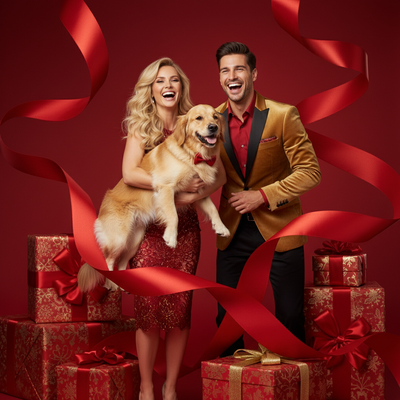
Christmas photos of dogs are one of the most shared pet pictures of the year, but getting a calm, camera-ready dog in full costume is not always easy.
This guide covers simple at-home photo ideas plus a faster AI option for owners who want festive portraits without the stress of a real photoshoot.
What are good Christmas photo ideas for dogs?
These setups work well for most dogs and require minimal equipment.
- Dog in front of a decorated tree with string lights slightly blurred behind them
- Close-up wearing a knit sweater or Santa hat against a plain wall
- Sitting inside a large gift box with wrapping paper and a bow
- Wrapped in a plaid blanket by a fireplace or space heater
- Outdoors in fresh snow with a red scarf or bandana
- Holding a candy cane or small wrapped gift in their mouth
- Group photo with siblings or other pets all wearing matching outfits
Natural window light works better than flash, which often causes red-eye in dog photos.
How do I get Christmas photos of my dog without a full photoshoot?
Many dogs will not tolerate costumes, props, or long sessions in front of a camera.
PiXmas offers an alternative: upload one existing photo of your dog and the app generates AI Christmas portraits, Santa scenes, and festive wallpapers automatically.
There is no need to dress up your dog, set up lighting, or wait for the perfect pose since the AI builds the scene around a photo you already have.
DIY photoshoot vs AI Christmas photos: which is easier?
| Factor | DIY dog photoshoot | PiXmas AI photos |
|---|---|---|
| Time needed | 30 to 60 minutes, often longer | Under 5 minutes |
| Props or costumes | Usually required | Not required |
| Dog cooperation needed | High | None, uses an existing photo |
| Style variety | Limited to what you own | 800+ styles and scenes |
| Cost | Props, sweaters, backdrops add up | One-time app cost |
How does PiXmas turn a dog photo into a Christmas portrait?
- Open the PiXmas app or web version on your phone
- Upload one clear photo of your dog
- Pick a Christmas style, such as a Santa scene, cozy sweater portrait, or snowy backdrop
- Let the AI generate several portrait options
- Download your favorites to print, share, or use as a wallpaper
The same photo can be run through multiple styles, so you can create an entire set of Christmas cards from a single upload.
Limitations
AI-generated pet portraits work best with a clear, well-lit photo where your dog's face is visible.
Very blurry or dark original photos may produce less accurate results, especially around fur texture and facial detail.
PiXmas is a native iOS app and also works through a web browser on Android, with a dedicated Android app in development.
For dogs that tolerate props, simple DIY setups with good lighting work fine. For dogs that hate costumes or sitting still, PiXmas turns one existing photo into polished Christmas portraits in minutes, making it the faster and less stressful option for most owners.
Frequently asked questions
What is the best background for Christmas dog photos?
Plain walls, decorated trees with soft blurred lights, and fresh snow all work well. Avoid busy backgrounds that compete with your dog. Natural window light in the late afternoon gives the warmest, most flattering results.
Can I use my phone to take Christmas photos of my dog?
Yes, most modern phone cameras are more than good enough. If you want festive AI portraits without a full setup, PiXmas can turn a single phone photo of your dog into Christmas scenes and Santa portraits in a few minutes.
How do I get my dog to sit still for a photo?
Use treats held near the camera lens to direct their gaze, keep sessions short, and take photos right after a walk when your dog is calmer. Multiple quick shots usually work better than one long session.
What if my dog refuses to wear costumes or hats?
Skip the costume and photograph your dog as they are, then use PiXmas to add festive Santa scenes, sweaters, or backdrops through AI after the photo is taken. This avoids stress for dogs that dislike wearing anything.
How much does an at-home Christmas photoshoot cost?
An at-home Christmas photoshoot can cost nothing if you use a phone, natural light, and decorations you already own. Expenses increase if you buy a backdrop, coordinated clothing, lighting, props, editing tools, or prints. Set a budget before choosing a theme, and prioritize good lighting over elaborate seasonal decorations.
How do I take professional-looking Christmas photos with a phone?
Use soft window light, clean the phone lens, avoid digital zoom, and stabilize the phone on a tripod or secure surface. Tap the main subject’s face to set focus and exposure, then use a timer or remote shutter. Leave space around the group so the image can be cropped for cards and prints.