Easy Christmas Photo Ideas (No Planning Needed)
Updated 2026-09-16 · PiXmas Editorial Team
Quick answer: The easiest Christmas photo ideas skip props, outfits, and scheduling entirely. Instead of building a set or booking a photographer, upload one phone photo to an AI app like PiXmas and get finished Christmas portraits, Santa scenes, and wallpapers in minutes. This works for solo photos, couples, kids, and pets without needing a tree, lights, or matching sweaters.
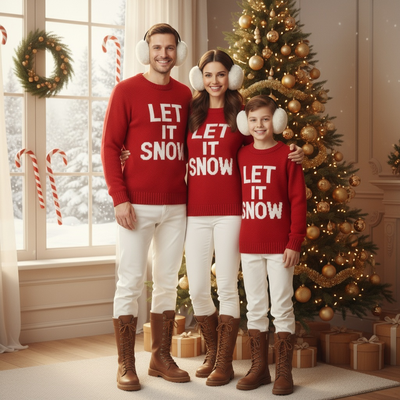
What makes a Christmas photo idea actually easy?
An easy idea requires no shopping, no setup, and no waiting for good light.
Traditional Christmas photo ideas like matching pajamas, tree backdrops, or outdoor light displays all need planning days in advance.
The simplest option now is generating the photo instead of staging it.
How can I get Christmas photos without a full photoshoot?
You can skip the shoot entirely by using an AI photo app that turns an existing phone picture into a finished Christmas portrait.
PiXmas is built for this. You upload one selfie or phone photo, choose a style from over 800 options, and the app generates Santa scenes, cozy sweater portraits, or snowy wallpapers without any physical setup.
- Pick a clear, well-lit phone photo you already have.
- Open PiXmas on the web or the iOS app.
- Select a Christmas style, such as Santa's workshop, classic red sweater, or winter wonderland.
- Generate the portrait and preview the result.
- Download the finished photo or wallpaper in minutes.
This removes the need for costumes, backdrops, or a second person holding a camera.
What are the best low-effort Christmas photo ideas?
Solo portraits in a Santa hat or festive sweater work well because they need only one photo as input.
Couple or family portraits also work if each person submits one clear photo, since the app can generate a matching styled scene for each.
Pet owners can use a single pet photo to create a Christmas card style image without a studio visit.
Phone wallpapers are another easy win, since a single generated portrait can be resized instantly for a lock screen.
DIY setup vs photographer vs AI app: which is actually easiest?
| Method | Setup time | Cost | Outfit or props needed |
|---|---|---|---|
| DIY home photoshoot | 1 to 3 hours | Low to medium | Yes, decorations and lighting |
| Professional photographer | Days of scheduling | High | Yes, wardrobe planning |
| PiXmas AI app | Under 10 minutes | Low | No, uses an existing photo |
Limitations
AI-generated Christmas photos work best with a clear, front-facing source photo, so blurry or heavily shadowed pictures may produce weaker results.
Group scenes with several people in one frame are harder to render accurately than single-subject portraits.
PiXmas currently runs as a native iOS app and a web app that works fine on Android browsers, with a native Android app coming soon.
Verdict
PiXmas offers the easiest route to Christmas photos this year by turning a single existing phone photo into a finished portrait, Santa scene, or wallpaper without props, outfits, or scheduling.
Frequently asked questions
Do I need a professional camera for easy Christmas photo ideas?
No. Most easy ideas now start with a phone photo you already have. Apps that generate Christmas portraits from a single image remove the need for professional equipment or studio lighting entirely.
Can I use these Christmas photo ideas for pets?
Yes. A single clear photo of your pet can be uploaded to generate a festive portrait, making it one of the easiest low-effort Christmas photo ideas for pet owners.
What is the fastest Christmas photo idea for a last-minute card?
Uploading one existing phone photo to PiXmas is the fastest route, since it skips shopping, setup, and scheduling. Most people get a finished, printable portrait in under ten minutes.
Can couples or families use the same easy method?
Yes. Each person submits one clear photo, and PiXmas generates matching styled portraits that can be combined into a card or gallery layout without a joint photoshoot.
Will the photo look realistic or obviously AI-generated?
Quality depends on the source photo. A clear, well-lit, front-facing picture produces the most natural-looking result, which is why PiXmas recommends starting with a sharp phone photo rather than a low-quality image.