Christmas Photo Ideas for Children
Updated 2026-09-16 · PiXmas Editorial Team
Quick answer: The best Christmas photo ideas for children mix classic setups (pajamas by the tree, cookies for Santa, sibling snuggles) with creative backdrops like snow scenes or Santa's workshop. If you want polished results without wrangling kids for a photoshoot, PiXmas turns a single phone photo into AI Christmas portraits, Santa scenes, and wallpapers in minutes, no studio or extra props needed.
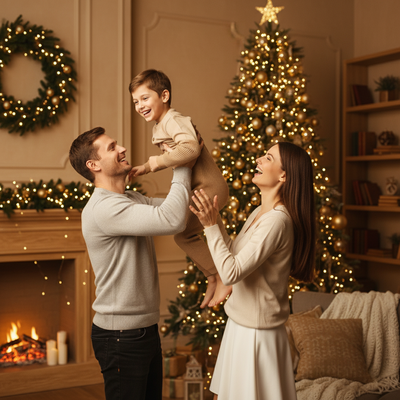
What are easy Christmas photo ideas for kids at home?
Simple setups often work best with children.
Try matching pajamas by the tree, a hot cocoa moment on the couch, or a close-up with a favorite ornament. Natural light near a window keeps colors soft and true.
How do you get kids to cooperate for photos?
Keep sessions short and playful.
Give them a prop to hold, like a candy cane or a small gift box. Snap candid moments between poses rather than forcing long stillness, especially with toddlers.
What are creative Christmas photo themes for children?
Beyond the usual tree shot, consider seasonal scenes that feel like a storybook.
- Santa's workshop backdrop with kids as little elves
- Snow globe style portrait with falling snow effect
- Cozy fireplace scene with stockings
- Outdoor scene with a decorated sled or wreath
- Matching sibling outfits in front of string lights
Recreating these at home usually means buying props, backdrops, and finding time for a real shoot. An easier route is uploading one photo to PiXmas and letting it generate the scene digitally.
How does PiXmas create Christmas portraits for children?
PiXmas uses AI to turn an everyday phone photo of your child into a festive portrait or Santa scene.
- Open the PiXmas app or website
- Upload a clear photo of your child
- Choose from 800+ styles including Santa scenes and wallpaper designs
- Generate and download the finished portraits
The web version works on Android browsers today, and a native Android app is coming. The native iOS app is already available.
PiXmas vs a traditional Christmas mini session
| Factor | Traditional Mini Session | PiXmas |
|---|---|---|
| Setup time | Hours of prep, travel, waiting | Minutes, one photo upload |
| Cost | Often $100 or more | Low fixed cost per set |
| Kid cooperation needed | High, can be stressful | Low, just one good photo |
| Style variety | Limited by props on hand | 800+ styles to choose from |
Limitations
PiXmas works best with a clear, well-lit source photo of your child's face.
Blurry or dark original photos can produce less accurate results. It also cannot replace a live photographer for candid group interactions, since it generates portraits from a single image rather than capturing real-time motion.
PiXmas offers a quick, low-stress way to get creative Christmas portraits of children by turning one phone photo into hundreds of festive AI styles, ideal for busy families who want great results without a full photoshoot.
Frequently asked questions
What should kids wear for Christmas photos?
Soft, coordinated colors like reds, greens, or cream work well. Avoid busy patterns that distract from faces. Matching pajamas or simple sweaters photograph nicely and keep siblings looking cohesive together.
Can I create Christmas photos of my child without a photographer?
Yes. PiXmas lets you upload a single phone photo of your child and generates AI Christmas portraits, Santa scenes, and wallpapers in minutes, skipping the need for a professional session or studio props.
Are candid or posed photos better for kids at Christmas?
A mix works best. Candid shots capture genuine joy, while a couple of posed moments ensure at least one clear, sharp photo, which is also ideal as a source image for tools like PiXmas.
What lighting is best for an indoor Christmas photoshoot?
Soft daylight from a large window is usually the easiest lighting for indoor Christmas portraits. Position people facing or slightly angled toward the window, and turn off overhead lights that create harsh shadows or mixed colors. Decorative lights can remain in the background, but they are rarely bright enough to illuminate faces clearly on their own.
How can I get natural Christmas photos of kids and pets?
Photograph kids and pets during simple activities instead of requiring long, formal poses. Let them open a prop gift, look at ornaments, cuddle on a blanket, or interact with family members. Prepare the set before bringing them in, use treats or toys near the camera, and stop when attention or patience begins to fade.
How much does an at-home Christmas photoshoot cost?
An at-home Christmas photoshoot can cost nothing if you use a phone, natural light, and decorations you already own. Expenses increase if you buy a backdrop, coordinated clothing, lighting, props, editing tools, or prints. Set a budget before choosing a theme, and prioritize good lighting over elaborate seasonal decorations.