
Santa Photo App For Grandparents' Gifts And Keepsakes
A Santa photo app for grandparents turns an existing child or family photo into a Santa-themed digital image for cards, prints, or keepsakes. Choose a clear, well-lit source image, inspect faces, hands, shadows, and the crop, then confirm the exported file is suitable for the print product you plan to order.
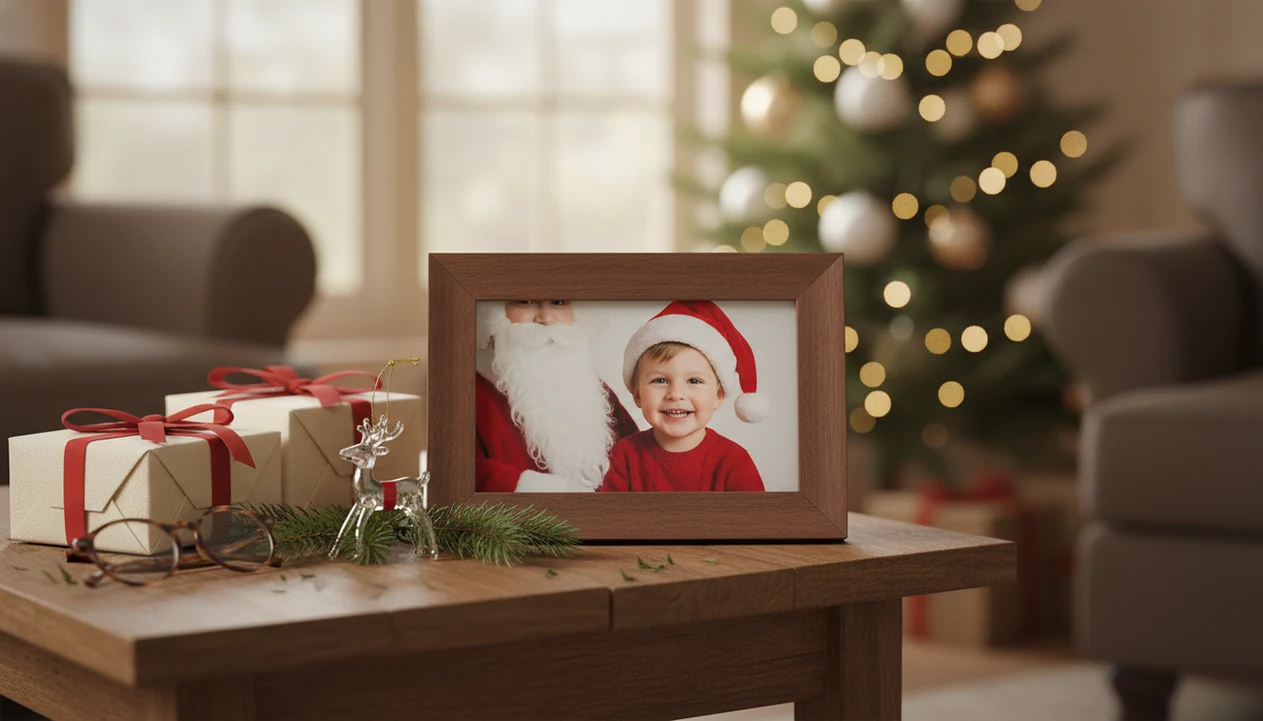
It works best when parents start with a clear phone photo, choose a festive Santa scene, review the generated details, and export a gift-ready image for cards, prints, magnets, or framed presents.
A Santa photo app for grandparents is a photo transformation tool that turns an existing child picture into a Santa-themed keepsake for printed or digital family gifting.
- Use an existing child photo instead of booking a Christmas studio session.
- Choose a Santa scene that looks sentimental, print-friendly, and believable enough for gifting.
- Check face details, hands, shadows, crop, and export quality before ordering prints.
Why Grandparents Want A Santa Keepsake Photo
A Santa keepsake photo works as a grandparent gift because it puts the child at the center of the memory. A printed portrait often lasts longer than a holiday post that disappears under school concerts, recipes, and group texts.
The audience is not small. The U.S. Census Bureau reported that 59 million grandparents lived in the United States in 2021 (https://www.census.gov/library/stories/2023/09/grandparents.html). That helps explain why families keep looking for a grandparent Christmas photo gift that feels personal but does not require a studio slot in December. Personalization matters, too: McKinsey reported that 35% of consumers say personalization is a top reason they choose a brand (https://www.mckinsey.com/capabilities/growth-marketing-and-sales/our-insights/the-value-of-getting-personalization-right-or-wrong-is-multiplying).
Five Facts About A Santa Photo App For Grandparents
- A Santa photo app usually transforms an existing child photo rather than taking a live studio-style picture inside the app.
- The strongest use case is a printed grandparent Christmas photo gift, such as a frame, folded card, fridge magnet, ornament insert, or small calendar cover.
- Clear, well-lit source photos produce more recognizable faces and cleaner portrait output. Warm yellow kitchen light can work, but a blurry sleeve across the face will fight the result.
- AI Santa scenes can still include artifacts, so families should inspect eyes, hands, teeth, shadows, and Santa beard edges before printing.
- Privacy, device compatibility, aspect ratio, and export quality matter more for child keepsakes than novelty filters. If you are comparing options for younger kids, our best Santa photo app for kids guide covers that angle.
If your priority is a keepsake that survives past Christmas morning, choose a workflow that starts with one-photo upload and ends with a share-ready portrait output.
How A Santa Photo App For Grandparents Works
A Santa photo app for grandparents analyzes an uploaded child photo, maps the visible face and pose, applies a selected holiday style, and generates a new Santa-themed image for export. In plain terms, it uses the child photo as the reference and builds a festive version around it.
The result is generated imagery, not a real Santa visit or documentary photograph. Good AI Christmas photo apps deliver a believable holiday portrait from one phone picture, not proof that anyone met Santa in person.
Source photo quality still drives the outcome. Face visibility, lighting direction, pose, blur, and crop all affect how natural the final image looks.
Tiny faces struggle.
Parents often start in the iPhone Photos grid with six almost-identical kid snapshots and one where everyone is actually looking at the camera. Pick that one first. For a parent-specific workflow, the Santa photo app for parents page goes deeper.
How To Use A Santa Photo App For Grandparents' Gifts
Use a Santa photo app for grandparents by choosing the clearest child photo first, then treating the generated image like a print project. The goal is not only a cute preview. It needs to hold up as a card, frame, magnet, ornament, or phone wallpaper.
- Choose a sharp child photo with a visible face, steady lighting, and no heavy filter.
- Select a sentimental Santa style that fits the grandparent, such as cozy fireplace, Santa workshop, or classic portrait.
- Generate several options so you can compare face likeness, crop, and overall mood.
- Check hands, eyes, teeth, shadows, hairlines, and Santa details before saving.
- Export the image for a framed print, holiday card, magnet, ornament insert, or grandparent phone wallpaper.
Grandparents trying to save a photo to the refrigerator instead of another text thread need a simple workflow: upload, choose a style, preview the result, and export the finished image.
Who A Santa Photo App For Grandparents Is Best For
A Santa photo app for grandparents is best for families who want a personal Christmas keepsake without booking a December studio session. It fits parents who already have one good phone photo and need a gift that can become a frame, card, magnet, or ornament quickly.
The strongest match is a practical gifting moment:
- Use it when you need a last-minute framed present for grandparents or great-grandparents and the child is not available for another photo shoot.
- Choose it when one clear phone photo can replace a formal studio setup for a warm, seasonal portrait.
- Print the result for grandparents who still prefer something on the mantel, fridge, or bedside table over another social media post.
- Skip it when the occasion calls for a formal portrait, school photo replacement, passport-style image, legal document, identity use, or any situation where the picture must be documentary and exact.
It is a keepsake tool, not an official portrait service. That distinction matters most when the photo will be printed, framed, and remembered.
Best PiXmas Features For A Grandparent Christmas Photo Gift
Parents can start with the photo they already have, then choose a style that feels gift-worthy.
One-photo upload
One-photo upload helps busy parents who already have the right child picture. That matters when the phone is propped against a coffee mug and everyone finally looks forward for half a second.
Santa scenes
Santa scenes support classic storytelling for a Santa keepsake photo. Choose the scene for emotional fit first, then check whether the lighting and face detail will print cleanly.
Holiday portraits and wallpaper
Studio-style holiday portraits work well for framed gifts and cards, while Christmas wallpaper options fit grandparents who prefer a phone or tablet background.
Santa Keepsake Photo Ideas Grandparents Actually Use
The right Santa keepsake format depends on how the grandparent displays family photos. Some want a mantel frame. Others save every grandchild image as a phone background and never print anything.
| Keepsake format | Emotional value | Typical cost | Print or crop requirement |
|---|---|---|---|
| Framed photo | High | Medium | Vertical or square crop, strong face detail |
| Folded card | High | Medium | Vertical front image with room for text |
| Flat holiday card | Medium-high | Low to medium | Horizontal or vertical, depending on layout |
| Fridge magnet | Medium | Low | Square crop, bold face visibility |
| Ornament insert | High | Low to medium | Circular or tight square crop |
| Calendar cover | High | Medium | Horizontal crop often works best |
| Phone wallpaper | Medium | Low | Vertical crop with face away from clock area |
For grandparents, a framed Santa photo is often easier than a handmade collage because the child’s face stays central and the display decision is simple.
A gift tag tied to a portrait frame changes the whole feel.
Photo Quality Rules For A Printable Santa Keepsake Photo
What kind of photo should you upload for a printable Santa keepsake? Use a sharp, well-lit child photo where the face is visible, reasonably close, and not blocked by hats, hands, toys, or motion blur.
Avoid tiny screenshots, dark room photos, harsh shadows, extreme beauty filters, and crowded backgrounds. A tiny face in a group shot may look fine in Messages, but it often loses detail when turned into a portrait. The same goes for a photo where a bright window pulls all attention away from the child.
Before printing, zoom in and check hands, eyes, teeth, glasses, hairlines, Santa beard edges, lighting direction, and background shadows. Also check crop. Vertical crops suit frames and wallpaper, square crops work for magnets and ornaments, and horizontal crops fit many flat cards.
For a step-by-step child scene workflow, use our make Santa photo with child guide alongside your print size notes.
Santa Photo App Privacy For Kids' Christmas Pictures
Privacy and data handling vary by app, so parents should check the policy before uploading a child photo. Look for account requirements, photo access permissions, deletion options, sharing settings, and whether the app explains how uploaded images are processed.
Mobile workflows are common because Pew Research Center reports that 92% of U.S. adults own a smartphone (https://www.pewresearch.org/internet/fact-sheet/mobile/). That also means many families make these gifts quickly, right from the camera roll, while deciding whether to allow selected photos only at the permissions prompt.
Grandparents do not need to install anything if the family prints the image or sends the finished file.
No app should be treated as a legal or security guarantee. Read first, upload second.
What makes this style different from other Christmas photo styles?
A Santa keepsake style is built around a specific emotional goal: a warm, generational image grandparents can print, frame, or send as a card. Instead of a generic winter backdrop, the scene typically centers the child near Santa, a fireplace, or wrapped gifts, with classic red and green tones that read as timeless rather than trendy.
Because the intended audience is grandparents, the framing tends to favor a clear, close view of the child's face over busy props or crowded backgrounds.
How does PiXmas compare to a photographer or DIY setup?
- In 2025, the Bass Pro Shops Santa's Wonderland Jingle Bells package is priced at $35 and includes multiple prints plus a high‑resolution digital image. (Tsawwassen Mills – Santa's Wonderland at Bass Pro Shops, 2025)
- In 2025, Bass Pro Shops offers a standalone digital download of the Santa photo for $30, including a free 4×6 print. (Tsawwassen Mills – Santa's Wonderland at Bass Pro Shops, 2025)
- The 2025 Bass Pro Shops Christmas Card package for Santa photos costs $35 and includes eight 4×6 Christmas cards plus a high‑resolution digital download. (Tsawwassen Mills – Santa's Wonderland at Bass Pro Shops, 2025)
For grandparents who want a fast, printable Santa keepsake without a studio visit, PiXmas offers a simple one-photo path to a Santa-themed gift, as long as expectations stay realistic about AI-generated results and photo quality.
Limitations
AI-generated Santa photos can be charming, but they are not flawless. Check the final file before you spend money on prints.
- AI Santa scenes can create strange hands, odd facial details, awkward blending, or mismatched shadows.
- The image is a digital illustration, not proof that Santa visited.
- Low-quality source photos can reduce face likeness and overall realism.
- Some styles may look better on a phone screen than in a printed frame.
- Print quality can vary by resolution, crop, color handling, and export settings.
- Privacy practices differ across apps, especially for uploaded child photos.
- Hundreds of styles does not mean every style is equally realistic or gift-ready.
- Canva, Picsart, Photoleap, Remix AI, and FestivAI may fit broader editing needs, but families still need to inspect child likeness and print output.
Parents looking for free options should also compare limits, watermarks, and export quality in a free Santa photo app guide before making a keepsake order.