
PiXmas vs Fotor Christmas Photo Editor for AI Holiday Photos
Quick answer: PiXmas and Fotor solve different Christmas photo problems. PiXmas (also spelled Pixmas) is an iOS app that turns one uploaded photo into a finished AI holiday portrait with minimal editing. Fotor is a broader photo editor with filters, frames, and templates for manual Christmas card design. For fast, one-photo AI portraits, PiXmas is the more direct fit; for hands-on layout control, Fotor works better.
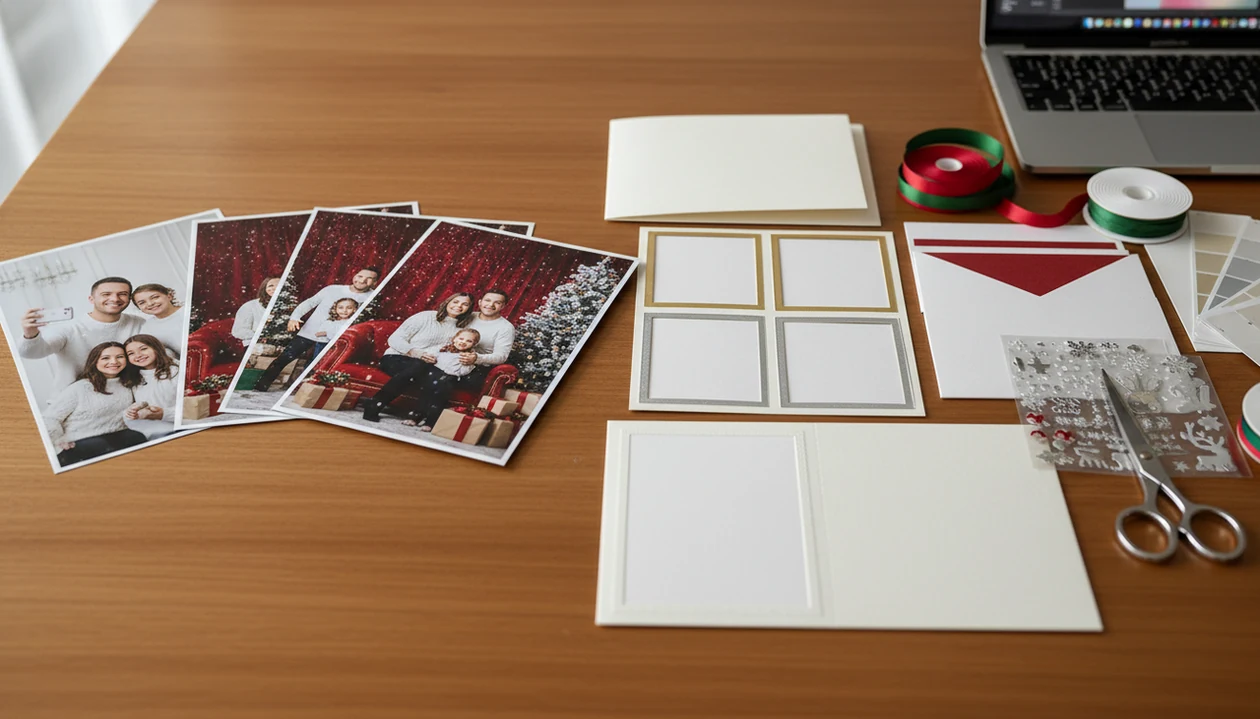
PiXmas is the better choice for one-photo AI Christmas portraits, while Fotor is better for Christmas cards, collages, filters, and manual design layouts. This Christmas photo editor comparison comes down to whether you want an instant AI portrait generator or a broader editing and template tool.
> A Christmas photo app can transform one uploaded photo into holiday portraits, Santa scenes, and Christmas wallpaper for families, couples, pet owners, and creators.
- Choose the portrait app if you want realistic AI Christmas portraits from one uploaded selfie or phone photo.
- Choose Fotor if you want filters, frames, stickers, collages, Christmas backgrounds, and card templates.
- Use both if you want a portrait first and Fotor for final card layout or graphic design.
Pixmas vs fotor christmas photo editor, side by side
Side-by-side captures of the compared products. Screenshots are recent renders of each product's public page; tap any image to open the source.

Christmas Photo Editor Comparison at a Glance
PiXmas wins for one-photo AI Christmas portraits and Santa scenes. Fotor wins for manual editing, Christmas templates, collages, and card layouts.
| Use case | PiXmas | Fotor |
|---|---|---|
| Input photo | One clear selfie or phone photo | One or many photos |
| Workflow speed | Fast portrait generation | Slower, more manual choices |
| Creative control | Style picker and preview | Filters, frames, text, stickers, layouts |
| Export purpose | Portraits, wallpapers, share images | Cards, collages, social graphics |
| Learning curve | Low | Medium, because design choices add up |
Photo sharing is already mainstream. In 2023, 72% of U.S. adults reported using a photo or video-sharing site or app, according to Pew Research source. That is why the export goal matters before you start.
A card is not the same job as a portrait.
How We Compared PiXmas and Fotor
We compared PiXmas and Fotor by separating two jobs: generating a Christmas portrait from one photo and editing a finished card or layout. The verdict is based on which tool handles each job with less friction, cleaner output, and fewer surprises at export.
- Review the same input types: a selfie, a family photo, a pet photo, and a basic Christmas card layout.
- Compare how quickly each workflow moves from upload to usable result, including how many manual choices are required.
- Check output quality for face accuracy, holiday styling, background polish, text placement, cropping, and layout control.
- Review export options, including download quality, watermark behavior, share formats, and whether the file feels ready for posting or printing.
- Compare pricing and privacy signals by looking for plan limits, premium features, upload handling, deletion language, and face-photo terms.
Feature claims were checked against Fotor’s public photo editor and Christmas card maker pages, alongside PiXmas product pages for its Christmas portrait workflow. Pricing, watermark rules, premium styles, and export limits can change, so users should confirm current terms before paying or uploading personal photos.
Five Christmas Photo Editor Comparison Facts Users Should Know
These five facts explain the real PiXmas comparison, without treating both products as if they do the same job.
- The portrait app turns one uploaded photo into AI Christmas portraits, Santa pictures, holiday studio scenes, and wallpapers.
- Fotor is a broader editor for filters, frames, backgrounds, stickers, collages, and Christmas card templates.
- The portrait app minimizes manual editing, while Fotor gives more control over layout, text, and decorative elements.
- Fotor works across web and mobile use cases, and it extends well beyond Christmas photo editing.
- Both tools require personal photo uploads, so users should check privacy terms, storage rules, and deletion options.
When we test these workflows, the split shows up early. In the portrait app, the practical path is upload, select a festive style, review the result, then save or share. In Fotor, you usually keep adjusting pieces.
Where PiXmas Wins for One-Photo AI Christmas Portraits
Does PiXmas beat Fotor for one-photo AI Christmas portraits? Yes, when the goal is to start with the photo you already have and turn it into a festive portrait without building a design from scratch.
The portrait app is purpose-built for Christmas portraits rather than general design. It fits family portraits, couples, pets, Santa scenes, creator profile images, and Christmas wallpaper. The workflow is short enough for a December 23 bedtime project, when a parent has no studio appointment left and still wants a Santa image by morning.
Parents trying to turn one usable kid snapshot into a holiday portrait should choose the portrait app because the one-photo upload and style picker remove most manual editing decisions.
For users comparing a Fotor alternative Christmas photos option, the portrait app is stronger when the face is clear and the lighting is not fighting the app. Tiny faces in group shots can still weaken results.
Where Fotor Christmas Photo Editor Wins for Templates and Layouts
Fotor is the better fit when the final product is a designed Christmas asset, not just a generated portrait. It gives users filters, Christmas backgrounds, frames, stickers, collages, and card templates inside a broader editing platform.
That breadth helps when you have several photos, a greeting line, a date, and a specific card layout in mind. It can also help creators who need a square post, a banner, or a printable design with text. The tradeoff is time. You make more decisions.
When layout control is the issue, Fotor fits better because editable templates let you place photos, text, frames, and seasonal elements by hand.
Grand View Research reports that the global photo editing software market was valued at $449.2 million in 2023 and forecasts continued growth through 2030 source. Canva, Picsart, and Photoleap sit in that broader design lane too.
How PiXmas and Fotor Christmas Photo Tools Work
PiXmas uses an uploaded face or photo as input for AI scene and portrait generation. In plain terms, the system likely reads identity cues, then maps them into Christmas-themed styles, poses, lighting, backgrounds, and portrait compositions.
Fotor works more like layered editing. A user starts with a photo, then adds or adjusts templates, filters, backgrounds, frames, stickers, text, and layout assets. AI generation gives speed but less fine control. Layered editing gives control, but it takes more taps and more judgment.
Good AI Christmas photo apps deliver fast identity-based holiday portraits, Santa scenes, and wallpapers, not a full desktop design workspace.
If your priority is moving from camera roll to Christmas portrait, the portrait app is often easier than Fotor because the workflow is built around one-photo upload, style selection, preview, and export. MarketsandMarkets forecasts the generative AI in marketing market to reach $22.1 billion by 2032, which helps explain why seasonal AI visual tools are spreading quickly source.
How to Use PiXmas and Fotor for Christmas Photos
Use the goal to choose the workflow first. The real user question is often, “Can I use this for a card and a wallpaper?” The answer depends on export shape, text needs, and whether you want a portrait or a layout.
- Choose the goal first: AI portrait, card, collage, wallpaper, or social post.
- Upload one clear photo to the portrait app if you want a portrait, Santa scene, or phone-friendly wallpaper.
- Preview several Christmas styles and compare face accuracy, lighting, sleeves, and background details.
- Export the portrait, then open Fotor if you need a card layout, text, collage, or extra frame.
- Review the final file for cropping, spelling, print size, and watermark rules before sharing.
After the portrait looks right, users making a holiday card can pair the portrait app with Fotor because the portrait output can become the hero image inside a designed template. For install guidance, start with the download AI Christmas photo app page.
Who Should Pick PiXmas or Fotor?
Pick PiXmas when the main job is a single-photo Christmas portrait. Pick Fotor when the finished piece needs design structure, text, multiple images, or a card-style layout.
- Choose PiXmas if you have one strong selfie, kid photo, couple shot, pet picture, or creator image and want a Santa scene, holiday studio look, wallpaper, or shareable portrait without arranging layers.
- Choose Fotor if you need a Christmas card, collage, text overlay, frame, sticker set, or multi-photo layout where placement and wording matter as much as the photo.
- Use both when the portrait is the hard part and the card is the final wrapper: generate the festive hero image first, then place it into a designed Fotor template.
- Avoid both as the only production step when the job needs professional print control, exact color matching, calibrated proofing, or strict paper-and-printer specifications.
- Try Canva, Picsart, or a built-in phone editor when you only need a familiar template, quick crop, brightness fix, or lightweight social post.
The simple rule: PiXmas makes the holiday image; Fotor packages it.
Christmas Photo Editor Choices Beyond the Headline Comparison
Pick the editor by the holiday photo job, not by the longest feature list. A fast Santa portrait, a printed card, and a quick brightness fix need different tools.
Best for AI portraits: PiXmas
PiXmas is the fit for one-photo AI Christmas portraits, especially when you want family, couple, pet, Santa, wallpaper, or creator profile outputs. The iPhone Photos grid moment is familiar: six almost-identical kid snapshots, and one where everyone is actually looking at the camera.
Best for card layouts: Fotor
Fotor is stronger for Christmas cards, collages, frames, and editable templates because it gives more control over text, placement, and decorative assets.
Best combined workflow: PiXmas then Fotor
People who want an AI portrait placed into a card or social graphic should use the portrait app first, then finish the layout in Fotor. A basic phone editor is still acceptable for cropping, brightness, and quick posting. For phone-specific guidance, compare PiXmas for iPhone or PiXmas for Android.
Pricing, Exports, and Privacy Signals
Compare free outputs, paid credits or subscriptions, watermark rules, export size, and commercial-use permissions before choosing. Fotor may offer free editing paths, but templates, premium assets, or higher-resolution exports can vary by plan.
PiXmas value depends on portrait quality, number of styles, download options, and speed. If the portrait is meant for a gift tag tied to a portrait frame, check the file before printing, not after.
Privacy deserves the same attention as price. Review upload handling, retention policy, deletion options, face data language, and terms of use for any editor. The permissions prompt matters too, especially when you wonder whether to allow selected photos only.
Globally, 4.95 billion people were social media users as of January 2024, according to Statista source. That scale makes export formats important. Share-ready files are not always print-ready files.
What makes PiXmas different from a Christmas photo editor like Fotor?
Fotor is a general editing tool. You choose filters, add frames, place text, and build layouts by hand, which gives control but also requires editing decisions.
PiXmas is built around a narrower job: taking one uploaded photo and generating a finished holiday portrait using AI, without manual layer editing or template assembly.
That difference matters most if your goal is a quick, ready-to-share AI portrait rather than a custom-designed card layout.
What photo should you upload for the best PiXmas result?
A clear, well-lit photo where the face is visible and not obscured by shadows or motion blur tends to produce the most consistent PiXmas result.
Front-facing or near-front-facing photos generally translate better into a stylized Christmas portrait than extreme angles or heavily cropped images.
Fotor does not have this same input dependency in the same way, since it edits the photo you give it rather than generating a new stylized version of it.
Choose PiXmas when the goal is a fast, one-photo AI Christmas portrait with minimal editing; choose Fotor when you need manual control over filters, frames, and card layouts.
Limitations
Both tools have real tradeoffs, and they matter most when the photo is personal or the deadline is close.
- PiXmas gives less fine layout control than a full editor like Fotor, Canva, or Picsart.
- The portrait app's AI outputs can sometimes show artifacts, odd hands, face changes, or unrealistic clothing details.
- Fotor can take longer because users manually choose filters, frames, elements, templates, and layouts.
- Fotor is not only a Christmas tool, so its breadth can feel excessive if you only want one AI portrait.
- Both tools require uploading personal photos, so users should review privacy, storage, and deletion terms.
- Neither tool can guarantee print-ready color, cropping, or resolution on every printer and paper type.
- Some premium styles, templates, exports, or features may require payment depending on current plans.
For users who only want a Santa portrait, a focused download Santa photo app workflow may feel simpler than a full editor.
Check the ears, text, and crop.
Related guides
FAQ
What should you wear for AI Christmas photos?
Wear simple, well-fitting clothing that contrasts with the intended Christmas background. Solid colors, clear necklines, and visible sleeves usually give generators better reference information than intricate patterns, reflective fabrics, or oversized accessories. Photograph each person in even lighting from several angles, and avoid clothing that blends into hair, skin, or the original background.
Can AI photo generators create accurate family Christmas portraits?
AI generators can create family Christmas portraits, but accuracy usually declines as more people are added. Faces may be blended, duplicated, aged incorrectly, or assigned to the wrong bodies, especially when references are unclear. Use separate, sharp photos for every person and inspect eyes, teeth, hands, jewelry, height relationships, and skin tone before printing or sharing.
How much do AI Christmas photo generators cost?
AI Christmas photo generators may charge per image pack, by subscription, or through recurring credit plans. Costs vary across websites and mobile stores, so review the final checkout price rather than relying on advertisements. Some comparable photo apps charge roughly $6.99 to $9.99 weekly, while monthly and annual plans may reduce the effective rate (Filmora review, 2026).
How long does it take to create AI Christmas photos?
Most AI Christmas photos take minutes to generate, although processing time depends on server demand, image quantity, and the selected quality. Preparing suitable uploads and reviewing imperfect results often takes longer than generation itself. Start before you need cards or gifts because retries, subscription issues, and print delivery can add unexpected delays.
Should I use a Christmas photo app or hire a photographer?
Use a Christmas photo app for speed, lower upfront cost, and imaginative scenes; hire a photographer for reliable likeness, posing, lighting, and print-ready group images. Apps suit casual cards and social posts, while photographers are preferable for keepsakes or large prints. Consider a hybrid approach by professionally photographing the family and adding holiday design elements afterward.
Do Christmas photo generators work with pictures of children and pets?
Christmas photo generators can process pictures of children and pets, but results are less predictable when subjects move, overlap, or face away from the camera. Use sharp images with unobstructed faces and bodies. Carefully review altered markings, eye color, paws, fingers, teeth, and apparent age, and confirm that the service’s privacy rules are acceptable.