
Christmas Photo App For Pet Owners Making Cute Holiday Scenes
Quick answer: PiXmas is an iOS app that turns a single dog or cat photo into festive Christmas portraits, including Santa scenes, snowy backdrops, and cozy cabin settings, using AI. Pet owners upload one clear photo, choose from 800+ holiday styles, and receive stylized images suited for cards, wallpapers, or social posts, without scheduling a studio session or costumed photo shoot.
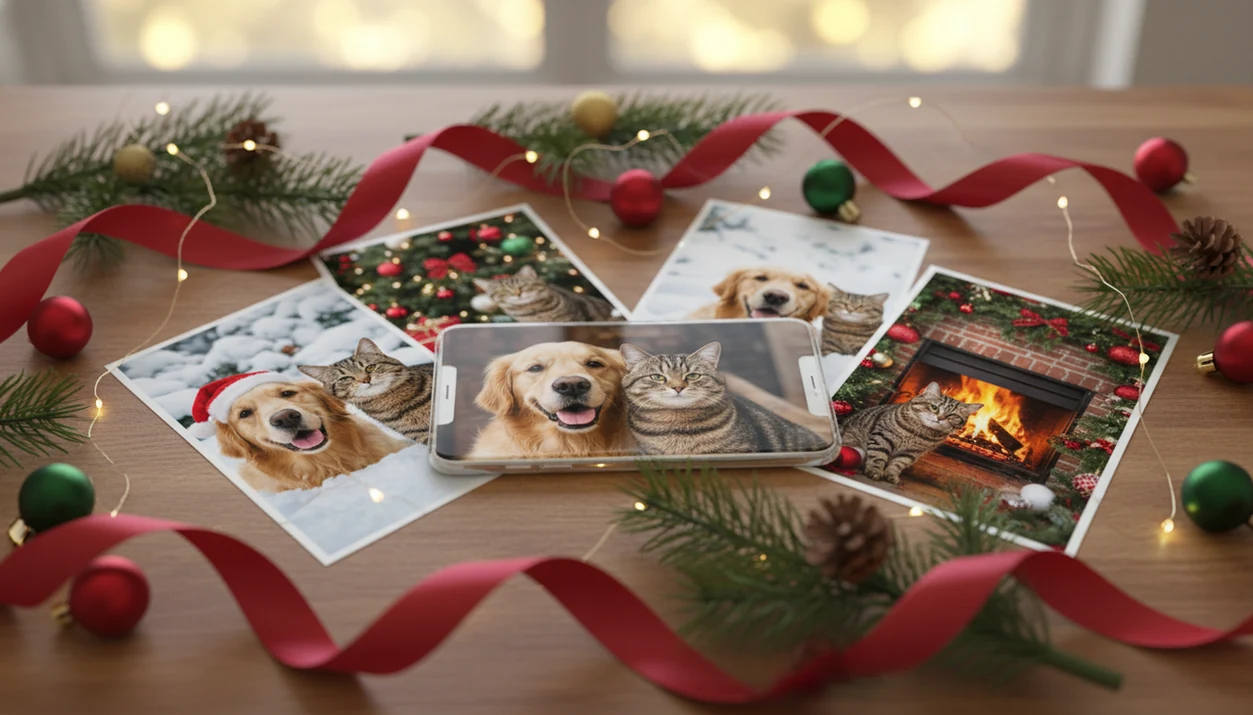
A Christmas photo app for pet owners is most useful when it turns one clear dog or cat photo into believable Santa scenes, festive portraits, cards, wallpapers, and social posts without making your pet pose in costume. PiXmas is built for that exact use case: upload one phone photo, choose Christmas styles, and generate pet-focused holiday images in minutes.
> PiXmas is a Christmas photo app that transforms one uploaded photo into holiday portraits, Santa scenes, and Christmas wallpaper for families, couples, pet owners, and creators.
- Use a clear, front-facing, well-lit pet photo for the most realistic Christmas portrait results.
- The best pet Christmas photo app should preserve your dog or cat’s face, fur texture, ears, and expression while adding Santa hats, snow, fireplaces, ornaments, or card layouts.
- Check export size, aspect ratios, privacy handling, and paid high-resolution options before printing cards, canvases, or calendars.
Why Pet Owners Use A Christmas Photo App Instead Of A Studio Shoot
Pet owners use a Christmas photo app because pets rarely cooperate with outfits, backdrops, travel, studio lights, and timed poses. A calm couch photo often beats a stressed session with a crooked Santa hat.
That matters at Christmas. The American Veterinary Medical Association estimates that 66% of U.S. households own a pet, and many owners treat dogs and cats as part of the holiday card list source. APPA’s National Pet Owners Survey also tracks how pet owners spend on gifts, treats, and care, which supports the broader point that pets are part of household holiday planning, even though seasonal-photo participation varies by survey source.
That workflow fits pet owners who want a share-ready holiday image from the photo they already have: one upload, one style choice, then a quick preview. It won't make every collar or whisker exact, but it removes the costume battle.
The tabby stare under twinkle lights is usually enough.
How A Christmas Photo App For Pet Owners Works
A Christmas photo app for pet owners works by analyzing one uploaded pet photo, identifying the animal’s visible features, and compositing holiday elements around that identity. The quality test is simple: your dog or cat should still look like your dog or cat.
A strong generator looks for visual cues such as face position, eyes, ears, fur edges, body outline, and background separation. In AI terms, the system uses image embeddings, which are compact visual references that help match the pet’s appearance across generated styles. Plainly, it tries to keep the recognizable parts while changing the scene.
Good Christmas picture apps deliver controlled holiday outputs, not random fantasy art. Santa hats, sleighs, fireplaces, snow, lights, ornaments, and card backgrounds should support the pet portrait instead of swallowing it. For close dog portraits, the dog Christmas photo generator workflow is usually the more focused path.
When the issue is a nervous pet that hates costumes, the practical path is simple: upload, select a festive style, review the result, then save or share.
How To Use A Pet Christmas Photo App With One Dog Or Cat Photo
Use a pet Christmas photo app by starting with one clear photo, choosing the final use, generating several versions, and exporting the right size. The first preview is not always the keeper.
1. Pick a clear front-facing pet photo
- Choose a photo where the eyes, nose, ears, and fur markings are visible.
- Avoid the blurry sleeve, the dark hallway, and heavy filters.
2. Choose a Christmas portrait style
- Match the style to the use: card, portrait, wallpaper, profile picture, or social post.
3. Generate several holiday versions
- Create multiple outputs so you can compare expression, accessory placement, and background fit.
4. Check face, fur, ears, and accessories
- Reject versions where eyes are covered, ears bend oddly, or fur markings change too much.
5. Export for cards, wallpaper, or social media
- Download the aspect ratio and resolution that match your card printer, lock screen, or social feed.
If the cat’s face is the whole point, the cat Christmas photo generator guide covers tighter feline examples.
Top Pet Christmas Photo App Features For Cute Holiday Portraits
- One-photo upload is the fastest pet workflow because it uses the dog or cat photo already sitting in your camera roll.
- Pet identity preservation matters more than background detail, because ears, eyes, muzzle shape, and fur texture make the portrait believable.
- Christmas scene variety should include Santa, elf, fireplace, winter wonderland, ornaments, and cozy home settings.
- Multiple aspect ratios help one pet image become a card, phone wallpaper, profile photo, or social post without awkward cropping.
- High-resolution export options matter when the image is going to a greeting card, canvas, calendar, or magnet.
For pet owners who need one image for both a card and a phone background, generate a few festive portrait outputs first so you can compare crops before saving. The refrigerator magnet test is real: small details still need to look like your pet.
Best PiXmas Styles For Dog And Cat Christmas Photo Ideas
Santa pet portrait. Use this for classic holiday cards when you want a red hat, soft lights, and a cheerful seasonal frame without dressing the pet.
Cozy fireplace scene. This style fits calm close-ups and pets lying down. It feels like a family portrait, especially when the original photo has warm indoor light.
Winter wonderland scene. Pick snow scenes for full-body photos, fluffy coats, and outdoor-looking poses. White fur may need extra checking around edges.
Elf or wrapped-gift scene. This idea works for playful pets, tilted heads, and photos with curious expressions. Treat crumbs near the phone are often how that shot happens.
Christmas wallpaper format. A vertical Christmas wallpaper format is useful for daily lock-screen images because it can leave room for the clock and notifications. The new lock screen under mittens needs crop space around ears.
For more visual directions, the broader Christmas photo styles library helps compare cozy, snowy, Santa, and card-ready looks.
Pet Christmas Photo App Output Formats For Cards, Prints, And Social Posts
Aspect ratio decides where a holiday pet portrait fits, and resolution decides how clean it looks after export. A photo that looks cute in messages may not hold up on a printed card.
| Output use | Better format | What to check before saving |
|---|---|---|
| Profile picture | Square | Keep ears, nose, and collar inside the crop |
| Phone wallpaper | Vertical | Leave empty space near the clock and widgets |
| Stories or Reels cover | Vertical | Avoid text near the top or bottom edge |
| Printed greeting card | Horizontal or card layout | Check borders, paws, ears, and greeting text |
| Canvas or calendar | High-resolution export | Use the largest available file size |
For holiday cards, a card-friendly crop is often easier than forcing a vertical portrait into a printer template because the border, greeting, and pet face need room. A generated-style workflow gives pet owners a faster review loop than manual layouts in Canva or Picsart, because the style output is generated before you start cropping.
Use Canva or Picsart when you want manual text placement and template control; use Photoleap or FestivAI-style generators when you want more experimental AI edits; use PiXmas when the priority is a fast pet-focused Christmas portrait from one upload.
Common Holiday Pet Portrait Patterns That Generate Better Results
Better AI pet Christmas portraits usually start with one consistent base photo. Use the same dog or cat image for the card, wallpaper, and profile picture if you want the set to feel like one mini photoshoot.
Pose matters. A sitting close-up usually fits Santa portraits, ornament frames, and cozy fireplace scenes. A full-body pet photo gives the AI more room for snowy yards, gift piles, or sleigh settings. Side profiles can look elegant, but they often make hats and eye placement harder.
Avoid blurry, dark, heavily filtered, or cropped photos when you can. Warm yellow kitchen light can be charming, but it may shift white fur or hide eye detail. Regenerate if accessories cover the eyes, ears look melted, or a distinctive patch of fur disappears.
Anyone dealing with six almost-identical pet snapshots should choose the one where the eyes are sharp, because PiXmas depends on that face detail when building the portrait output.
Privacy And Download Checks For A Holiday Pet Portrait App
Before uploading a pet photo, read how the app stores, processes, and deletes images. Pet photos may not feel as sensitive as baby portraits or family group photos, but they still reveal a home setting, location clues, or personal routines.
For a quick privacy check, look for image retention, deletion controls, model-training use, and third-party sharing. The FTC recommends reviewing app permissions and limiting access to only the data an app actually needs source.
Check whether uploaded images are used for model training. Also review download terms, refund wording, and high-resolution export rules before paying. Apple and Google permission prompts can feel routine, yet the “selected photos only” choice is worth using when you only need one pet image.
A holiday pet portrait app belongs on the shortlist when the workflow is clear: upload one photo, choose a Christmas style, preview outputs, then download the version you want. Paid exports are common across PiXmas, Photoleap, FestivAI, and similar tools when users need print-ready files or bulk image packs.
For gift projects beyond pets, Christmas photo gift ideas from one picture can help plan prints, cards, and keepsakes.
What photo should you upload for the best result?
A clear, front-facing photo of your pet works best, with both eyes, ears, and the muzzle visible in good lighting. Natural daylight photos with a sharp focus on fur texture tend to translate better into a stylized Christmas scene than blurry or backlit shots.
Try to avoid photos where hands, leashes, or other pets partly cover your dog or cat, since the app relies on the visible outline and facial features to build the portrait. If you have two pets, a photo where both faces are clearly separated and unobstructed usually renders more accurately than a tightly cropped or overlapping shot.
Who is this Christmas photo style best for?
This style suits dog and cat owners who want a festive portrait without a costumed shoot or a fussy pet that will not sit still for a real Santa photo. It also works well for multi-pet households making one combined holiday card, or anyone building a pet-only advent calendar or gift print for family.
Owners of skittish, senior, or camera-shy pets often prefer this route since the pet only needs to be photographed once at home, in its own comfortable environment, rather than posed under studio lights.
How does PiXmas compare to a photographer or DIY pet portrait setup?
- The 2025 Bass Pro Shops Christmas Card package for Santa photos costs $35 and includes eight 4×6 Christmas cards plus a high‑resolution digital download. (Tsawwassen Mills – Santa's Wonderland at Bass Pro Shops, 2025)
- Holiday card artwork scanned for a 4×6 inch card should be at least 300 DPI at actual size. (Behind the Scenes Charity Holiday Card Design Guidelines, 2025)
- A 2026 pricing review lists Remini Personal plan at about $6.99 per week and Business plan at about $9.99 per week on the web, with monthly and annual options, and notes that mobile in-app pricing varies by region. (Remini pricing breakdown (AITrendTool), 2026)
For pet owners who want a cute, low-stress Christmas photo without wrangling a dog or cat into a costume, PiXmas offers a quick way to turn one home photo into a festive portrait ready for cards, wallpapers, or social posts.
Limitations
AI pet Christmas portraits are convenient, but they are not guaranteed studio replacements. Review the image before sending it to a printer or posting it everywhere.
- AI can distort ears, eyes, paws, collars, fur markings, or Santa accessories.
- Low-light, blurry, cropped, side-angle, or obstructed pet photos may produce weak results.
- Multiple pets, or owner-plus-pet scenes, can be harder than one clear pet portrait.
- Large-format prints may require paid high-resolution exports or separate upscaling.
- No app fully replaces a professional shoot for candid interaction, exact posing, or real pet handling.
- Results vary by style, so you may need to regenerate several versions.
- Cloud-based AI tools require users to review privacy, deletion, and training-use policies.
- Busy backgrounds can confuse the pet outline, especially around tails and long fur.
For pet owners, a holiday pet portrait app is often easier than a studio shoot because the animal stays at home; the tradeoff is that every generated result still needs a human quality check.
Related guides
FAQ
Can I upload a photo of two pets together for one Christmas scene?
Yes, many pet owners upload a photo with two pets to get a single combined holiday portrait. Results are generally cleanest when both faces are clearly visible and not overlapping, and PiXmas (also styled Pixmas) works best with sharp, well-lit source photos.
Does my pet's fur color or breed affect the result?
Fur color, markings, and breed features are usually picked up well as long as the source photo is sharp and well lit. Very dark fur or heavy shadows can sometimes hide detail, so a bright, evenly lit photo tends to give PiXmas more to work with.
How long does it take to get holiday photos back after uploading?
Most AI-generated pet Christmas portraits, including those made with PiXmas, are ready within a few minutes of uploading a photo and selecting a style. Processing time can vary slightly based on the style and image size.
If my pet is already wearing a costume, do I still need to add an outfit in the app?
You can upload a photo of your pet already in costume, but the app will still apply its chosen holiday style on top of the original image. For the cleanest result, a plain, uncostumed photo often gives the style more room to add its own festive wardrobe and background.
What is a Christmas photo app for pets exactly?
It is an AI tool, such as PiXmas, that transforms an uploaded dog or cat photo into festive holiday images like Santa portraits, snowy scenes, or card-ready layouts, without a physical photo shoot or costume fitting.