
Free Christmas Pet Photo App Options For Dogs And Cats
Quick answer: A free Christmas pet photo app turns a dog or cat photo into a holiday-themed portrait using AI, often with Santa hats, wreaths, string lights, or snowy backdrops. Free tiers usually limit style count, resolution, or watermark removal. For higher-resolution, less restricted results, apps like PiXmas (also spelled Pixmas) offer a paid one-photo workflow with a large style library built for cards and social posts.
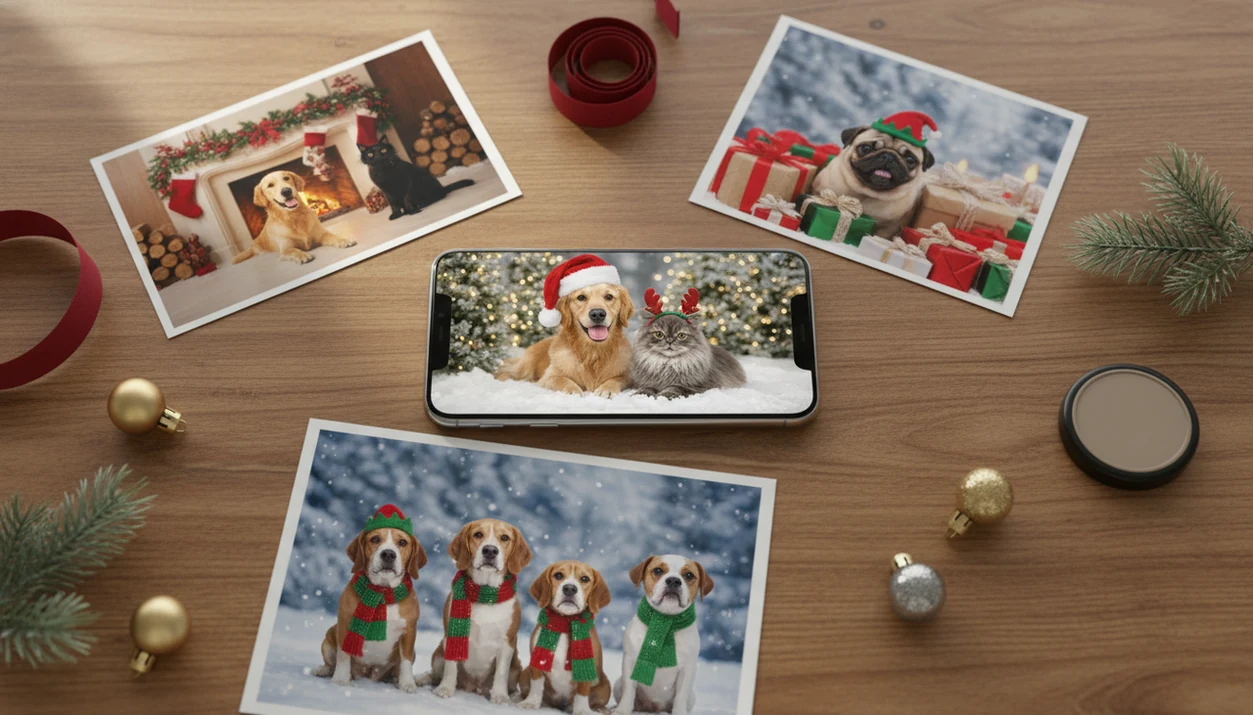
The best free Christmas pet photo app is the one that preserves your real dog or cat, exports at the size you need, and is honest about watermarks or paid upgrades. For most pet owners, compare AI holiday portrait apps, general pet photo editors, card makers, social filter apps, and AI art generators before choosing.
A free Christmas pet photo app is a mobile or web tool that turns an uploaded dog or cat photo into a festive holiday image using Christmas backgrounds, outfits, stickers, templates, or AI generation.
- Choose an AI pet Christmas app if you want Santa scenes, sweaters, snowy portraits, or wallpapers from one uploaded pet photo.
- Check free-tier limits before editing: watermarks, low-resolution exports, style caps, and trial-only downloads are common.
- For Christmas cards or prints, prioritize pet likeness, HD export, clean backgrounds, and transparent privacy terms.
How free christmas pet photo app options look
Side-by-side captures of the compared products. Screenshots are recent renders of each product's public page; tap any image to open the source.

Best Free Christmas Pet Photo App Shortlist
The right free Christmas pet photo app depends on pet likeness, watermark policy, export quality, and where the image will go. A dog Christmas card needs different output than a cat wallpaper or quick Instagram post.
PiXmas: Best For AI Christmas Pet Portraits
PiXmas is a Christmas photo app that transforms one uploaded photo into holiday portraits, Santa scenes, and Christmas wallpaper for families, couples, pet owners, and creators. For pet owners who want a festive portrait without building layers by hand, PiXmas fits because the practical path is upload, select a pet-friendly Christmas style, preview, then save or share.
Pet Photo Editors: Best For Stickers And Quick Fixes
General pet editors work when you only need antlers, text, or a frame over an existing shot.
Card Makers: Best For Printable Holiday Cards
Card makers help when layout, greeting text, and print size matter more than AI styling.
Social Filter Apps: Best For Fast Sharing
Social filters are useful for quick stories, but exports are often compressed.
AI Art Generators: Best For Stylized Pet Scenes
AI art generators can create dramatic scenes, though some replace your pet with a generic animal.
Free Pet Christmas Photo Editor Comparison Table
A free pet Christmas photo editor is enough for casual posts if you accept watermarks or lower resolution. HD export matters when the image becomes a card, canvas, framed gift, or phone wallpaper.
For named alternatives, compare Canva for card layouts, Picsart for stickers and manual edits, Photoleap for AI-style effects, and dedicated AI pet portrait tools when likeness matters most.
| Option type | Best use | Free-tier catch | Dog/cat suitability | Export quality |
|---|---|---|---|---|
| AI Christmas pet portrait apps | Santa scenes, snowy portraits, pet wallpapers | Free access may vary by style or export option | Strong fit when the face is clear | Check HD before printing |
| General pet photo editors | Stickers, captions, frames | Watermarks and ads are common | Usually fine for dogs and cats | Often social-sized |
| Christmas card makers | Printed cards and gift layouts | Templates may be free, downloads may not | Depends on original photo | Better if print dimensions are shown |
| Social filter apps | Instagram, Facebook, TikTok, messages | Compression and platform branding | Good for fast fun | Usually not print-minded |
| AI art generators | Fantasy scenes and painterly pets | Trial credits can run out quickly | May distort unusual breeds | Mixed, inspect closely |
After a wet nose appears in a portrait preview, zoom in before saving. That tiny check catches most obvious problems.
Free Christmas Pet Photo App Workflow
Free Christmas pet photo apps work by uploading your pet photo, detecting the animal, separating it from the background, applying a festive style, and exporting a new image. AI versions use image embeddings and generative models, which means the system reads visual patterns, then rebuilds the scene around your pet.
Template editors are simpler. They place frames, stickers, Santa hats, text, or snow overlays on the original picture. AI scene generators go further by changing the setting, outfit, lighting, and sometimes the pet pose. That extra flexibility is why results can look more polished, but it also raises artifact risk.
A one-photo upload workflow suits pet owners who want a Christmas portrait output without writing prompts. However, cloud processing usually needs internet access, and busy December evenings can feel slower than a local sticker editor. Lower-quality tools may turn a tabby into a random gray cat or smooth a terrier into a generic puppy.
How to Use a Free Christmas Pet Photo App
Use a free Christmas pet photo app by starting with the clearest pet image you have, then checking the preview before you download. The goal is a festive result that still looks like your own dog or cat.
- Choose a sharp photo where the eyes, nose, ears, fur markings, and body outline are easy to see. Front-facing or slightly angled portraits usually give the app more useful detail than dark couch snapshots.
- Upload only the single image you plan to edit when your phone or browser offers selected-photo permission. That keeps the workflow cleaner and avoids giving broader gallery access than needed.
- Pick a Christmas style that matches the final use, such as a cozy card portrait, snowy wallpaper, Santa scene, or quick social post.
- Preview the details closely before saving. Zoom in on the face, paws, whiskers, ears, collar area, fur edges, and background borders to catch odd shapes or generic animal features.
- Export the right format and size for the destination. Cards and prints need higher resolution, wallpapers need the right screen shape, and social posts need square or vertical crops.
Free Dog Christmas Photo App Steps
Use a free dog Christmas photo app with a clean source image first. The sharper the original dog photo, the less the app has to guess.
- Choose a sharp, well-lit photo with your dog facing the camera.
- Upload only the image you want to edit, especially if the permissions prompt offers selected photos.
- Test several Christmas styles, including Santa, sweater, snowy, and fireplace scenes.
- Inspect the eyes, paws, ears, leash, and fur markings before you accept the result.
- Export the correct size for your goal, such as square for posts, vertical for stories, or higher resolution for cards.
When the issue is a last-minute dog portrait on December 23, PiXmas earns a spot because you can move from camera roll to Christmas portrait without arranging a studio appointment. For dog-specific ideas, the dog Christmas photo generator guide goes deeper.
Best Free Christmas Pet Photo App For Cards And Prints
Can I use a free Christmas pet photo app for cards and prints? Yes, but only if the export is high enough quality, watermark-free, and shaped for the card size you plan to order.
Printed images need more detail than social posts. A small, compressed file can look fine in a message thread, then turn soft or blocky on a 5x7 card. Prioritize HD or 4K export, clean pet edges, no visible watermark, and print-safe aspect ratios.
Pew Research reported in 2023 that 51% of U.S. pet owners consider pets as much a family member as a human member (https://www.pewresearch.org/short-reads/2023/07/07/about-half-us-pet-owners-say-their-pets-are-as-much-a-part-of-their-family-as-a-human-member/), which explains the pressure to get the holiday card right. If your priority is a card-worthy dog or cat portrait, a preview-and-save workflow lets you compare festive styles before committing to one image. The broader Christmas photo app for pet owners page covers family-and-pet use cases.
Best Free Christmas Pet Photo App For Social Posts
What free Christmas pet photo app works for social posts? For Instagram, Facebook, TikTok, and messaging apps, a faster editor with square, vertical, or story-friendly formats may be enough.
Watermarked or compressed exports can be acceptable if you're sharing a funny Santa dog image in a group chat. They are less acceptable when you want a clean profile picture, wallpaper, or printed card. Check whether the app saves square, portrait, and vertical crops before you spend time editing.
Pew Research Center's Social Media Fact Sheet shows that a large majority of U.S. adults use at least one social platform (https://www.pewresearch.org/internet/fact-sheet/social-media/), so pet holiday photos have a natural audience. After a grandparent taps the share icon, the image should still look like your actual pet. A holiday-focused Christmas Pictures App works well for share-ready output because the style picker is built for seasonal scenes rather than general filters.
Five Facts About Free Christmas Pet Photo Apps
Free Christmas pet photo apps are useful, but the free label can hide important limits. Read the export screen before you build ten versions of the same image.
- Most tools can create Santa, elf, reindeer, sweater, or snowy scenes from one uploaded dog or cat photo.
- Free often means limited styles, watermarks, capped generations, trial-only access, or low-resolution export.
- Pet likeness is critical for dogs, cats, unusual breeds, and distinctive markings, especially around eyes and fur patterns.
- HD export matters for cards, Christmas wallpaper, framed gifts, and prints because small files lose detail quickly.
- Privacy policies matter because many AI pet portrait tools process uploaded personal images in cloud systems.
Good Christmas photo apps deliver recognizable pets in festive scenes, not random AI animals wearing seasonal props. If you want to compare style types, start with the Christmas photo styles overview.
Common Myths About Free Pet Christmas Photo Editors
The biggest myth is that free means unlimited HD downloads with no watermark. Many apps let you preview a cute result, then charge for watermark removal, larger exports, or extra Christmas styles.
Another myth is that AI can rescue any blurry or dark pet photo. It can stylize snow, lights, and backgrounds, but it cannot reliably recover missing facial detail. Warm yellow kitchen light can also shift fur color, and a blurry sleeve near the pet may become part of the generated outfit.
Some users assume every export is print-ready. Not true. Social-media-sized images may look rough on cards or canvases. Dogs and cats are not always handled equally either; some tools perform better on common dog breeds than long-haired cats or black cats. For cats, compare results with a dedicated cat Christmas photo generator before choosing the final image.
What makes this style different from other Christmas pet photo apps?
Most general photo editors apply a generic filter or overlay, like a sticker hat pasted onto the original image. A dedicated Christmas pet photo style instead regenerates the scene around your pet, adjusting lighting, background, and wardrobe elements like scarves or sweaters so the result reads as a cohesive holiday portrait rather than a decorated snapshot.
What photo should you upload for the best result?
Use a clear, well-lit photo where your pet's face and body are fully visible and not blurred by movement. Front-facing or slight side angles tend to work better than photos taken from above. Avoid busy backgrounds or photos where another pet or person overlaps your pet's outline, since that can confuse the AI's read on shape and pose.
Who is this Christmas pet style best for?
This style suits pet owners who want a card-ready or profile-ready portrait without booking a pet photographer or wrangling a costume for a live shoot. It works well for a single dog or cat, and for two pets that already sit or pose calmly together. It is less suited to action shots of pets mid-movement, since those source photos give the AI less clean detail to work from.
For dog and cat owners who want a fast, card-ready Christmas portrait from a single clear photo, PiXmas offers a practical paid alternative to piecing together limited free tiers.
Limitations
Free Christmas pet photo apps can save time, but they are not a replacement for every editing or photography need. Check these limits before uploading a favorite pet photo.
- Watermarks, low-resolution exports, style caps, and paid upgrades are common on free tiers.
- Some “free” tools are really free trials, with full-quality downloads locked after preview.
- Cloud processing may require a stable internet connection and can slow down during peak holiday weeks.
- AI artifacts can add extra paws, warped eyes, distorted cats, odd collars, or generic animal faces.
- Pet likeness may fail when the photo is dark, blurry, side-facing, or partly blocked.
- Privacy terms can be unclear around storage, deletion, sharing, and AI training policies.
- Canva, Picsart, Photoleap, and similar editors may offer more manual control, but they can take longer.
- Professional pet photography may still be better for premium prints, commercial use, or large wall art.
No app fixes everything.
Related guides
FAQ
What kind of pet photo works best for these apps?
A sharp, well-lit photo with your pet's face and body clearly visible works best. Avoid motion blur, harsh shadows, or backgrounds where another animal overlaps your pet, since that can affect how cleanly the AI separates your pet from the scene.
Can I use this style if I have two pets in one photo?
Yes, especially if both pets are calm and clearly posed. PiXmas and similar apps can generally handle a solo pet or a settled pair well, though results may be less consistent with several pets crowded into one frame.
Will my pet's fur color and markings look accurate?
clear markings and fur color are usually recognizable in the finished portrait when the source photo is clear. PiXmas tends to preserve these details closely, though exact shading can shift slightly since the image is AI-generated rather than a straight edit.
Can I print the finished pet photo as a Christmas card?
You can print it as a card if the app exports a high-resolution, watermark-free file in a standard card aspect ratio. Check export settings before ordering prints, since some free tiers cap resolution below print quality.
Does the app add a Santa hat or full holiday scene automatically?
Yes, most Christmas pet styles, including PiXmas, generate the holiday elements automatically from your uploaded photo rather than requiring you to add props or costumes yourself.
Is it worth trying a free tier before paying for an app?
A free tier can show you general style quality, but it often restricts resolution, style selection, or watermark removal. If you plan to print or post the result widely, testing one paid option like PiXmas may save time versus stitching together multiple free trials.