
Dog Christmas Photo Generator For Santa, Sweater, And Snowy Pet Portraits
A dog Christmas photo generator turns a clear source photo into a festive pet portrait with a Santa hat, holiday sweater, snowy backdrop, fireplace, or card-style scene. Results depend on visible eyes, muzzle, ears, coat markings, and overall image sharpness, so begin with a well-lit photo that clearly resembles your dog.
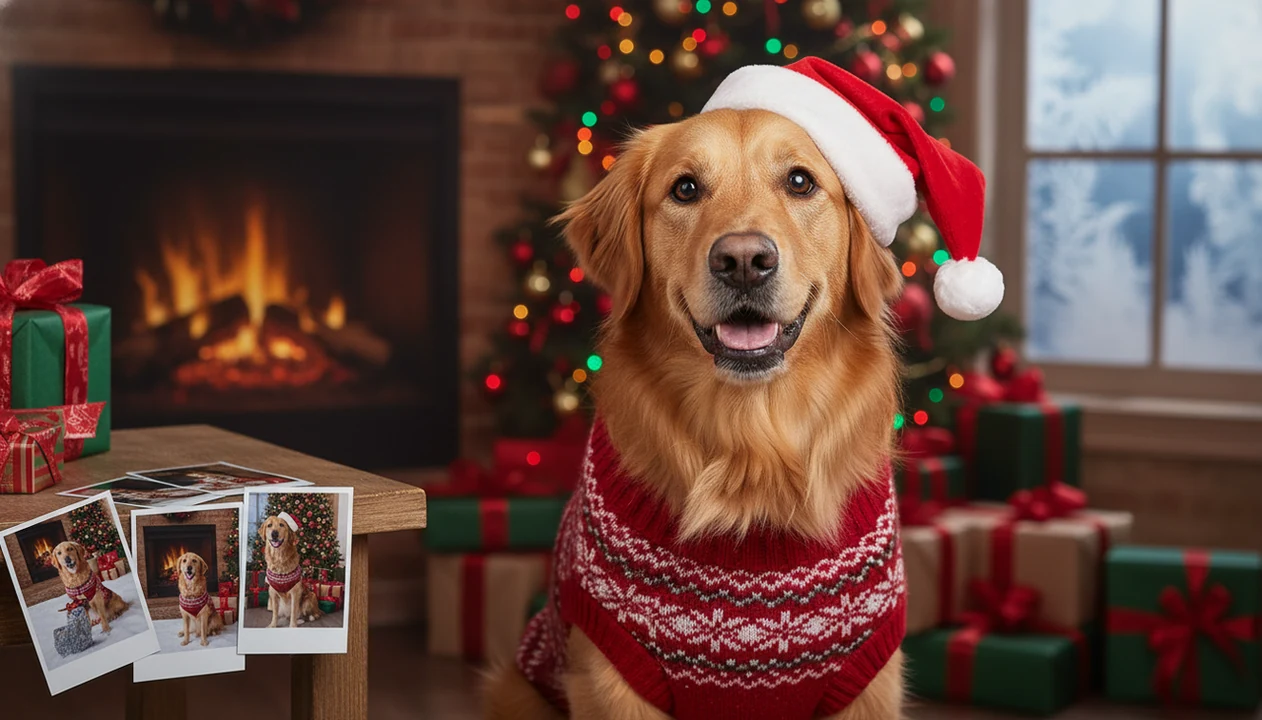
A dog Christmas photo generator turns one clear photo of your dog into festive Santa, sweater, snowy, fireplace, or Christmas-card portraits while preserving your pet’s face, fur, ears, and expression. The practical path is simple: upload one pet photo, choose a dog-specific holiday style, preview several versions, then save the one that still looks like your dog.
TL;DR
- Use a clear, front-facing dog photo with visible eyes, muzzle, ears, and coat markings for the strongest likeness.
- Dog-specific Christmas styles work better than generic AI portraits because they are designed around pet faces, fur texture, snouts, and poses.
- Santa dog photos, sweater portraits, snowy scenes, fireplace portraits, and card-ready images each need slightly different prompts and source-photo choices.
How dog christmas photo generators look
Side-by-side captures of the compared products. Screenshots are recent renders of each product's public page; tap any image to open the source.

How a dog Christmas photo generator works
A dog Christmas photo generator uses image-to-image AI: you upload one dog photo, the system reads the pet’s visible features, then it applies a festive style and creates several portrait variants. In plain terms, the model tries to keep the dog while changing the setting, outfit, and holiday mood.
The strongest results preserve face shape, muzzle length, ear position, fur texture, coat markings, pose, and expression. That matters with dogs because a slightly wrong snout or ear can make a familiar pet feel off. We notice it fast.
Dog-specific presets usually beat generic human portrait filters because animal faces are not built like human faces. A filter designed around cheekbones and hair can struggle with floppy ears, long noses, brindle coats, or a tilted head.
How to use PiXmas for a Christmas dog portrait
Use a one-photo generator when you want a Christmas dog portrait without dressing the dog, chasing them around the room, or booking a December photo session. It is especially useful when the festive bow keeps slipping off one ear and you still want a clean holiday image.
- Upload one clear dog photo with the full face visible.
- Choose a dog Christmas style, such as Santa, sweater, snow, fireplace, or Christmas card.
- Add breed, coat color, pose, and holiday mood details when prompted.
- Generate several versions so you can compare likeness, eyes, paws, and markings.
- Download the best image for a card, phone wallpaper, family text thread, or social post.
On days when your dog refuses the tiny sweater without the struggle, the one-photo workflow fits because it creates the dressed-up look through a one-photo upload and style picker. For pet owners, that is often easier than a real costume because the dog stays comfortable.
Best dog Santa photo app source-photo tips
“Which photo should I upload to a dog Santa photo app?” Pick the image where your dog already looks like your dog. A bad upload can’t be fully rescued by AI, especially if the eyes are hidden or the muzzle is blurred.
- Use a high-resolution photo. A sharp camera-roll image gives the generator more fur, eye, and coat detail to preserve.
- Keep the full face visible. Eyes, muzzle, ears, nose, and distinctive markings should not be cropped or blocked.
- Shoot at eye level. Extreme overhead angles and wide-angle closeups can stretch the head or shrink the body.
- Avoid visual blockers. Leashes across the face, heavy shadows, clutter, cropped ears, and motion blur often create odd Santa hats or warped snouts.
- Check the background, but prioritize the dog. A messy hallway is less harmful than a tiny face in a group shot, because the model needs the pet as the main subject.
Anyone dealing with six almost-identical dog snapshots in the iPhone Photos grid should choose the one where the dog is actually still, looking forward, and not half behind a chair.
Dog Christmas photo generator styles for Santa, sweaters, snow, and cards
Different Christmas dog styles solve different jobs. A studio card portrait is usually more likeness-safe than a fantasy sleigh scene because the dog remains the main subject. Complex accessories raise the chance of extra paws, merged hats, or changed markings.
| Style | Best use | Realism level | Watch for |
|---|---|---|---|
| Santa dog portrait | Funny holiday share, profile photo | Medium | Hats covering ears or eyes |
| Christmas sweater portrait | Cozy family-style image | Medium to high | Patterned sweaters merging with fur |
| Snowy outdoor scene | Winter wallpaper or social post | Medium | Paw placement in snow |
| Cozy fireplace scene | Card insert, mantel-style portrait | High | Warm yellow light changing coat color |
| Card-ready studio portrait | Printed cards and gifts | High | Over-smoothed fur or generic backdrop |
If your priority is a realistic Christmas dog portrait, The most realistic outputs usually come from studio, fireplace, or simple sweater styles because the pet stays centered in the portrait output. Broader Christmas photo styles can be playful, but dog faces need cleaner framing than many human holiday looks.
Breed details that improve a Christmas dog portrait prompt
Breed details help the generator avoid turning your dog into a generic cartoon pet. Mention the breed or closest mix when you know it, then describe the features a stranger would notice first: muzzle length, ear shape, coat color, coat pattern, fur length, size, and posture.
A golden retriever prompt might say “medium-large golden retriever, soft golden coat, friendly expression, sitting by a Christmas tree.” A French bulldog needs bat ears, short muzzle, compact body, and a square face. For a dachshund, include long body and short legs. For a husky, mention mask markings and thick coat. For a poodle, describe curls and size. For a mixed-breed dog, use plain visual notes, such as “black-and-white medium dog, one floppy ear, white chest, tan eyebrows.”
When prompt detail is the issue, Breed-sensitive holiday portraits usually work better when the user gives natural descriptors rather than a long overloaded prompt. Short and specific wins.
When to use a dog Christmas photo generator for cards, wallpapers, and posts
“Can I use this for a card and a wallpaper?” Yes, but choose the output with the final use in mind. A vertical snowy portrait fits a phone wallpaper, while a centered fireplace or studio portrait is easier to place on a holiday card.
Many pet owners already treat pets as part of seasonal traditions. AVMA pet ownership data reports that 66% of U.S. households owned a pet in 2023–2024, and dogs were the most common pet type (https://www.avma.org/resources-tools/reports-statistics/us-pet-ownership-statistics). The same AVMA reporting says 51% of U.S. pet owners buy holiday or birthday gifts for pets. A YouGov holiday survey found that 28% of pet owners said they would include pets in a family holiday photo (https://today.yougov.com/).
Use a dog Christmas portrait for cards, phone wallpaper, social posts, family photo inserts, pet memorial keepsakes, or a profile photo. Pew Research Center reported that about 72% of U.S. adults used at least one social media site in its 2021 social media use report (https://www.pewresearch.org/internet/2021/04/07/social-media-use-in-2021/), which helps explain why share-ready pet images move so quickly in December. For more pet-specific workflows, our Christmas photo app for pet owners guide goes deeper.
PiXmas dog Christmas photo generator versus generic AI tools
A Christmas-specific dog photo generator is often a better fit for Christmas dog images than a broad AI art tool when the goal is a fast, pet-focused holiday portrait from one upload. Generic tools can work, but they often need longer prompts and more retries to preserve animal features.
| Option | Strength | Tradeoff |
|---|---|---|
| PiXmas | Christmas-focused styles, one-photo upload, card and wallpaper use cases | Still depends on source-photo quality |
| Generic AI art generators such as ChatGPT image tools, Midjourney, Adobe Firefly, or Leonardo AI | Flexible ideas and unusual fantasy scenes | More prompt work, more retries, and more pet-likeness errors |
| Manual editing apps like Canva, Picsart, or Photoleap | Layout control, text, stickers, templates | More hands-on editing around fur and edges |
| Professional pet photography | Strong print control and lighting | Higher cost, scheduling, less last-minute flexibility |
Good AI Christmas photo apps deliver fast festive portraits from an existing phone photo, not guaranteed studio-perfect pet photography. Pet owners who need a last-minute card image on December 23 may find a focused upload, style-picker, preview, export workflow practical. For broader comparisons, the best Christmas pet photo editor guide covers editing-first options.
Who is a dog Christmas photo generator best for?
This style suits dog owners who want a festive portrait without booking a pet photographer or wrangling a costume during a real photo session. It works well for a single dog with a clear, well-lit face, and it is popular for holiday cards, phone wallpapers, and gifts for family members who dote on the dog.
It is also a good fit for owners who already have a favorite everyday photo of their dog and want to turn it into something more seasonal, rather than scheduling a new shoot. Multi-dog households can use it too, though results are more consistent with one dog per portrait.
How does PiXmas compare to a pet photographer or a DIY costume shoot?
- Commercial artist Haddon Sundblom painted his first Santa Claus for The Coca‑Cola Company in 1931, creating the now‑famous red‑suited Santa used in Coke advertising. (Chief Marketer – “Raising Santa Claus”, 2004)
- Commercial print advice typically recommends 300 DPI for close-viewed materials like flyers, brochures, and business cards, which is also applicable to greeting cards. (Instantprint Understanding DPI & Image Resolution for Print, 2026)
- Shutterfly publishes specific holiday shipping cut-off dates each year for customers ordering cards and gifts. (Shutterfly Christmas Ideas, 2026)
Limitations
AI pet portraits can be charming, but they are not flawless. Review the image before printing, posting, or sending it to family.
- Artifacts can include extra paws, warped eyes, distorted snouts, odd teeth, merged accessories, or changed coat markings.
- Multiple dogs are harder because features can blend, especially with similar coat colors.
- Costumes, patterned fur, leashes, and busy backgrounds increase the risk of strange edges or misplaced details.
- A blurry, dark, or tiny source photo usually produces weaker results.
- AI is not a full substitute for professional pet photography when large-format print control, exact color, or studio lighting matters.
- Cloud upload and privacy expectations should be considered before using any Christmas Pictures App with personal pet or family photos.
- Generated scenes may not represent safe or realistic pet behavior, such as dogs near candles, fireplaces, decorations, or food.
- Some playful Santa scenes look illustrated rather than realistic, which may be fine for posts but less ideal for formal cards.
For gift projects that use one pet or family image, Christmas photo gift ideas from one picture may be a better planning reference than a style-only page.