
Christmas filters 2027: where to find Santa, elf and snow effects
Updated November 20, 2026
The biggest choice of Christmas filters is on Snapchat (Lens Explorer) and TikTok (the Effects tray), where creators still publish new Santa, elf, reindeer and snow effects every December. Instagram kept only Meta's own effects after January 14, 2025. For video calls, Zoom, Google Meet and Teams give you festive backgrounds and color filters, but no Santa hats.
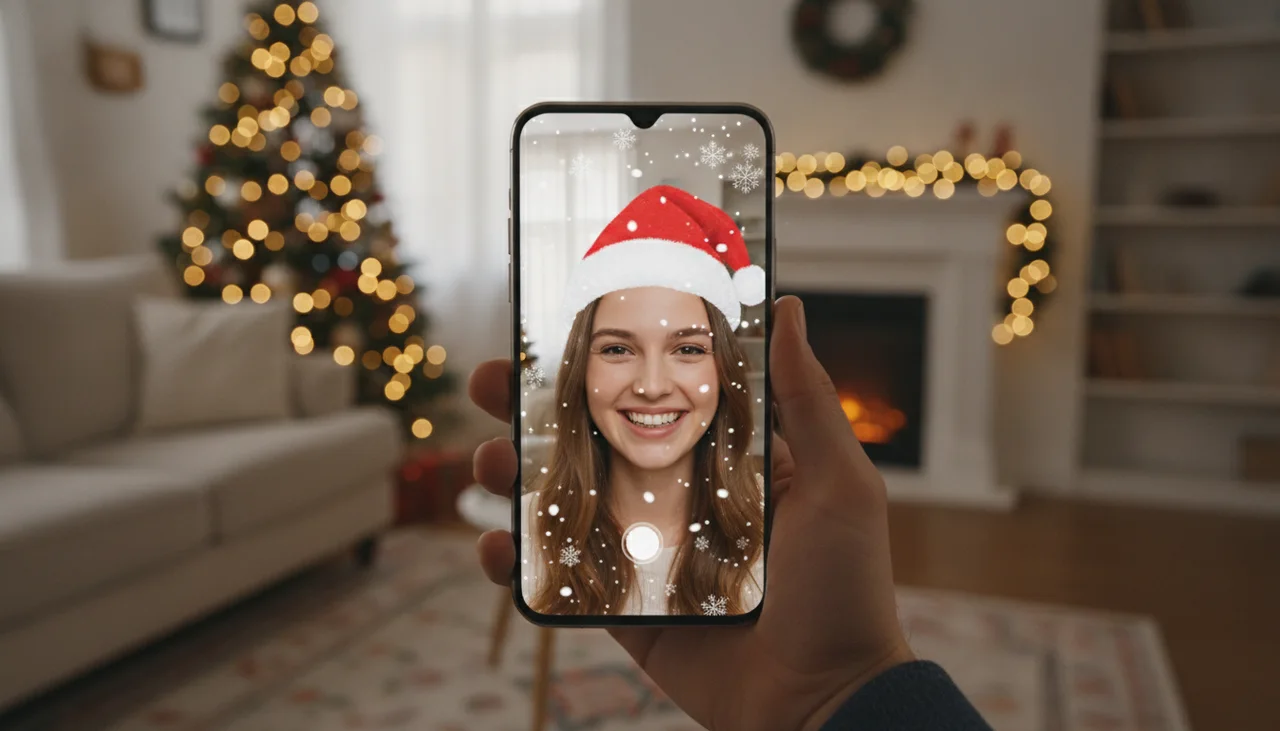
Where Christmas filters live in 2026
The menus below were checked against each company's help pages and current guides in November 2026. Apps rename buttons often, so if a label looks slightly different on your phone, look for the same icon in the same spot.
| App | Where to find Christmas effects | What you will find |
|---|---|---|
| Snapchat | Camera, tap the smiley Lens icon, then the search icon to open Lens Explorer | The widest choice: Santa hats and beards, elf ears, reindeer antlers and noses, snow, made by Snap and by creators |
| TikTok | Tap +, then Effects in the camera, then search | Large creator library; seasonal effects come and go each year |
| Story or Reels camera, swipe the effects carousel, tap the magnifying glass to browse | Meta-made effects only, so a much shorter list than before 2025 | |
| Create story, then the camera effects | Same Meta-only set as Instagram | |
| FaceTime (iPhone) | Tap your own tile during a call, then Effects; gestures trigger reactions | Hearts, balloons, fireworks, confetti, Memoji; no Christmas-specific effect |
| Zoom | Settings, then the backgrounds and effects tab; or the arrow next to Stop Video during a meeting | Virtual backgrounds, Video filters (color, frames, overlays) and Studio effects (eyebrows, mustache and beard, lip color) |
| Google Meet | Apply visual effects, before joining or from More options during the call | Backgrounds (including seasonal ones), Filters and Styles |
| Microsoft Teams | Video effects and settings, before joining or from More during the call | Background effects, uploaded images and video filters |
Snapchat: the best place for a Santa or reindeer filter
Snapchat never closed its door to outside creators, so every December there are hundreds of new holiday lenses. Open the camera, tap the Lens icon next to the shutter, then the magnifying glass at the end of the carousel. That opens Lens Explorer. Search more than one word: "Santa" finds hats and beards, "reindeer" finds antlers and red noses, "elf" finds pointy ears and green hats, and "snow" finds falling snow that works on the rear camera too.
Tap the star on a lens you like to keep it in your favorites. Seasonal lenses can vanish in January, so save the photo or video you made with it to your camera roll.
TikTok effects for Christmas
On TikTok, tap the + button, then Effects in the camera screen, and use the search box in the effects tray. The same search words work here. There is a second route people forget: when a video in your feed uses an effect you like, tap the effect name above the caption and choose to use it. That is often the fastest way to find this year's trending Christmas filter, since the newest ones rarely show up at the top of a search.
Instagram Christmas filters after Meta Spark
If you are wondering where all the good Instagram filters went: Meta shut down Meta Spark, its tool for outside creators, and removed every third-party effect from Instagram, Facebook and Messenger on January 14, 2025. Only effects made by Meta are left. You can still post old Stories and Reels made with the removed effects; you just cannot pick those effects again.
To see what is there, open the Story camera (swipe right from the feed), swipe through the round effects next to the shutter, and tap the magnifying glass at the end to browse. The Reels camera has an Effects button with the same browser. Search "Christmas", "holiday", "snow" and "sparkle". If you want a hat or antlers on an Instagram post, the reliable workaround is to record with a Snapchat or TikTok effect, save it, and upload the saved file to Instagram. For a still photo, our guide to adding a Santa hat to a photo does the same thing without any app account.
FaceTime and iPhone effects
Apple has no Christmas filter, but FaceTime does have effects that suit a family call on Christmas morning. On iPhone 12 or later with iOS 17 or newer, two thumbs up sets off fireworks, a heart made with both hands sends up hearts, one peace sign releases balloons and two peace signs throw confetti. To pick a reaction without the gesture, touch and hold your own video tile and tap one. Memoji lets kids appear as a cartoon version of themselves, and you can dress the Memoji in a hat before the call.
Gesture reactions can fire by accident (a thumbs up to Grandma becomes fireworks). To switch them off, open Control Center during the call, tap Video Effects, and turn off Reactions.
Zoom, Google Meet and Teams: festive video calls
None of the three big video call apps documents a built-in Santa hat or elf ears filter as of November 2026. What they do have is enough for an office holiday call.
- Zoom: in Settings, the backgrounds and effects section has three tabs. Virtual backgrounds lets you upload any image; Video filters adds color tints, frames and overlays; Studio effects draws on eyebrows, a mustache and beard, or lip color. During a meeting, click the arrow next to Stop Video to reach the same menu.
- Google Meet: click Apply visual effects on the preview screen, or More options during the call. Backgrounds includes seasonal sets in December; Filters and Styles change your look and the lighting.
- Microsoft Teams: choose Video effects and settings before you join, or More during the meeting. Background effects lets you blur or add your own image with Add new. Your company admin can turn uploads off.
The easiest festive upgrade is your own background: a photo of your tree, or a snowy scene, saved at 1920 x 1080. Our guide to making a Christmas Zoom background from a photo walks through it, and the virtual Christmas photo booth page has party ideas built around it.
How to make your own Christmas filter
Two free tools still let anyone publish a face filter. Both are desktop apps for Windows and Mac, and both come with templates (a head-tracked hat, falling particles, a color look) that get a simple Christmas effect working in an afternoon.
- Pick the platform. Lens Studio publishes to Snapchat; Effect House publishes to TikTok. A lens from one does not move to the other, so pick the app your friends actually use.
- Start from a template. For a Santa hat, use a head-binding template and swap in a hat image or 3D model; for snow, use a particle template and set the particles to white flakes falling slowly.
- Test it on your phone. Both tools pair with the app so you can try the effect on your own face before publishing.
- Submit it. Both platforms review effects before they go public, so submit early in December if you want it live for a party.
Instagram is the exception. Since Meta Spark closed in January 2025, there is no public way to publish your own Instagram effect.
Filter or AI portrait: which one do you want?
A filter is live. It tracks your face through the camera and draws a hat, antlers or snow on top, which is perfect for a silly video or a call. An AI Christmas portrait is a finished picture: it takes one photo of you and generates a new image of you in a Christmas scene, with the lighting and clothes to match, which is what you want for a card or a profile picture. Our AI Christmas photo app vs filter app comparison goes deeper on when each makes sense.
For stills you can also skip both and edit the photo itself: add snow, warm up the colors and put text on it. The Christmas photo editor guide shows each edit with free tools, and the Christmas elf photo maker covers the elf look specifically. PiXmas's own AI portrait tools are available at picsmas.com, and PiXmas for iPhone is on the App Store.
A note on kids and face filters
Snapchat and TikTok both set 13 as the minimum age in their terms. For younger kids, FaceTime reactions and Memoji, or a filter on a parent's phone, give the same fun without an account. Effects that change face shape or skin are worth skipping for kids and teens; hats, antlers and snow are the cheerful kind.