
Tool That Can Generate Christmas Photo Styles From One Upload
Quick answer: PiXmas (also called Pixmas) is an iOS app that works as a tool to generate Christmas photo styles from one uploaded photo. It applies festive backgrounds, outfits, and lighting to create Santa portraits, snowy scenes, cozy living-room shots, cards, and wallpapers, drawing on a library of 800+ styles, with results ready to download in minutes.
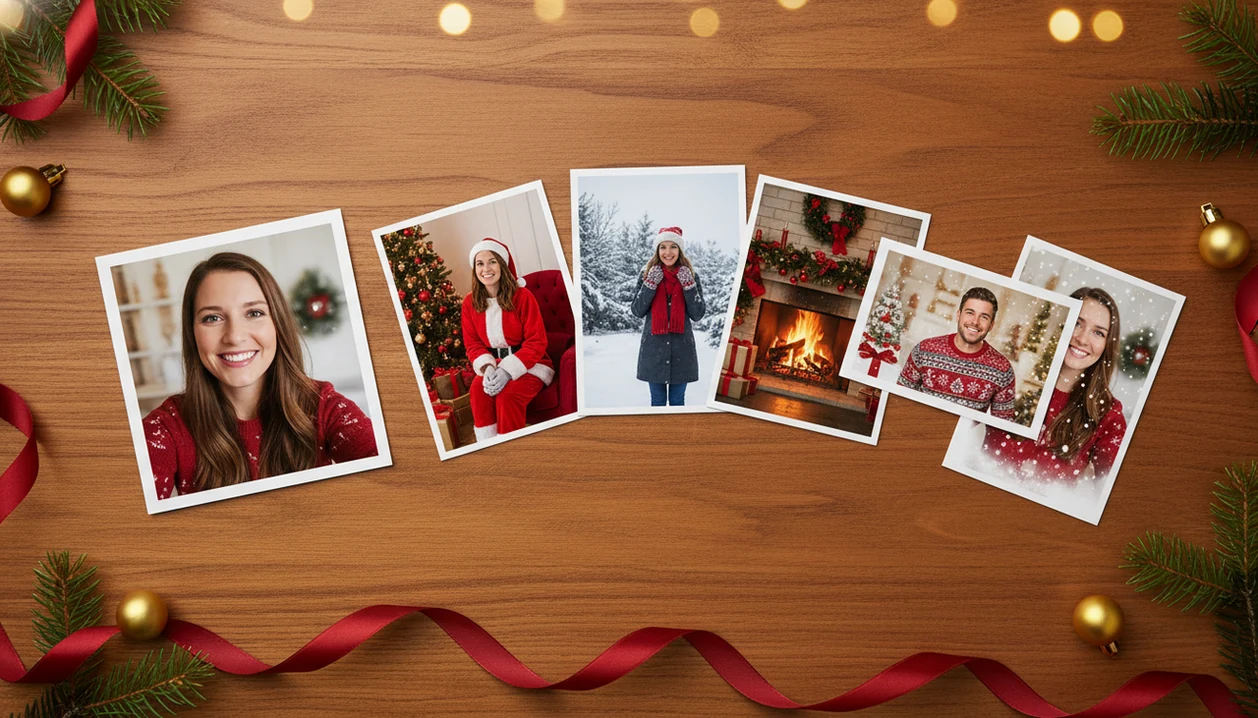
PiXmas is a tool that can generate Christmas photo styles from one uploaded phone photo, then turn it into Santa portraits, snowy scenes, cozy room images, cards, wallpapers, and social-ready holiday pictures. The best results come from a clear, well-lit photo with one main subject and enough resolution for the AI to preserve face detail.
Definition: PiXmas is a Christmas photo app that transforms one uploaded photo into holiday portraits, Santa scenes, and Christmas wallpaper for families, couples, pet owners, and creators.
- Use a Christmas style generator from photo when you want many festive looks from one selfie instead of booking a holiday photoshoot.
- Upload quality matters: sharp lighting, a visible face, and a simple pose usually produce better Santa, snow, card, and wallpaper styles.
- Check privacy, storage, training, and deletion policies before uploading children’s photos, family portraits, or pet images.
Christmas Style Generator From Photo: What the Tool Actually Does
A Christmas style generator from photo is an AI tool that re-renders one uploaded image into holiday scenes, outfits, backgrounds, and formats. It is different from a sticker editor because it changes the whole portrait output, not just the border around it.
A simple overlay might add snowflakes or a red frame. A real AI holiday styles tool can place the subject in a Santa scene, add a velvet dress beside a fireplace, create a snowy cabin background, or turn the same face into a Christmas wallpaper. The face, pose, lighting, and scene structure guide the result.
For most users, this is the practical path: upload, select a festive style, review the result, then save or share. It can support holiday card images, profile photos, couple portraits, family images, creator posts, and phone-friendly wallpapers from the photo you already have.
At-a-Glance Christmas Photo Uses for an AI Holiday Styles Tool
An AI holiday styles tool is most useful when you match the output to the right source photo and destination. A card image, phone wallpaper, and social avatar usually need different crops.
| Christmas output | Best input photo | Common use |
|---|---|---|
| Santa portrait | Clear child or adult face | Messages, keepsakes, holiday posts |
| Snowy outdoor scene | Mid-shot selfie or couple photo | Profile image, family share |
| Cozy room portrait | Warm indoor portrait | Card cover, framed print |
| Family card image | Small group facing camera | Digital or printed cards |
| Couple image | Two faces close together | Social post, gift image |
| Pet photo | Sharp pet face, eyes visible | Text thread, ornament print |
| Wallpaper | Vertical portrait | Lock screen or home screen |
| Social avatar | Single face, simple background | Instagram, TikTok, group chats |
Pew Research Center reports that roughly seven in ten U.S. adults use social media, which explains why share-ready Christmas photos matter: https://www.pewresearch.org/internet/fact-sheet/social-media/. If you want more style ideas before choosing, the broader Christmas photo styles guide compares seasonal looks by mood and use.
Five Facts About Tools That Generate Christmas Photo Styles
Tools that generate Christmas photo styles are fast, but they still depend on the starting image. The cropped school-day grin on a phone screen can work well; the blurry sleeve beside it may not.
- Modern tools analyze face position, pose, lighting, and scene structure before creating a new holiday version.
- One upload can produce many variations, but weak resolution or heavy shadows can reduce face detail.
- Many generators process images in the cloud, so privacy and deletion controls matter for family and children’s photos.
- AI photo tools are usually faster and cheaper than seasonal studio shoots because there is no appointment, travel, or retouching queue.
- Artifacts still happen, especially with hands, glasses, pets, tiny faces in group shots, and decorative text.
For last-minute users, one-photo generation is often easier than manual editing because the tool handles background, outfit, and lighting changes together.
How a Christmas Style Generator Works
A Christmas style generator works by reading the uploaded photo, finding the main subject, and rebuilding that image inside a holiday template. It does not simply paste a Santa hat on top; it uses face, pose, lighting, and background cues to decide what should stay recognizable and what can change.
First, the tool looks for the clearest face and basic body position, then estimates lighting direction so the new scene does not feel pasted together. It also separates the person from the background, a process often called segmentation, meaning the app can place the subject into snow, a fireplace room, a Santa setting, a card crop, or a vertical wallpaper. Style templates act like creative instructions: one may favor red velvet and warm lamps, while another may create blue snow, pine branches, or a phone lock-screen composition. One clear face usually performs better than a crowded group because there are fewer identities, eyes, hands, and expressions to preserve. Many generators render these versions in the cloud, so review privacy, storage, and deletion terms before uploading family photos.
Christmas Style Generator Workflow From Upload to Download
A Christmas style generator works by reading the uploaded image, identifying the subject, then using generative rendering to create new holiday versions. In plain terms, the app learns enough about the face, pose, and lighting to rebuild the picture in a selected festive style.
The usual workflow is upload, face detection, pose and lighting analysis, style selection, cloud rendering, preview, then download. One photo can be reused across many templates because the app converts the original into image embeddings, which are compact signals about what is in the picture. Same person, different scene.
Most tools process the image on remote servers, especially when the style set is large. That is normal for AI image generation, but it makes privacy review important. IDC projected worldwide AI-centric systems spending of $154 billion in 2023 (https://www.idc.com/getdoc.jsp?containerId=prUS50454123), and McKinsey reported that about one-third of surveyed organizations were already using generative AI in at least one business function in 2023: https://www.mckinsey.com/capabilities/quantumblack/our-insights/the-state-of-ai-in-2023-generative-ais-breakout-year.
How to Use a Christmas Pictures App as an AI Holiday Styles Tool
Use a Christmas Pictures App when you want a direct one-photo workflow rather than a blank design canvas. The App Store install button, the photo access prompt, and the “selected photos only” choice are worth noticing before you upload.
- Choose a sharp source photo with the main face visible and enough resolution.
- Upload the image from your camera roll, preferably the one where everyone is actually looking.
- Select Santa, snow, cozy room, family card, wallpaper, pet, or couple styles.
- Generate several variations so you can compare face detail, clothing, background, and crop.
- Download the strongest result, then save, share, print, or reuse it in a card layout.
A good AI Christmas photo app should deliver studio-style holiday portraits, Santa scenes, and Christmas wallpaper from one upload, not a guaranteed replacement for every professional shoot.
Best Source Photo Requirements for Christmas Style Generator Results
“What photo should I upload for Christmas AI styles?” Use a sharp, high-resolution image where the face is visible, the lighting is even, and the subject is not hidden by sunglasses, motion blur, or extreme filters.
One clear subject is easier than a large group because the model has fewer faces to preserve. In the iPhone Photos grid, the better choice is often the plain snapshot where one person is centered, not the crowded group photo from a text thread. Warm yellow kitchen light can work, but deep shadows across one cheek may change the portrait output.
For families, choose the smallest group that still fits the card. For couples, keep both faces close and forward. For children, avoid smeared motion from running or waving. For pets, pick the frame with a wet nose in focus and both eyes visible. Low-quality selfies cannot always become flawless studio portraits.
Common Mistakes When Generating Christmas Photo Styles
Most Christmas photo style problems come from starting with the wrong image, asking one crop to do too much, or approving the first cute preview without checking the details. A few quick fixes can save the holiday card from blurry faces, odd hands, or a lock screen that cuts off someone’s forehead.
- Use the original camera-roll photo instead of a screenshot from a text thread, social post, or preview screen. Screenshots often look fine on a phone but carry less detail for the generator.
- Crop large groups down when possible, especially for children, pets, or grandparents in the back row. Smaller groups give the model more face detail to preserve.
- Match the photo shape to the final use. Pick a vertical portrait for wallpaper or lock-screen styles, and save wider images for cards or social banners.
- Inspect glasses, fingers, jewelry, ornaments, sweater text, and background signs before printing. These are the tiny places where artifacts hide.
- Generate several variations before choosing the final card image. The first version may have the best mood, but the third may keep the face more accurately.
AI Christmas Photo Tool Compared With a Studio Photoshoot
An AI Christmas photo tool is usually faster and more flexible than a studio session, especially for last-minute cards or wallpapers. A studio is still better when you need formal prints, controlled posing, and dependable realism.
| Factor | AI Christmas photo tool | Studio photoshoot |
|---|---|---|
| Turnaround time | Minutes to hours | Days to weeks |
| Travel | None | Usually required |
| Scheduling | On demand | Appointment needed |
| Per-image cost | Often lower | Often higher |
| Retouching | Built into generation | Separate editing stage |
| Variations | Many styles from one upload | Limited by session setup |
| Creative control | Pick styles and regenerate | Direct photographer guidance |
NRF reported that U.S. consumers planned to spend an average of $1,652 on winter holiday gifts, travel, and entertainment in 2023: https://nrf.com/research-insights/holiday-data-and-trends/winter-holidays. Against that budget, an AI option can be a practical add-on, not a full replacement. For users who want a fireplace look without moving furniture, cozy indoor Christmas photos are often simpler to generate than to stage at home.
Privacy Checks Before Uploading Christmas Family Photos
Before uploading family photos, check whether the app sends images to cloud servers, how long it stores them, and whether uploads may be used for AI training or analytics. That matters more when the photo includes children, relatives, home interiors, or sensitive personal details.
Review these items before using any Christmas Pictures App or AI holiday tool:
- Cloud processing: Confirm whether the image leaves your device during generation.
- Storage duration: Look for clear language about temporary files and saved outputs.
- Training use: Check whether uploads are used to improve models, ads, or analytics.
- Deletion controls: Find the account setting or support route for removing images.
- Photo permissions: Consider selected-photo access instead of full library access.
- Children’s images: Be more cautious with school portraits, bath-time photos, uniforms, or location clues.
The full AI Christmas photo privacy checklist is worth reading before uploading a child’s portrait on December 23 after bedtime.
What makes this style different from other Christmas photo styles?
Most single-theme Christmas photo pages commit you to one look, like a Santa suit or a snowy cabin. A style generator tool works differently because it lets one photo branch into many separate outputs instead of one fixed result.
That means the same source photo can become a Santa portrait, a cozy living-room scene, and a card-ready holiday shot without reshooting anything. You pick which finished looks to keep rather than editing a single image by hand.
Who is this Christmas photo style best for?
This kind of tool suits solo portraits, couples wanting a quick festive update, and families assembling a holiday card without scheduling a shoot. It also works for long-distance family groups who cannot get everyone in one room but each have a decent photo to upload.
Pet owners sometimes use it separately for a pet's own festive portrait, since pets and people are usually processed as distinct uploads rather than combined in one complex scene. Anyone testing several holiday looks before choosing one for printing also benefits from generating a few options quickly.
For anyone wanting several Christmas photo styles from a single upload without a studio session, PiXmas offers a fast, phone-based way to preview Santa, snow, and cozy looks before choosing one to print or share.
Limitations
AI Christmas generators are useful, but they are not flawless portrait studios. Generate more than one version and inspect the details before printing or sending a holiday card stack on the counter.
- Distorted hands, jewelry, candy canes, ornaments, and glasses can appear in otherwise good images.
- Skin tone, age, face shape, or resemblance may shift across different festive styles.
- Large group photos are harder than single-subject portraits because each face needs preservation.
- Pets may be less consistent than clear human selfies, especially with long fur or turned heads.
- Internet connection, server queues, and peak holiday demand can slow generation.
- Some styles look more illustrated or fantasy-based than realistic.
- Text on sweaters, signs, and cards may render incorrectly.
- Users often need several variations before choosing a final image.
- Formal framed prints may still benefit from a professional photographer and controlled lighting.
Tiny details decide it.
If you need a snow scene, compare realism carefully against dedicated outdoor snow Christmas backgrounds, especially when the original photo has flat indoor lighting.
Example styles
FAQ
What exactly does a Christmas photo style generator do?
It takes an uploaded photo and applies festive changes such as a new background, outfit, lighting, and crop to produce a finished holiday-themed image. Most tools offer several distinct looks, from Santa scenes to snowy portraits, generated from that single starting photo.
Can I use the tool to create Christmas card designs?
Yes, PiXmas can turn an uploaded photo into card-ready holiday portraits suitable for digital or printed cards. Group photos may take a couple of extra attempts since multiple faces are harder to render consistently than a single subject.
Does the tool work for pet Christmas photos?
Many Christmas style tools, including PiXmas, can process a clear photo of a pet into a festive portrait. It works best as its own upload rather than mixed into a busy group scene with people.
Will my uploaded photo be stored or shared?
Handling varies by app, so it is worth checking the specific privacy policy before uploading family or personal photos to any Christmas photo tool. Avoid uploading images with sensitive backgrounds or identifiable details you are not comfortable sharing.
Do group photos work as well as solo photos in the generator?
Solo and couple photos tend to produce more consistent faces than large group shots. PiXmas can still process group photos, but results may need a retry or two to keep every face looking accurate.