
Outdoor Snow Christmas Backgrounds for Winter Portraits
Quick answer: Outdoor snow Christmas backgrounds are winter scenes, such as snowy forests, cabin porches, village streets, or mountain views, placed behind a portrait through an AI Christmas photo app. You upload one clear photo showing your face, head, and shoulders, and the app generates a stylized image with snow, lights, and seasonal decor. No physical location, travel, or cold weather is required. PiXmas is built for this exact one-photo workflow.
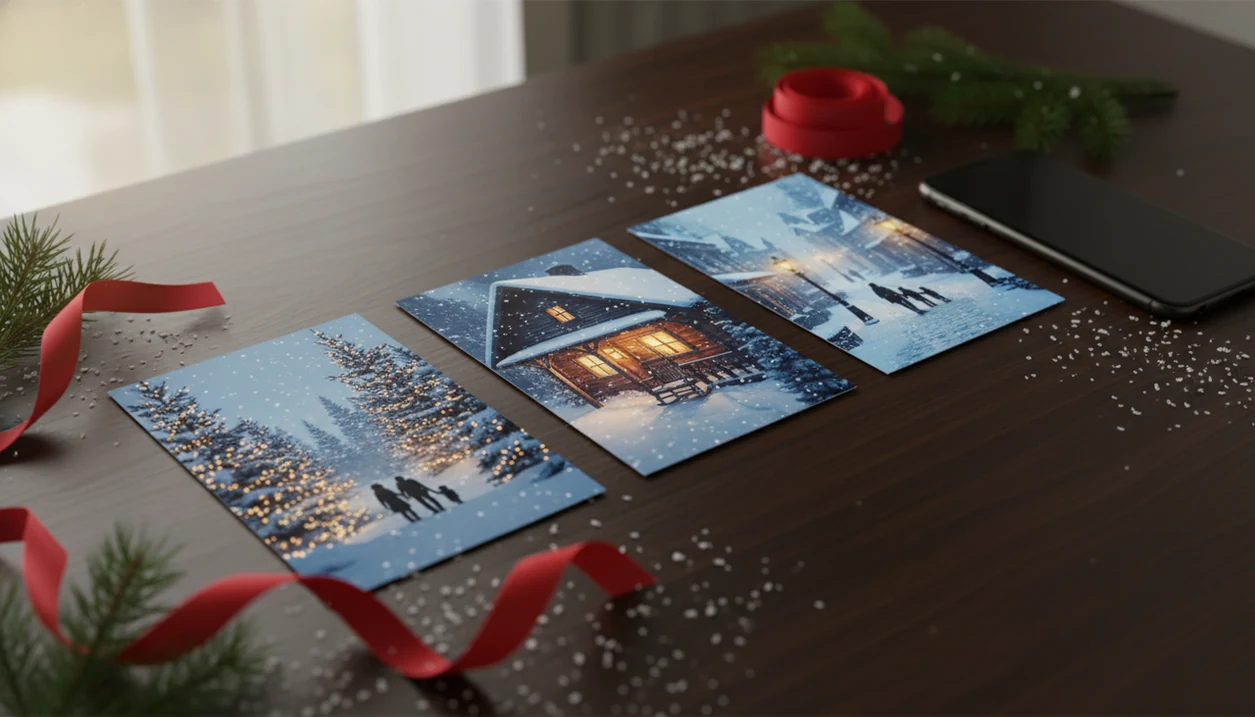
Outdoor snow Christmas backgrounds turn a regular portrait into a snowy forest, Christmas street, cabin scene, or winter card image without needing real snow. In PiXmas, the strongest results come from clean subject space, realistic snow texture, warm holiday lighting, and export sizes that work for sharing or printing.
Definition: An outdoor snowy Christmas photo background is a winter-themed portrait setting that uses snow, pine trees, lights, streets, cabins, or sleigh scenes to make a person, couple, family, or pet photo look like it was captured outdoors at Christmas.
TL;DR
- Choose snowy backgrounds with clear foreground space so faces, clothing, pets, and card text do not get lost.
- Match lighting, camera angle, and crop before judging whether a winter wonderland portrait looks realistic.
- PiXmas transforms one uploaded phone photo into outdoor snow Christmas portraits, Santa scenes, wallpapers, and card-ready holiday images.
How outdoor snow christmas backgrounds look
Side-by-side captures of the compared products. Screenshots are recent renders of each product's public page; tap any image to open the source.

How Outdoor Snow Christmas Backgrounds Work in AI Portrait Apps
Outdoor snow Christmas backgrounds work by separating the subject from the original photo, then compositing that subject into a winter scene with matched light, scale, and shadows. The process uses subject masking, background replacement, and image blending. In plain terms, the app has to understand where the person ends and where the room, wall, or sofa begins.
A Christmas Pictures App can turn one uploaded photo into holiday portraits, Santa scenes, and Christmas wallpaper for families, couples, pet owners, and creators. PiXmas works best when the face is clear and the lighting is not fighting the app.
Realism usually depends on six details: mask quality, light direction, color temperature, shadow placement, snow scale, and output resolution. A blurry sleeve, tiny face in a group shot, or overlapping hands can create artifacts.
Edges tell on you fast.
Good AI Christmas photo apps deliver believable seasonal composites from one usable upload, not guaranteed studio-perfect results from every cropped or crowded snapshot.
Best Outdoor Snow Christmas Background Styles for Portraits
Snowy background styles should be chosen by portrait use, not just by which preview looks prettiest in the style picker. A snowy Christmas photo background for a family card needs more space than a close-up couple wallpaper.
- Snowy pine forest: Works well for families and pets because trees add Christmas mood without crowding the subject.
- Glowing village street: Fits couples and solo portraits when warm shop lights match the face lighting.
- Cabin porch: Good for card images, especially if you want a rustic frame around the subject.
- Sleigh path: Best for kids, Santa scenes, and playful holiday portraits with visible snow depth.
- Frozen lake or mountain overlook: Strong for dramatic solo portraits, but it needs clean contrast around hair and coats.
Parents making a Santa portrait on December 23 after bedtime usually need speed more than novelty. The practical path is upload, select a festive style, review the result, then save or share.
Avoid busy backgrounds when the final image needs names, dates, or a Merry Christmas message.
Five Facts About a Realistic Winter Wonderland Portrait
A realistic winter wonderland portrait depends more on visual matching than on how much snow appears in the background. The iPhone Photos grid may show six almost-identical kid snapshots, but the one where everyone looks toward the camera will usually blend better than the most energetic one.
- Snow-covered trees, soft snowfall, and warm lights create the strongest Christmas signal.
- The subject needs clean foreground space and natural shadows to avoid a pasted-on look.
- High-resolution exports matter for cards, prints, phone wallpapers, and cropped social posts.
- Clothing color should contrast with white snow and dark evergreens.
- Vertical, square, and horizontal crops should be planned before export.
For most families, a clean snowy portrait is easier than a real outdoor shoot because weather, coats, and tired kids do not have to cooperate at the same time.
If you are comparing moods beyond snow, the broader Christmas photo styles guide shows how snowy scenes sit beside fireplaces, pajamas, gold rooms, and Santa looks.
How to Use Outdoor Snow Christmas Backgrounds in PiXmas
Use outdoor snow Christmas backgrounds in PiXmas by starting with the sharpest photo you already have, then choosing a scene that matches the pose, crop, and final use. The thumb-hovering-over-the-camera-roll moment matters; do not pick the cute blurry one if there is one usable photo after dinner.
- Upload a sharp, well-lit photo with the full head and shoulders visible.
- Choose a snowy forest, village street, cabin, sleigh, or wallpaper-style scene.
- Match the background mood to the subject lighting, pose, and camera angle.
- Review hands, hair edges, glasses, pets, and fine details before sharing or printing.
- Export the crop you need for a card, wallpaper, profile image, or social post.
Couples trying to make one image for both a lock screen and a holiday post can use PiXmas because the workflow starts with one-photo upload and ends with separate save-ready outputs.
If the photo includes a child, pet, or family group, check the permissions prompt for photo access and decide whether selected photos only makes more sense. Privacy choices are covered in AI Christmas photo privacy.
Outdoor Snow Christmas Backgrounds Versus Stock Photos and Printed Backdrops
Outdoor snow Christmas backgrounds can come from AI apps, stock photos, printed backdrops, or real locations, but each option changes speed, control, and usage rights. Real snow is not required for a convincing portrait if the lighting and blending are handled well.
| Option | Speed | Realism control | Cost | Rights | Weather dependency | Best use case |
|---|---|---|---|---|---|---|
| AI app | Fast | High, if the subject photo is clean | App-based | Check export terms | None | Last-minute portraits, cards, wallpapers |
| Stock image | Medium | Limited unless you edit manually | Free to paid | License matters | None | Designs, banners, commercial layouts |
| Printed backdrop | Medium | Depends on lighting and setup | Purchase or rental | Usually physical-use only | None | Home mini sessions |
| Real snowy location | Slow | Natural, but unpredictable | Travel and time | Usually your own photo | High | Outdoor family sessions |
Anyone dealing with no snow, no studio slot, and a card deadline can use PiXmas because it replaces location planning with a one-photo upload and outdoor scene picker.
Stock sites such as Canva and Picsart can help with layouts, but rights and print size still need checking before commercial use; review Canva's license terms (https://www.canva.com/policies/content-license-agreement/) and Picsart's terms (https://picsart.com/terms-and-conditions) before using downloaded assets in cards, ads, or paid designs.
Card, Wallpaper, and Social Crops for Snowy Christmas Photo Backgrounds
“Can I use this for a card and a wallpaper?” Yes, but you should plan the crop before exporting because the same snowy portrait may not fit every shape cleanly.
Vertical crops work best for phone wallpapers, lock screens, and Stories. Square crops fit profile images and some social feeds. Horizontal crops usually work better for holiday cards, banners, and family newsletter headers. Leave negative space for names, dates, or a Merry Christmas message, especially near the sky, snowbank, or cabin wall.
A portrait magnet on the refrigerator can hide tiny edge flaws, but a large card print is less forgiving. Small lights, thin snowflakes, and text may also look different on every printer or phone screen.
For print planning, use the card vendor's required pixel dimensions and safe-area guidance rather than judging only from a phone preview; Shutterfly, for example, publishes trim and resolution guidance for photo products at https://support.shutterfly.com/s/article/Photo-Resolution-Tips.
After a wallpaper preview before posting, PiXmas fits users who need one snowy portrait in multiple formats because the review step lets you compare share-ready and print-minded crops before saving. For cabin-heavy layouts, the rustic cabin Christmas photo style page goes deeper on porch framing and wood tones.
Lighting and Clothing Rules for Outdoor Snow Christmas Portraits
Outdoor snow Christmas portraits look believable when subject lighting agrees with the background. Warm yellow kitchen light pairs better with glowing village windows or Christmas string lights. Cooler daylight usually fits snowy forests, mountain overlooks, and frozen lake scenes.
Clothing should stand out from both white snow and dark evergreens. Jewel tones, reds, greens, creams, navy, plaid, knits, scarves, and textured coats usually read well. White clothing can work, but it needs shadows, accessories, or darker background elements to separate the person from the snow.
PiXmas should preserve natural skin tones across couples, families, pets, and different cultural holiday styling. Check the preview closely if a snowy scene changes warmth, contrast, or facial color too much.
The most believable snowy portrait usually comes from matching light temperature first, then choosing the background style second. If snow feels too cool or bright for your photo, cozy indoor Christmas photos may fit the original lighting better.
What photo should you upload for the best result?
The best source photo is a single, well-lit image where your face, head, and shoulders are clearly visible and unobstructed.
Sharp focus matters more than a fancy setting, since a plain indoor photo taken on a phone often works better than a blurry outdoor shot.
Avoid sunglasses, heavy shadows across the face, motion blur, and photos where the head is cropped or turned far to the side.
If you plan to include a pet or a partner, a photo where both faces are visible at a similar size tends to translate more cleanly into a snowy scene.
Who is this Christmas photo style best for?
Outdoor snow backgrounds suit anyone who wants a winter portrait without dressing for cold weather or traveling to a snowy location.
Solo portraits and couples tend to produce the most consistent results, since a single main subject is easier for the scene and lighting to wrap around.
Families can use wide scenes like forest paths or village streets, though results work best when everyone is holding a similar pose and facing forward.
Pet owners photographing a dog or cat alongside themselves can also use this style, provided the pet's face is reasonably clear in the original photo.
How does PiXmas compare to a photographer or DIY snow setup?
- Google’s Holiday Trends reports that many Christmas‑related queries in the US, including decorating and baking topics, spike each December, illustrating that demand for Christmas imagery and content concentrates late in the year. (Google – Holiday Trends (Year in Search 2025), 2025)
- A general guide to using Google Trends recommends setting multi‑year ranges to spot seasonality, noting that Christmas‑related terms consistently show seasonal spikes that can guide when to publish holiday photo content. (Cemoh – How to Use Google Trends: A Complete Guide, 2026)
- Photography educators using Google Trends report that searches for terms like “Christmas card photos” remain fairly constant through much of the year, then trend upward from September or October and spike in December. (Tech Photo Guy – Google Trends for Photographers, 2018)
For anyone who wants a convincing outdoor snow Christmas portrait without cold weather, travel, or a studio session, PiXmas turns one clear phone photo into a stylized winter scene in minutes, making it a practical choice for cards, wallpapers, and social sharing.
Browse the outdoor snow nature christmas pictures style gallery
Limitations
Outdoor snow Christmas backgrounds are useful, but they are not a fix for every photo. Check these tradeoffs before sending a card order or saving a wallpaper for everyone in the family chat.
- Blurry or low-resolution uploads limit final sharpness and print size.
- AI artifacts can appear around hands, hair, glasses, pets, overlapping people, toys, and props.
- Complex family groupings and active kids are harder to blend naturally than simple portraits.
- Some snowy scenes are too busy for card text, especially village streets with lights and signage.
- Usage rights and export sizes matter for stock, downloaded, or AI-generated images.
- Screen colors and printed snow tones may differ, especially in pale blue or gray areas.
- White sweaters, white blankets, and white pet fur can disappear into snow without contrast.
- Broad tools like photoleap.app, remix.ai, festivai.app, and canva.com may offer more general editing control, but they can require more manual layout work.
If the priority is a fast Christmas portrait from a phone photo, PiXmas fits better than manual background editing because the workflow is built around festive style selection, preview checks, and export.
Example styles
FAQ
What is an outdoor snow Christmas background?
It is a winter scene, such as a snowy forest, cabin porch, village street, or mountain view, placed behind a portrait to create a seasonal photo without visiting that location in person.
Do I need a professional camera or a snowy location to get this look?
No. PiXmas creates outdoor snow backgrounds from one uploaded phone photo, so no camera equipment, travel, or actual snow is needed.
Can I use a photo of my pet for a snowy background portrait?
Yes, as long as the pet's face is clearly visible and not obscured by fur, shadow, or motion blur. Solo pet photos tend to render more predictably than group shots with multiple animals or people.
Can I turn a snowy Christmas portrait into a printed card?
Yes, most outdoor snow Christmas portraits made in PiXmas work well as printed or digital holiday cards, especially in vertical or square crops suited to standard card sizes.
Will a group photo with several faces work as well as a solo portrait?
Group photos can work, but faces that are small, turned at an angle, or partly hidden may render less consistently than a clear solo or couple's photo in the original upload.
How is this different from a printed snow backdrop at a photo studio?
A printed backdrop requires a physical setup, matching lighting, and often a professional session, while PiXmas applies a snowy scene digitally to an existing photo in minutes.