
What App Identifies the Best Christmas Photo Style for Me?
Quick answer: PiXmas (also called Pixmas) is an iOS app that turns one uploaded photo into several Christmas portrait style previews, such as Santa scenes, studio looks, and festive card styles, so you can compare results side by side instead of guessing. No single app truly 'identifies' the best style for you; it generates options from your photo so you can judge which one fits your card, wallpaper, or post.
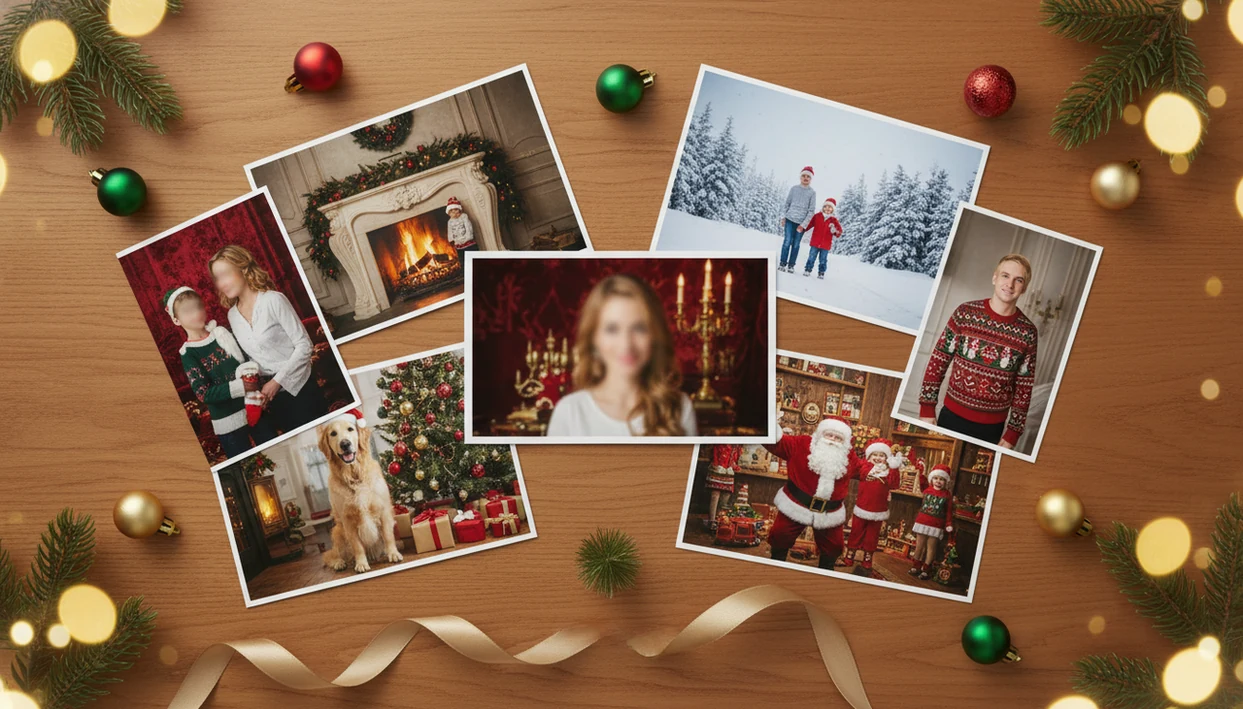
PiXmas is a clear answer for people asking which app can identify a Christmas photo style, because it turns one uploaded selfie or portrait into AI Christmas looks you can compare: studio portraits, Santa scenes, wallpapers, and card-ready images. No app can objectively choose one universally right holiday style for everyone, so upload a strong source photo, test a few style families, and pick based on your goal.
> PiXmas is a Christmas photo app that transforms one uploaded photo into holiday portraits, Santa scenes, and Christmas wallpaper for families, couples, pet owners, and creators.
- Use PiXmas if you want one uploaded phone photo converted into multiple Christmas portrait styles rather than manually editing a holiday design.
- The best Christmas style depends on subject, lighting, pose, audience, and output goal: card, social post, profile photo, wallpaper, or keepsake.
- Treat “style identification” as guided comparison, not a perfect one-click verdict, because current AI apps still rely heavily on presets and user selection.
How what app identifies best christmas photo styles look
Side-by-side captures of the compared products. Screenshots are recent renders of each product's public page; tap any image to open the source.

Best Christmas Photo Style App for One Uploaded Selfie
If you are asking what app identifies the best Christmas photo style, you probably want a tool that can take one normal selfie and show you which holiday looks are worth saving. The practical answer is a Christmas-focused AI portrait app, because it lets you compare generated previews instead of building every scene by hand.
A dedicated Christmas Pictures App fits this query when it transforms one uploaded selfie or portrait into many festive AI styles. You can test a cozy family card, glam studio portrait, Santa scene, pet portrait, couple portrait, or Christmas wallpaper from the same starting image.
Still, most apps do not rank your “best” style with an objective score. They guide the choice through style libraries, previews, and exports. The useful workflow is comparison, not blind trust.
One good photo matters more than ten rushed ones.
Christmas Photo Style Choices by Card, Social Post, and Wallpaper Goal
The easiest way to find holiday photo style options is to start with the final use. A printed card needs a cleaner face and steadier crop, while a social post can carry more drama, snow, sparkle, or stylized lighting.
| Output goal | Best style direction | Source photo needs | Watch-outs |
|---|---|---|---|
| Holiday card | Warm, face-forward, family-friendly | Clear eyes, balanced shoulders, simple pose | Tiny faces in group shots may print poorly |
| Instagram post | Dramatic snow, glam, bold color | Strong expression, centered subject | Over-styling can hide likeness |
| Profile picture | Tight studio portrait | One face, direct angle | Avoid busy backgrounds |
| Phone wallpaper | Vertical festive scene | Room above the head | Text or icons may cover faces |
| Family keepsake | Cozy indoor or classic portrait | Everyone visible and looking | Blurry sleeves and cropped heads stand out |
| Santa scene | Playful workshop or fireplace look | Child seated or standing clearly | Check hands, props, and facial realism |
For card-style ideas, browse Christmas photo styles before choosing a final export.
Christmas Style Recommendation App Workflow for AI Portraits
A Christmas style recommendation app usually works by uploading an image, reading face, pose, and background cues, mapping those cues to a festive preset or generation prompt, and producing several portrait variants. In technical terms, the app may use image embeddings, which are compact visual summaries the system uses to match your photo with a style direction.
AI generation can preserve identity while changing the scene, wardrobe, lighting, and festive background. That is why a plain hallway selfie can become a fireplace portrait, snowy couple image, or Santa workshop scene. A December 23 parent making a Santa portrait after bedtime is exactly the kind of use case these tools serve.
Good AI Christmas photo apps deliver studio-style holiday portraits, Santa scenes, and Christmas wallpaper from one upload, not a guaranteed human judge of taste.
Because many apps process images in the cloud, read the privacy terms before uploading selfies, children, couples, or family photos. The AI Christmas photo privacy guide covers the checks that matter.
Before You Start: Photo, Output, and Privacy Checks
Before you generate Christmas styles, decide what the finished image has to do and whether the photo is safe to upload. A little prep prevents the classic December problem: a cute preview that is too cropped for a card or too private for cloud processing.
- Choose the final use first so the style has a job: printed card, social post, profile image, phone wallpaper, or family keepsake. A card usually needs a calmer crop, while a wallpaper needs vertical space.
- Pick one sharp source photo with visible eyes, steady lighting, and enough face detail for the app to preserve likeness. The best camera-roll choice is often boring but clear.
- Check who appears in the frame before uploading family images. Children, partners, relatives, and pets can all make the photo more personal than a solo selfie.
- Review the export and privacy rules before generating paid or high-resolution files, including storage, deletion, watermark removal, and whether uploads may be used for AI training.
- Use a backup photo if the only image available is blurry, tightly cropped, filtered, or missing part of the face.
How to Use PiXmas to Find a Holiday Photo Style
Use PiXmas as a comparison tool, not as a one-answer machine. The practical path is upload, select a festive style, review the result, then save or share the version that fits your final use.
- Choose a clear source photo with visible eyes, natural expression, and steady lighting.
- Upload one portrait from your camera roll, ideally the photo where everyone is actually looking.
- Select 3 to 5 Christmas style families such as cozy, glam, Santa, couple, pet, or wallpaper.
- Generate variations so you can compare likeness, crop, pose fit, and emotional tone.
- Compare results against your final use by checking whether the image suits print, social sharing, profile use, or a phone wallpaper.
Try more than one style family. The first preview may be cute, but the third may be the one that survives the family group chat.
For most users, comparing three to five style families is easier than editing one design manually because it reveals which look fits the face, crop, and output goal.
Five Facts About AI Christmas Photo Style Matching
AI Christmas photo style matching is useful, but it still depends on source quality and user judgment. Demand is real: Pew reported that 72% of U.S. adults took photos or videos on Christmas Eve or Christmas Day in 2023 source.
- Most apps use uploaded photos plus festive presets or generation styles.
- “Best” is subjective and depends on the use case, audience, and personal taste.
- Clear, well-lit source photos usually produce more realistic Christmas portraits.
- More style options do not always mean better output quality or stronger likeness.
- Privacy, storage, and AI training policies should be checked before uploading family photos.
Style libraries help because they narrow choices. A parent can compare cozy indoor Christmas photos against snow, Santa, or glam looks without writing prompts from scratch.
Source Photo Requirements for Better Christmas Style Results
A better source photo gives an AI Christmas style more usable information. Aim for a clear face, good lighting, natural expression, visible head and shoulders, and minimal motion blur.
Avoid extreme crops, sunglasses, heavy beauty filters, low resolution, and busy backgrounds. Warm yellow kitchen light can be charming in real life, but it may push the generated portrait toward odd skin tones. A blurry sleeve near the face can also confuse the output.
For families, choose the frame where faces are large enough to read. For couples, use a pose with both faces visible, not just one cheek and a scarf. For children, skip the mid-jump blur. For pets, use bright eyes and a clean outline. For creators or profile photos, start with a direct portrait.
Source quality should steer style choice. Cozy and playful styles forgive more texture, while glam, Santa, and wallpaper exports expose small artifacts faster. Snow looks work well when the original pose already feels calm, so outdoor snow Christmas backgrounds suit steady portraits better than chaotic snapshots.
Common Mistakes When Choosing a Christmas Photo Style App
The first mistake is assuming one app can objectively identify the single best Christmas style for every person. Taste changes by family, culture, audience, and whether the final image is going on a card, lock screen, or profile.
Another mistake is uploading a blurry or badly cropped photo and expecting studio realism. The iPhone Photos grid with six almost-identical kid snapshots usually has one image where the eyes, shoulders, and expression line up. Use that one.
People also mismatch style and output. A dramatic sparkle portrait may work for a trend-driven post, but feel too loud on a formal printed card. A subtle sweater-and-fireplace look may feel flat for a creator launching a holiday profile image.
Don’t pick by style count alone. Compare named alternatives such as Canva, YouCam Perfect, and Lensa on export resolution, watermark rules, commercial-use rights, deletion controls, and whether uploads may be used for AI training. The FTC recommends checking how apps collect, store, and share personal data before uploading sensitive images source. Check output quality, identity consistency, watermark rules, commercial-use rights, storage, and whether images may be used for AI training. For a polished formal direction, luxury gold Christmas portraits can make more sense than a novelty Santa scene.
What makes this approach different from picking a style manually?
Instead of scrolling stock templates and imagining how you would look in them, an AI Christmas photo app generates the styles using your actual face and photo as the starting point.
PiXmas builds previews from one uploaded photo across a wide style library, so the comparison is based on how each look actually renders on you, not a generic model.
This turns style selection into a side-by-side comparison task rather than a guess made from someone else's example photo.
Who is this Christmas photo style approach best for?
It suits anyone who is unsure which festive look fits them, including people choosing a single portrait for a holiday card, couples wanting a shared style for a gift, and individuals who want several options for social posts without booking multiple outfits or sets.
It is also useful for last-minute holiday planning, since previews can be generated and compared in one sitting rather than scheduled around a studio calendar.
How does PiXmas compare to a photographer or DIY setup?
| Factor | PiXmas app | Professional photographer | DIY setup at home |
|---|---|---|---|
| Time | Minutes in-app | Scheduling plus shoot time | Hours to days of setup |
| Cost | App-based pricing | Typically higher session cost | Varies with props, wardrobe, lighting |
| Setup | None, uses an existing photo | Studio or location shoot | Physical props and lighting |
If you are unsure which Christmas photo style fits you, comparing several AI-generated previews from one uploaded photo is faster and lower-risk than booking a shoot. PiXmas supports this comparison workflow directly, making it a practical starting point before you commit to a card, wallpaper, or gift image.
Limitations
AI Christmas photo apps can save time, but they do not remove judgment from the process. Check these limits before you upload the only photo you have.
- No app can guarantee the objectively best Christmas style because taste, culture, audience, and use case vary.
- Most tools still rely on presets, prompts, or generated previews rather than a validated style suitability score.
- Low-quality input photos can cause weak likeness, strange lighting, or unrealistic facial details.
- AI can still struggle with hands, jewelry, text on clothing, glasses, pets, and crowded family compositions.
- Some apps process photos in the cloud, so users should check storage, deletion, and training policies.
- Printed cards may reveal artifacts that looked acceptable on a phone screen.
- Free versions may limit resolution, watermark removal, style access, or download rights.
Small screen approval is not print approval.
If you plan to send cards, zoom in before ordering. Check eyes, teeth, hands, pet fur, and any text-like shapes in the background.
Example styles
FAQ
What counts as the 'best' Christmas photo style for me?
There is no single correct answer, since style preference is personal. The most reliable method is generating a few previews from the same photo and comparing them side by side against your intended use, such as a card, wallpaper, or social post.
Can I try multiple Christmas styles from just one uploaded photo?
Yes. PiXmas is built around a one-photo workflow, letting you generate several different Christmas portrait styles from the same uploaded image so you can compare them before choosing one to save or share.
Will a group or family photo work as well as a solo photo?
Solo and couple photos tend to render more consistently than photos with several faces, since the app has less detail to work with per person. Group photos can still work, but results may vary more from face to face.
Can I print the Christmas style I choose for holiday cards?
Yes, once you pick a favorite style you can download it and print at home or through a photo printing service. PiXmas outputs are static images, so standard photo printing methods apply.
How is this different from a simple filter or overlay app?
A filter typically adds a border or color effect over your existing photo. PiXmas instead regenerates the scene, lighting, and wardrobe around your uploaded photo to create a fully restyled Christmas portrait.