Solo Christmas Photoshoot Ideas Without Props
Updated 2026-09-16 · PiXmas Editorial Team
Quick answer: You do not need ornaments, sweaters, or lights to get great solo Christmas photos. Use window light, a plain wall or doorway, cozy blankets, warm drinks, and simple poses like looking over your shoulder or sipping coffee. If you want instant Santa scenes or snowy backdrops without buying anything, PiXmas turns one phone photo into styled Christmas portraits in minutes.
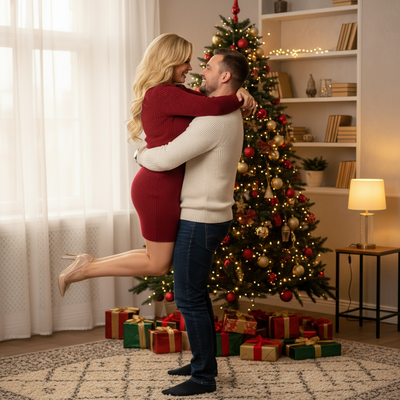
Can you take good Christmas photos without any props?
Yes. Lighting, framing, and a warm color palette do most of the work.
A plain sweater, a window, and natural light are enough to create a cozy holiday feel.
What poses work well for solo shoots without decorations?
- Sit on a windowsill or bed with soft light on one side of your face.
- Hold a mug near your chest and look slightly off camera.
- Wrap yourself in a blanket and glance over one shoulder.
- Stand in a doorway with your hand resting on the frame.
- Sit on stairs with elbows on knees for a relaxed, candid look.
How do you get a festive mood without ornaments or lights?
Warm tones do the heavy lifting. Think cream sweaters, red lips, or a plaid scarf.
Golden hour light through a window mimics candlelight and feels instantly seasonal.
What if you want snow, Santa, or a decorated backdrop anyway?
Real snow scenes or Santa suits are not always practical for a solo shoot at home.
PiXmas fills that gap by generating those backdrops digitally from a single photo you already have.
How does PiXmas turn a plain photo into a full Christmas scene?
Upload one clear phone photo. The AI applies one of over 800 styles, including Santa portraits, snowy wallpapers, and classic Christmas card looks.
You get a finished image without buying props, hiring a photographer, or waiting for snow.
How to create Christmas portraits with PiXmas
- Open the PiXmas app or web version on your phone or Android browser.
- Upload one clear, well-lit photo of yourself.
- Pick a style: Santa scene, wallpaper, or classic portrait.
- Let the AI generate your Christmas photo.
- Download and share or print your favorite result.
Prop-free vs AI-styled: which fits your solo shoot?
| Approach | Setup Needed | Time | Look Variety |
|---|---|---|---|
| Prop-free natural light shoot | Window, plain background, one outfit | 15-30 minutes | Limited to your actual space |
| PiXmas AI portraits | One existing phone photo | Under 5 minutes | 800+ styles, Santa scenes, snow, wallpapers |
Limitations
Natural light shoots depend on weather and window direction, so results vary by day.
AI-generated portraits work best with a clear, front-facing source photo. Blurry or dark originals produce weaker results. The native Android app is not out yet, but the web version works fine in Android browsers.
For a fast solo shoot, natural light and simple poses cover the basics without any props. When you want Santa scenes, snow, or decorated backdrops without buying anything, PiXmas turns one phone photo into a styled Christmas portrait in minutes.
Frequently asked questions
What is the easiest solo Christmas photo idea without props?
Sit near a window with soft natural light, wear a warm-toned sweater, and hold a mug near your chest. Look slightly off camera. This simple setup creates a cozy, festive feel without needing decorations or accessories.
Can I get a Santa or snowy photo without going outside?
Yes. PiXmas can generate Santa scenes and snowy backdrops from one phone photo you already have, so you get a full holiday look without weather, travel, or a costume.
Do I need professional lighting for solo Christmas photos?
No. Natural window light during daytime or golden hour works well. Face the light source and avoid harsh overhead lighting, which creates unflattering shadows on your face.
Can I still look put-together without buying holiday outfits?
Yes. A plain cream or red sweater and simple hairstyle photograph well. If you want a more decorated or seasonal wardrobe look, PiXmas can style your uploaded photo into festive scenes digitally.
What are some easy Christmas photoshoot ideas at home?
Easy at-home Christmas photo ideas include decorating the tree, reading holiday books, baking cookies, wrapping gifts, wearing pajamas, or posing beside a window with warm lights. Choose an activity your family already enjoys so expressions feel natural. A simple background and one recognizable holiday element usually look better than a crowded set.
What lighting is best for an indoor Christmas photoshoot?
Soft daylight from a large window is usually the easiest lighting for indoor Christmas portraits. Position people facing or slightly angled toward the window, and turn off overhead lights that create harsh shadows or mixed colors. Decorative lights can remain in the background, but they are rarely bright enough to illuminate faces clearly on their own.