Christmas Photoshoot Ideas for Friends in the Snow
Updated 2026-09-16 · PiXmas Editorial Team
Quick answer: Great snow photoshoot ideas for friends include group jumping shots, hot cocoa poses, matching scarves, snowball fight action shots, and walking-away-holding-hands frames. Shoot during golden hour for warm light against white snow. If real snow is not available or a friend group cannot all meet up, PiXmas turns one phone photo per person into matching AI Christmas portraits with snowy backdrops in minutes.
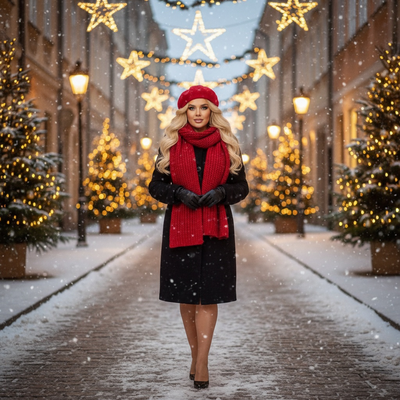
What are good snow poses for a group of friends?
Group snow poses work best when they feel candid rather than stiff.
Try a lineup jumping shot, everyone mid-air with arms out.
A back-to-camera walking shot with matching coats also reads well in snow.
Close huddles holding mugs or sharing one big scarf photograph naturally too.
How do you coordinate outfits for a snow photoshoot?
Pick one color family, like reds, plaids, or all-white, so the group looks intentional without matching exactly.
Add texture with knit hats and mittens since snow backgrounds are flat and benefit from visual interest.
Avoid neon or busy patterns, they clash with white backdrops.
What if it does not snow or friends live far apart?
Not every location gets snow, and coordinating five or six friends for one outdoor session is genuinely hard.
This is where an AI option like PiXmas helps.
Each friend uploads one phone photo from wherever they are, and PiXmas generates a Christmas portrait in a chosen snowy style, so the whole group ends up with a matching set without ever standing outside together.
How do you get a group AI snow photo set with PiXmas?
- Each friend downloads the PiXmas app or opens the web version on any phone or browser.
- Everyone uploads one clear solo photo.
- The group agrees on one snowy or winter style from the 800+ options.
- PiXmas generates each portrait separately in a few minutes.
- Photos are downloaded and can be combined into one shared collage or card.
Real snow shoot vs PiXmas AI snow photos
| Factor | Real Snow Photoshoot | PiXmas AI Photos |
|---|---|---|
| Coordination needed | Everyone in one place, one time | None, each person uploads solo |
| Weather dependent | Yes | No |
| Cost | Photographer fees possible | Low, phone photo only |
| Time to finish | Hours plus editing | Minutes per photo |
| Style variety | Limited by actual location | 800+ styles to pick from |
Limitations
AI-generated photos are not a replacement for the memory of an actual outdoor shoot with friends.
Results depend on the quality of the uploaded photo, so a clear, well-lit face shot works best.
The native Android app is not out yet, though the web version works fine in any Android browser.
Quick tips for a memorable snow shoot
Shoot early morning or late afternoon for soft light.
Bring a thermos of cocoa as a prop and a reason to pause between shots.
Keep phones in warm pockets between takes so batteries do not drain in the cold.
Real snow photoshoots with friends make great memories when weather and schedules cooperate. When they do not, PiXmas offers a fast, low-effort way for a group to get matching Christmas portraits from individual phone photos, no snow or coordination required.
Frequently asked questions
What should friends wear for a snow Christmas photoshoot?
Coordinate around one color palette like red and plaid or neutral whites and creams. Add knit hats, scarves, and mittens for texture. Avoid neon colors or busy patterns since they compete with the plain white snow background.
What are easy poses for a group of friends in snow?
Jumping lineups, walking away holding hands, huddling around hot cocoa, and staged snowball fights all photograph well. Candid movement shots usually look better than stiff posed lineups against a snowy backdrop.
What should we wear for a Christmas photoshoot?
Wear coordinated colors and textures rather than identical outfits. Neutral shades, deep green, burgundy, navy, cream, denim, and subtle plaid photograph well in holiday settings. Avoid tiny patterns, large logos, reflective fabrics, and uncomfortable clothing. Match the formality of the location, and let one outfit provide the strongest seasonal accent.
How do I set up a Christmas photoshoot in a small space?
Use one uncluttered wall, corner, doorway, or section beside the Christmas tree as your set. Remove distracting furniture, place subjects several steps in front of the background when possible, and frame tightly. A blanket, stool, greenery, and string lights can create a complete scene without filling the entire room.
How do I take professional-looking Christmas photos with a phone?
Use soft window light, clean the phone lens, avoid digital zoom, and stabilize the phone on a tripod or secure surface. Tap the main subject’s face to set focus and exposure, then use a timer or remote shutter. Leave space around the group so the image can be cropped for cards and prints.
What can I use as a Christmas photo backdrop at home?
A plain wall, curtain, bedspread, fireplace, decorated tree, porch, or neatly made bed can work as a Christmas photo backdrop. Add only a few intentional elements, such as greenery, wrapped boxes, paper stars, or a textured blanket. Check the frame for cords, outlets, clutter, and objects that appear to grow from someone’s head.