Christmas Photoshoot Ideas for Grandparents (Phone Only)
Updated 2026-09-16 · PiXmas Editorial Team
Quick answer: Grandparent Christmas photos work best with soft window light, one simple prop like a mug or ornament, and close cropped shots that focus on faces and hands. A phone camera on portrait mode covers most of this. For a polished, studio-style Christmas portrait without a real shoot, upload one phone photo to PiXmas and get an AI-generated Christmas scene in minutes.
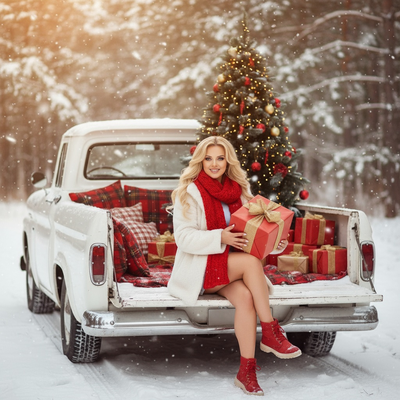
Grandparents rarely enjoy long photo sessions, so the best ideas work fast and need almost no setup.
A phone camera, natural light, and one or two props are enough to get warm, framable Christmas photos.
What Makes a Good Grandparent Christmas Photo?
Good lighting matters more than any prop or outfit.
Soft, indirect daylight near a window flatters skin and avoids harsh shadows that overhead lights create.
Simple backgrounds work best. A plain wall, a Christmas tree corner, or a doorway with garland keeps attention on the face.
Which Poses Work Without a Photographer?
- Seated portrait facing a window, chin slightly down, camera at eye level.
- Hands wrapped around a mug of cocoa or tea, shot from the chest up.
- Holding a grandchild's drawing or an ornament close to the chest.
- A candid laugh shot while talking, taken mid-conversation for a natural expression.
- A slow zoom-in shot from the waist up standing near the tree.
Portrait mode on most phones blurs the background automatically and gives a professional look with zero extra gear.
What Props Actually Help?
Keep props to one item so the photo does not feel cluttered.
A knitted scarf, a mug, string lights held loosely, or a small wrapped gift all read as festive without looking staged.
Avoid stacking multiple props. One clear focal point photographs better than a busy scene.
How Can Grandparents Get a Studio Look Without a Real Shoot?
Not every grandparent wants to pose for long, and lighting at home is not always ideal.
PiXmas solves this by turning a single existing phone photo into a full AI-generated Christmas portrait.
Upload one clear photo, choose from over 800 styles including classic Santa scenes, cozy sweater portraits, and holiday wallpapers, and PiXmas generates a polished result without a real photoshoot.
This works well for grandparents who dislike sitting for photos or live far from family and just want a nice card photo sent digitally.
Phone-Only Shoot vs AI Christmas Portrait
| Factor | Phone-Only Shoot | PiXmas AI Portrait |
|---|---|---|
| Time needed | 15-30 minutes setup and shooting | Under 5 minutes from one photo |
| Lighting control | Depends on the room | Not needed, AI generates lighting |
| Wardrobe or props | Must gather in advance | Included in the generated style |
| Best for | Grandparents who enjoy posing | Grandparents who prefer one quick photo |
Limitations
Phone-only shoots depend heavily on available daylight and a willing subject, so results vary day to day.
AI portraits from PiXmas depend on the clarity of the uploaded photo, so a blurry or heavily shadowed source image will limit the output quality.
Neither approach replaces a hired photographer for large family group shoots with many moving parts.
Simple lighting, one prop, and a phone camera cover most grandparent Christmas photo needs. When a real photoshoot is not practical, PiXmas turns a single phone photo into a polished AI Christmas portrait in minutes.
Frequently asked questions
What is the easiest Christmas photo idea for grandparents?
Seat them near a window with soft daylight and have them hold a warm mug or an ornament. Shoot from the chest up in portrait mode. This needs no extra setup and produces a warm, natural photo in minutes.
Do grandparents need special lighting equipment?
No. Natural window light works better than most indoor lamps for skin tones. Position the subject facing the window rather than with their back to it to avoid shadows on the face.
What if the grandparent dislikes being photographed?
Use one existing photo they already like, even an older one, and upload it to PiXmas. The AI generates a new Christmas-themed portrait from that single image, avoiding the need for a new posed session.
What background works best for a quick phone photo?
A plain wall or a corner near the Christmas tree with soft garland works well. Busy backgrounds pull attention away from the face, so simpler is almost always better for a phone-only shoot.
How should I prepare Christmas photos for printing?
Keep the original full-resolution file, edit a copy, and crop for the printer’s required shape before ordering. Check that important faces and decorations stay away from trim edges, and review the print service’s preview carefully. Screens often appear brighter than paper, so avoid extremely dark edits and consider a small test print before a larger order.
How can I protect my family’s privacy when sharing Christmas photos?
Share only images and details that everyone pictured is comfortable making visible. Avoid showing addresses, school names, house numbers, travel plans, shipping labels, or documents in the background. Review audience settings, remove location metadata when appropriate, and send private galleries or printed cards instead of posting publicly when children or home interiors are identifiable.