Last Minute Christmas Photoshoot Ideas for Kids
Updated 2026-09-16 · PiXmas Editorial Team
Quick answer: For a last minute kids Christmas photoshoot, use natural window light, a plain wall or string lights as backdrop, and simple props like a stocking or ornament. If there is no time to set up, style, or coordinate outfits, PiXmas turns one existing phone photo into an AI Christmas portrait or Santa scene in minutes, no studio or scheduling required.
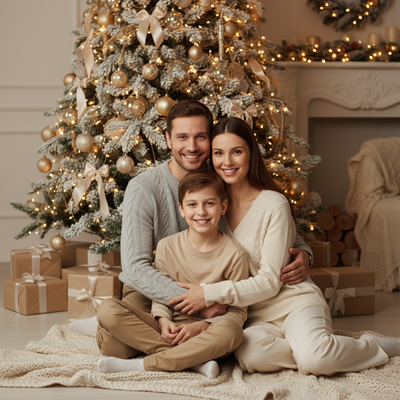
What counts as a last minute Christmas photoshoot?
A last minute shoot means no props shipped in advance and no studio booked.
It relies on what is already in the house or on your phone.
The goal is a usable, shareable photo within the hour, not a perfect production.
What are quick setup ideas for kids?
These setups use household items and take under 20 minutes to arrange.
- Sit the child near a window in soft daylight, facing the light source.
- Hang a string of warm white lights on a plain wall behind them.
- Add one prop only, such as a stocking, mug, or wrapped gift box.
- Dress in solid colors like red, cream, or forest green, avoid busy patterns.
- Take 15 to 20 shots quickly since kids move fast and expressions change.
What if there is no time to set up anything?
Some evenings there is genuinely no window light, no clean wall, and no cooperative toddler.
In that case, an existing photo already on your camera roll can be turned into a styled Christmas portrait using AI.
PiXmas takes one phone photo and generates a Christmas portrait, Santa scene, or festive wallpaper without a physical setup.
It works from the PiXmas web app on any device, including Android browsers, and there is a native iOS app for faster processing on iPhone.
How does PiXmas work for a fast kids portrait?
- Open PiXmas on your phone or the web app.
- Upload a clear, front-facing photo of your child.
- Choose a Christmas style from the 800+ options, such as Santa's lap, cozy sweater, or snowy scene.
- Generate the portrait and download it in a few minutes.
Real setup vs AI portrait for last minute needs
| Factor | Real Last Minute Setup | PiXmas AI Portrait |
|---|---|---|
| Time needed | 20 to 60 minutes | A few minutes |
| Requires cooperation | Yes, child must sit still | No, uses one existing photo |
| Props or lights needed | Yes | No |
| Style variety | Limited to what you own | 800+ styles available |
| Best for | Families with some setup time | Families with zero setup time |
Limitations
Real setups depend on daylight, weather, and a child's mood, which can all fail at the last minute.
AI portraits from PiXmas depend on the quality of the uploaded photo, so blurry or dark source images may produce less accurate results.
A native Android app is not yet available, though the web version works fine on Android browsers today.
Which option should you pick tonight?
If you have a window, a plain wall, and a willing child, the DIY setup above works well and costs nothing.
If bedtime is close and patience is gone, PiXmas turns a photo you already have into a finished Christmas portrait without any staging.
For genuinely last minute kids Christmas photos, a simple window-light setup works if the child cooperates and light is available. When neither condition holds, PiXmas converts one existing phone photo into an AI Christmas portrait in minutes with no props, lighting, or scheduling needed.
Frequently asked questions
What is the fastest last minute Christmas photoshoot idea for kids?
Sit the child near natural window light against a plain wall, add one small prop like a stocking, and take several quick shots. This takes under 20 minutes and needs no special equipment.
Can I get a Christmas portrait without doing a physical photoshoot at all?
Yes. PiXmas turns one phone photo you already have into an AI-generated Christmas portrait or Santa scene, skipping the setup, lighting, and cooperation challenges of a live shoot entirely.
Is a real photoshoot better than an AI portrait for kids?
A real shoot captures a genuine moment but takes time and cooperation. PiXmas is better when time is short, since it produces a styled Christmas portrait from an existing photo in minutes.
How should I prepare Christmas photos for printing?
Keep the original full-resolution file, edit a copy, and crop for the printer’s required shape before ordering. Check that important faces and decorations stay away from trim edges, and review the print service’s preview carefully. Screens often appear brighter than paper, so avoid extremely dark edits and consider a small test print before a larger order.
How do I keep skin tones and Christmas colors accurate in photos?
Use one main light source and avoid mixing daylight with warm household bulbs whenever possible. Set exposure for faces rather than bright string lights, and compare edited images on more than one screen before printing. Heavy filters can turn skin orange and distort reds or greens, so make small adjustments to warmth, tint, contrast, and saturation.
How can I get natural Christmas photos of kids and pets?
Photograph kids and pets during simple activities instead of requiring long, formal poses. Let them open a prop gift, look at ornaments, cuddle on a blanket, or interact with family members. Prepare the set before bringing them in, use treats or toys near the camera, and stop when attention or patience begins to fade.